---
title: "Your dashboard"
description: "See what your dashboard shows as a player or as an organizer, and where to go from each section."
canonical_url: "https://docs.hustlx.com/get-started/your-dashboard"
---
# Your dashboard
> See what your dashboard shows as a player or as an organizer, and where to go from each section.
The dashboard at `/dashboard` is your home page after you sign in. It shows a player view by default, and an organization view when your current organization gives you a management role.
Any signed-in account that has finished onboarding. The organization view needs a staff role such as **Organization Admin**, **League Manager**, or **Training Manager**.
## Open your dashboard
Select **Dashboard** at the top of the icon rail on the left. On a phone, open the menu first.
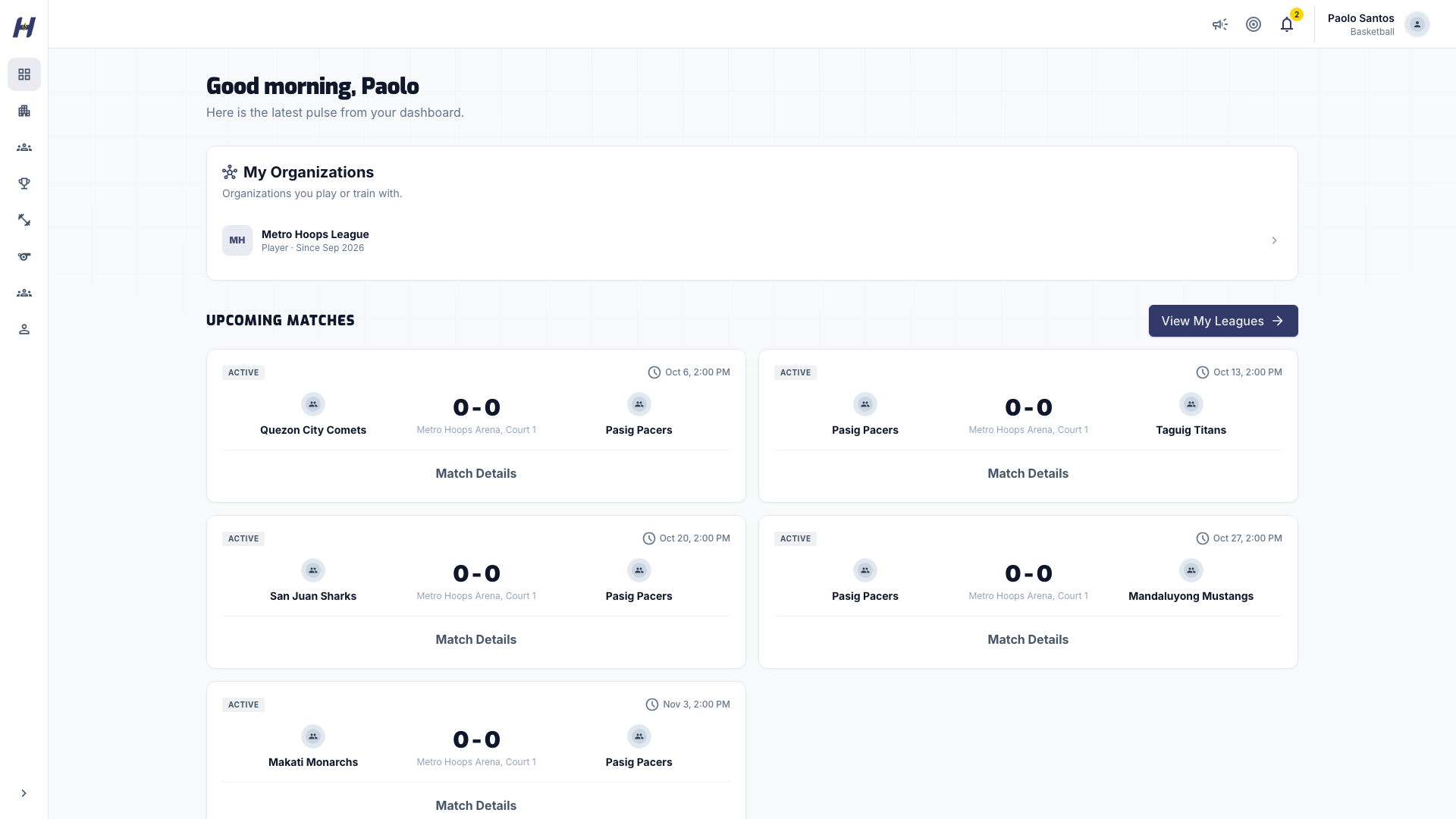
The player view shows these sections, top to bottom:
- **Upcoming Matches**: your next games, with opponent, league, venue, and time. Select a match to open its match page.
- **Your Stats**: cards such as games played, total points (total score for volleyball), points per game, and win rate across your league matches.
- **Quick Play**: your practice activity, with this week's mission, **Total Plays**, and **This Week**. Select **View All** or **Get Started** to open Practice. See [Practice and challenges](https://docs.hustlx.com/profile/practice-and-challenges).
- **Recent Results**: your last completed matches with final scores.
- **Your Team Standings**: where each of your teams sits in its league. It appears once a team has standings.
- **Recent Leagues**: leagues connected to your teams. It appears once there are leagues to show.
A new account shows **No upcoming matches** and **No recent results** until you join a league and play.
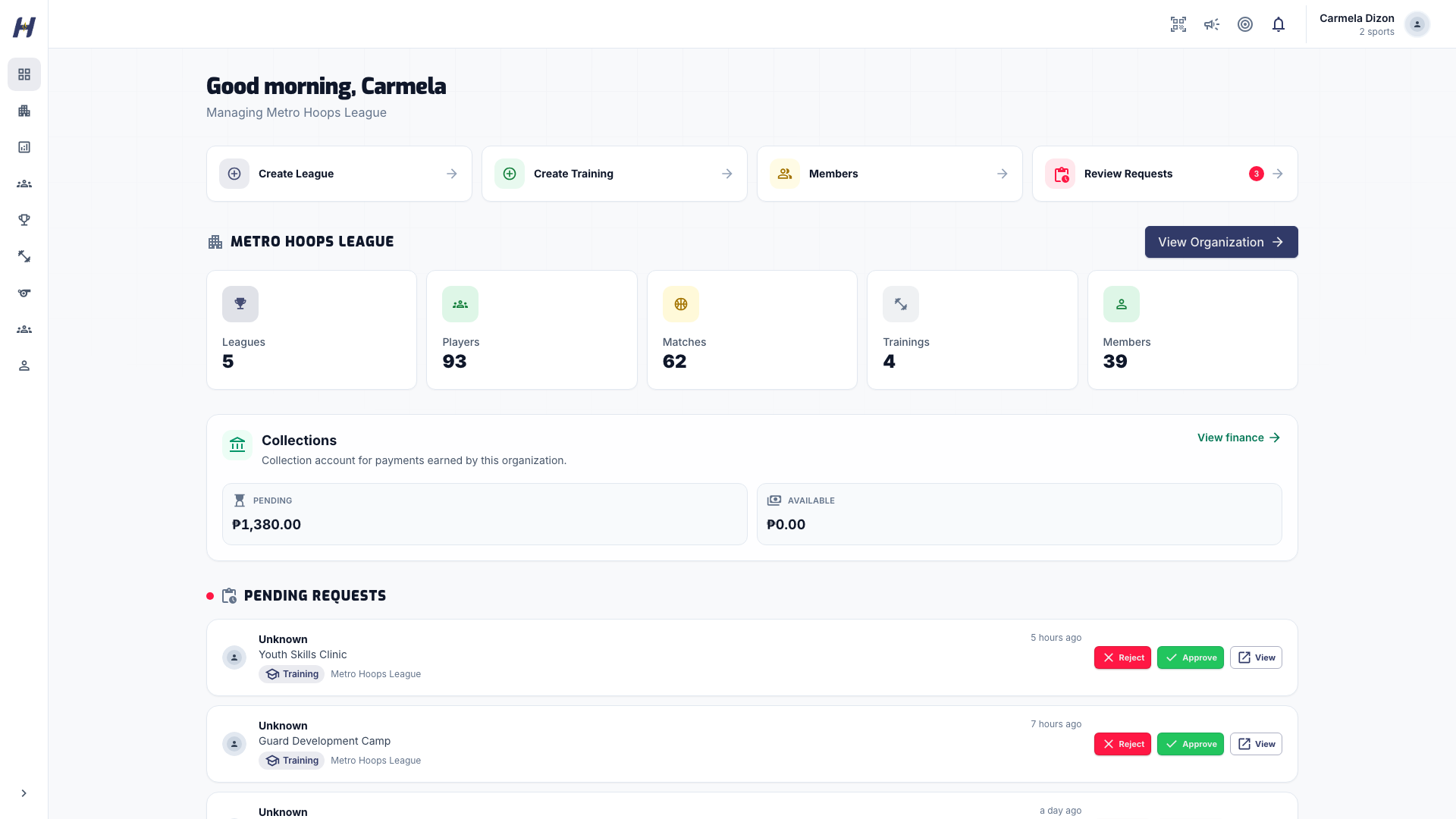
The heading reads **Managing** and your organization's name. You see these sections:
- Quick action buttons: **Create League**, **Create Training**, **Members**, and **Review Requests**. Each one appears only when your role allows it.
- An organization overview card with counts for **Leagues**, **Players**, **Matches**, **Trainings**, and **Members**, and a **View Organization** link.
- **Collections**: payments earned by the organization, for roles that can view collections.
- **Pending Requests**: league and training join requests. Approve or reject each one here, or open the full requests page.
- **Recent Org Matches**: matches recently played in your organization's leagues.
- Your own **Upcoming Matches** and **Recent Results**, if you also play.
If the organization still needs setup, a banner at the top asks you to finish it first.
## Switch organizations
If you manage more than one organization, open **Organizations** in the icon rail and choose one under **Your organizations**. The dashboard then shows that organization.
## Troubleshooting
### I manage an organization but see the player view
Your current organization does not give you a management role, or a different organization is selected. Choose the right one under **Organizations**, or ask an **Organization Admin** to check your role.
### A quick action is missing
Quick actions follow your role. For example, **Create League** needs permission to manage leagues. See [Organization settings and members](https://docs.hustlx.com/organizations/settings-and-members).
### My stats are empty
**Your Stats** fills in after you play recorded league matches. Practice activity shows in **Quick Play** instead.
## Related guides
- [Where to find things](https://docs.hustlx.com/get-started/where-to-find-things)
- [Follow a league](https://docs.hustlx.com/leagues/follow-a-league)
- [Invite teams and review requests](https://docs.hustlx.com/leagues/invitations-and-requests)
- [Awards and stats history](https://docs.hustlx.com/profile/awards-and-stats-history)
## Sitemap
See the full [sitemap](https://docs.hustlx.com/sitemap.md) for all pages.