---
title: "Create and schedule matches"
description: "Enter one game by hand or build a full schedule in Matchmaking, preview it, publish it, and keep dates and venues current."
canonical_url: "https://docs.hustlx.com/leagues/create-and-schedule-matches"
---
# Create and schedule matches
> Enter one game by hand or build a full schedule in Matchmaking, preview it, publish it, and keep dates and venues current.
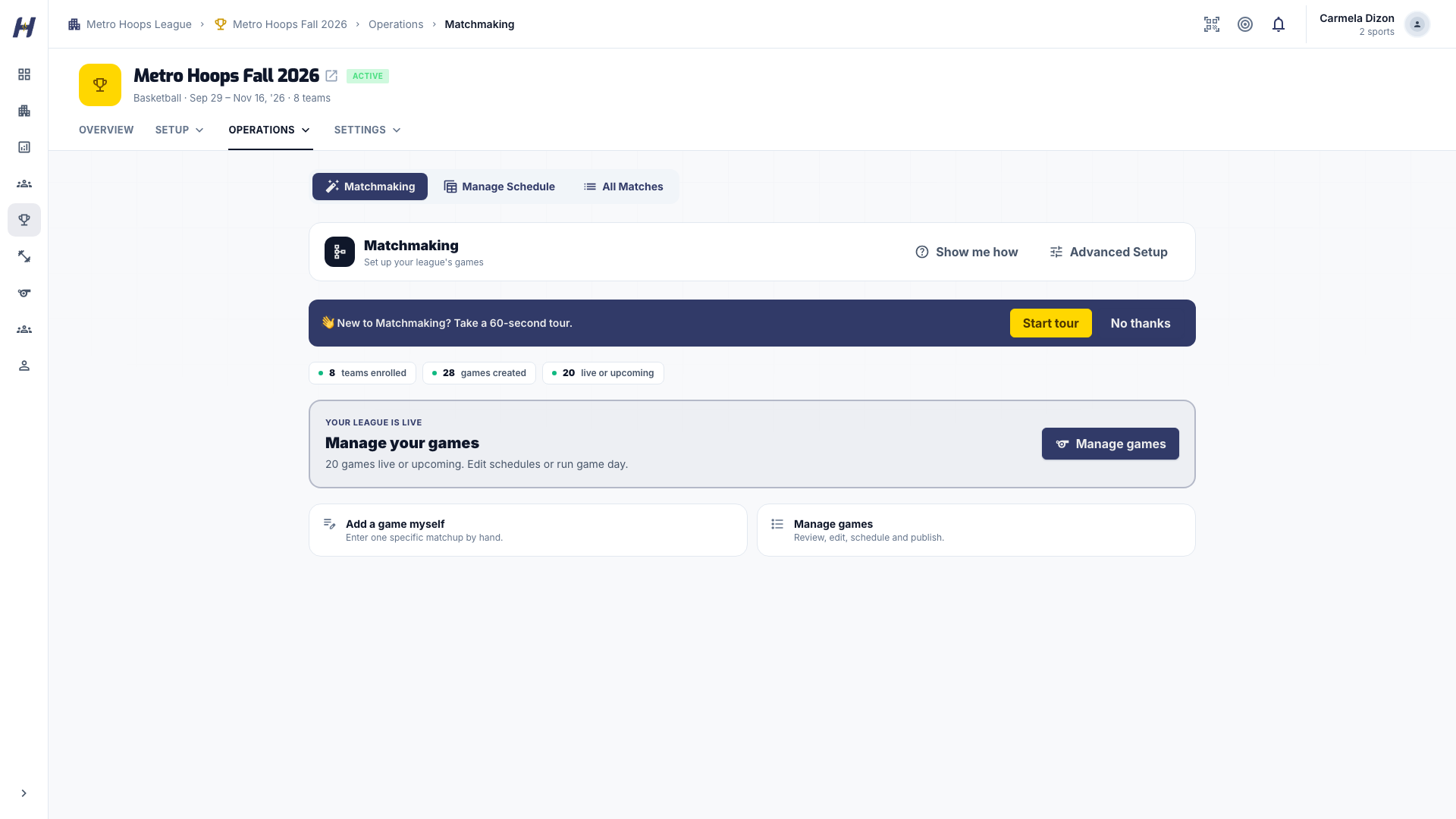
**Matchmaking** is where you create league games. Add a single matchup yourself, or let HustlX build a round robin or knockout bracket, preview it, and publish the games teams should see.
Organization owners and members who can manage the league. Public visitors and players cannot create games.
## Before you start
- Confirm the enrolled field in **Manage** > **Operations** > **Teams & Players**. An invitation still waiting for a reply is not an enrolled team.
- Complete any league team admission the published league needs. See [Set up registration and fees](https://docs.hustlx.com/leagues/registration-and-fees).
- Choose your structure. See [Choose a competition format](https://docs.hustlx.com/leagues/competition-formats-and-brackets).
## Build the schedule
### Open Matchmaking
Open the league, select **Manage**, then **Operations** > **Matchmaking**. The matchmaking home shows how many teams are enrolled, how many games exist, and the most useful next step. Select **Show me how** for a short guided tour.
### Choose a format
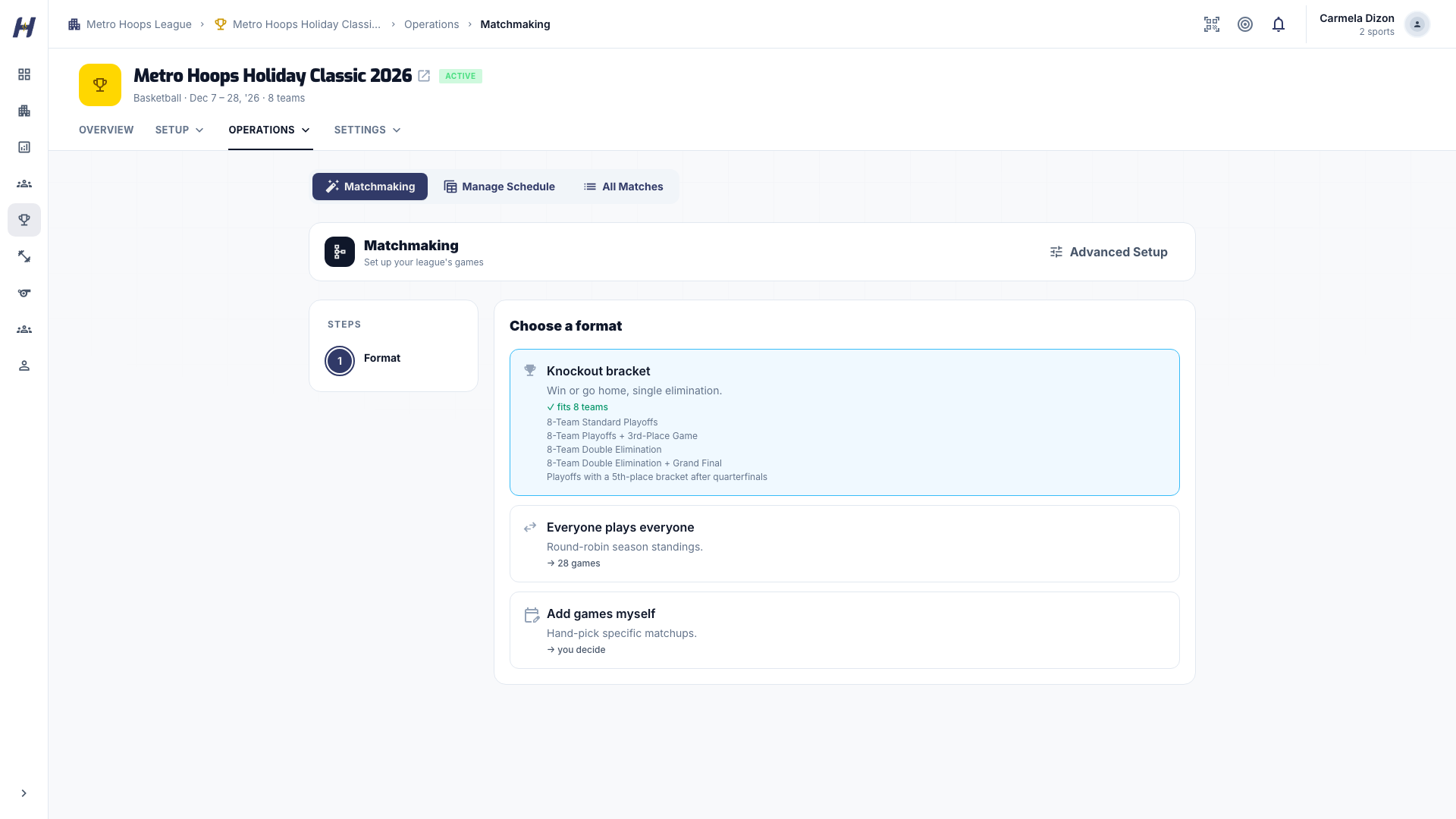
Select **Create games**, then pick a format:
- **Knockout bracket**: single elimination. Choose a preset that fits your team count, then arrange **Teams & seeds** and select **Create bracket**.
- **Everyone plays everyone**: a single round robin. The **Review** step shows the team and game counts before you select **Create games**. For 8 teams that is 28 games.
- **Add games myself**: the manual path described below.
Automated formats depend on your organization's access and team count. If a format is unavailable, read the message on the page or use **Add games myself**.
Volleyball leagues open their own matchmaking page. Under **Create games**, answer **What games are you creating?** (**Regular Season**, **Quarterfinals**, **Semifinals**, or **Finals**) and **How should teams play?** (**Single Round Robin**, **Double Round Robin**, **Triple Round Robin**, or **Single Elimination**). Pick **Sets per game**, or keep the league default for that game type. Then choose **How should these games be saved?**: **Save as draft** or **Publish live**. **Advanced setup** holds the group and playoff tools.
### Preview the games
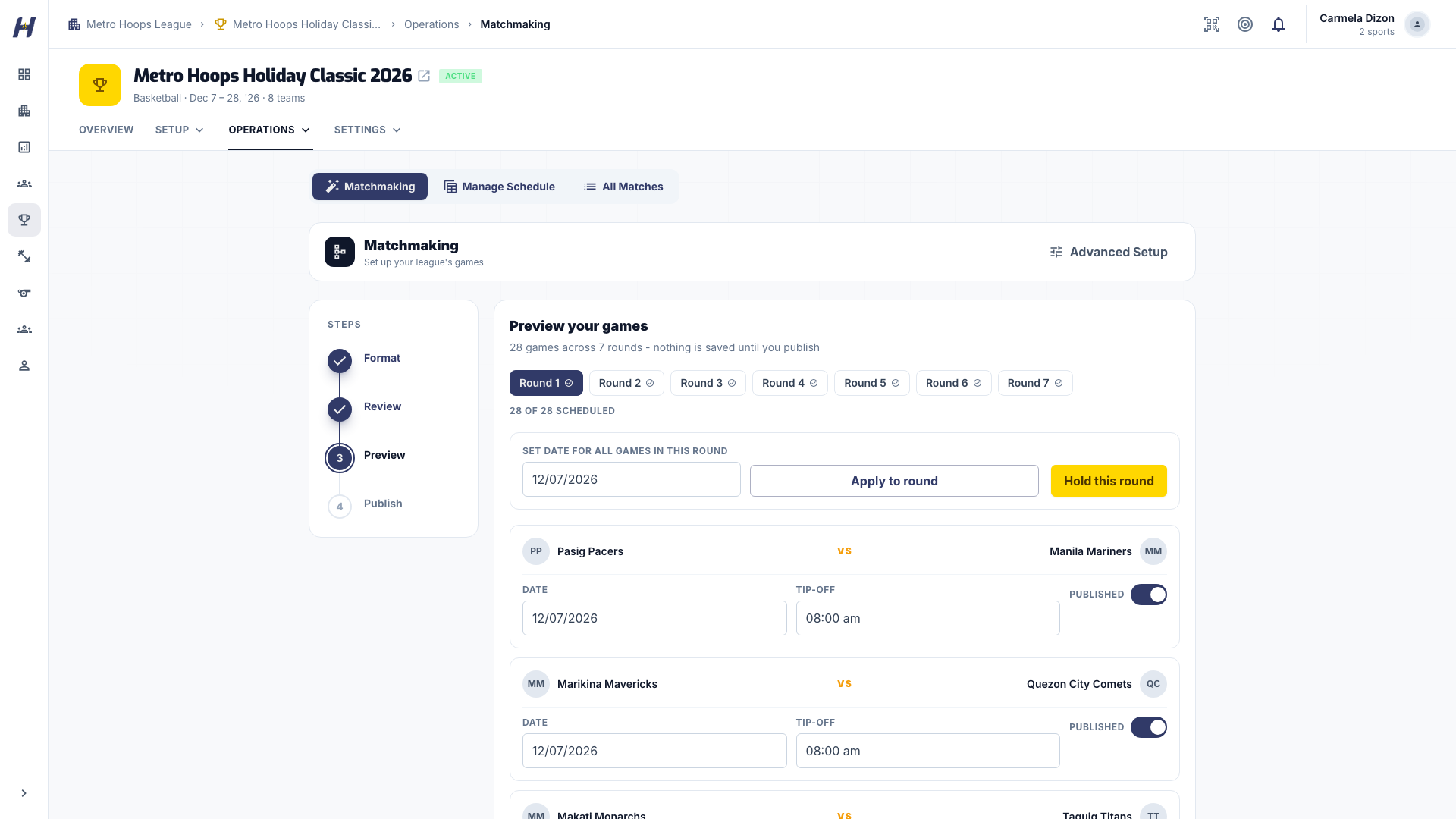
On **Preview**, switch between round tabs to check the pairings. Set each round's game day and game times where you know them, and choose which games go public. A round-robin preview has not saved anything yet. Knockout games are already saved as drafts.
### Publish
On **Publish**, check **Going public**, **Staying draft**, and **Unscheduled**. Select **Publish** with the game count, then confirm **Publish** in the dialog. For saved knockout drafts, **Keep as drafts** lets you finish later. For an unsaved round-robin preview, **Close preview** leaves without creating games.
## Add one game yourself
1. On the matchmaking home, select **Add a game myself**.
2. Choose the **Home** and **Away** teams. They must be different teams.
3. Set **Type**: **Regular**, **Elimination**, **Quarterfinals**, **Semifinals**, or **Finals**.
4. Enter **When** and **Venue**. If a confirmed court booking applies, select it under **Court**.
5. Use **Add Game** or **Add 5** for more rows. Rows without both teams are not ready to submit.
6. Choose **Save as draft** to keep the games private, or **Publish live** and confirm to add them to the public schedule. Use **Add More Games** to start another batch.
Publishing a game puts it on the schedule. Live scoring starts separately in Game Day.
## Change a date, venue, or status
1. From the matchmaking home, select **Manage games**. You can also select **Manage Matches** on the league's **Matches** tab.
2. Find the game with the team search, round filter, or status filter. The default **Active & draft** view hides finished games; choose **Concluded** or **All statuses** to see them.
3. Select **Edit** and change **Date & Time**, **Location**, or **Court booking**.
4. Draft changes save automatically. For a published game, select **Save**.
Edit a single game instead of rebuilding the whole schedule, especially after results exist.
## Open Game Day
Open the match from the league's **Matches** tab and select **Start Game Day**. The league must be published and a draft match activated first. HustlX opens the controller for the match's sport. See [Game Day overview](https://docs.hustlx.com/game-day/overview).
## Troubleshooting
### A team is missing from the selector
Check the league's enrolled teams, pending invitations, admission status, and the team's sport. Do not create a replacement team to work around an unfinished entry.
### Players cannot see a game
It is probably still a draft. Saving a draft does not publish it.
### The page warns that a playoff series is already clinched
Check the series result before you select **Create game anyway**. Add the game only if it is part of your intended schedule.
### I changed the field after building the schedule
Rebuild before you share the schedule widely. Once results are recorded, edit individual games instead.
## Related guides
- [Choose a competition format](https://docs.hustlx.com/leagues/competition-formats-and-brackets)
- [Run the season](https://docs.hustlx.com/leagues/run-the-season)
- [Match readiness](https://docs.hustlx.com/leagues/match-readiness)
- [Game Day overview](https://docs.hustlx.com/game-day/overview)
## Sitemap
See the full [sitemap](https://docs.hustlx.com/sitemap.md) for all pages.