---
title: "Post announcements"
description: "Publish an announcement to your organization, a league, or a training, choose its category and audience, and see how members read it."
canonical_url: "https://docs.hustlx.com/organizations/announcements"
---
# Post announcements
> Publish an announcement to your organization, a league, or a training, choose its category and audience, and see how members read it.
Announcements are the written record of what you told your members: schedule changes, registration openings, document reminders, and season news. Each one belongs to your organization, one league, or one training, and goes only to the audience you pick.
Organization-wide: organization admins, League Managers, and Training Managers. In a league or training: anyone who can edit that league or training.
## Before you start
- Decide the narrowest place that reaches the right people. A training reminder sent to the whole organization is noise.
- Have the key fact ready for the first sentence. Most people only read the notification.
## Publish an announcement
### Open Announcements
Choose where to post:
- **Organization**: select **Manage**, then **Operations** > **Announcements**.
- **League**: open the league's **Manage** area, then **Operations** > **Announcements**.
- **Training**: open the training's **Manage** area, then **Operations** > **Announcements**.
The page lists everything already published in that place.
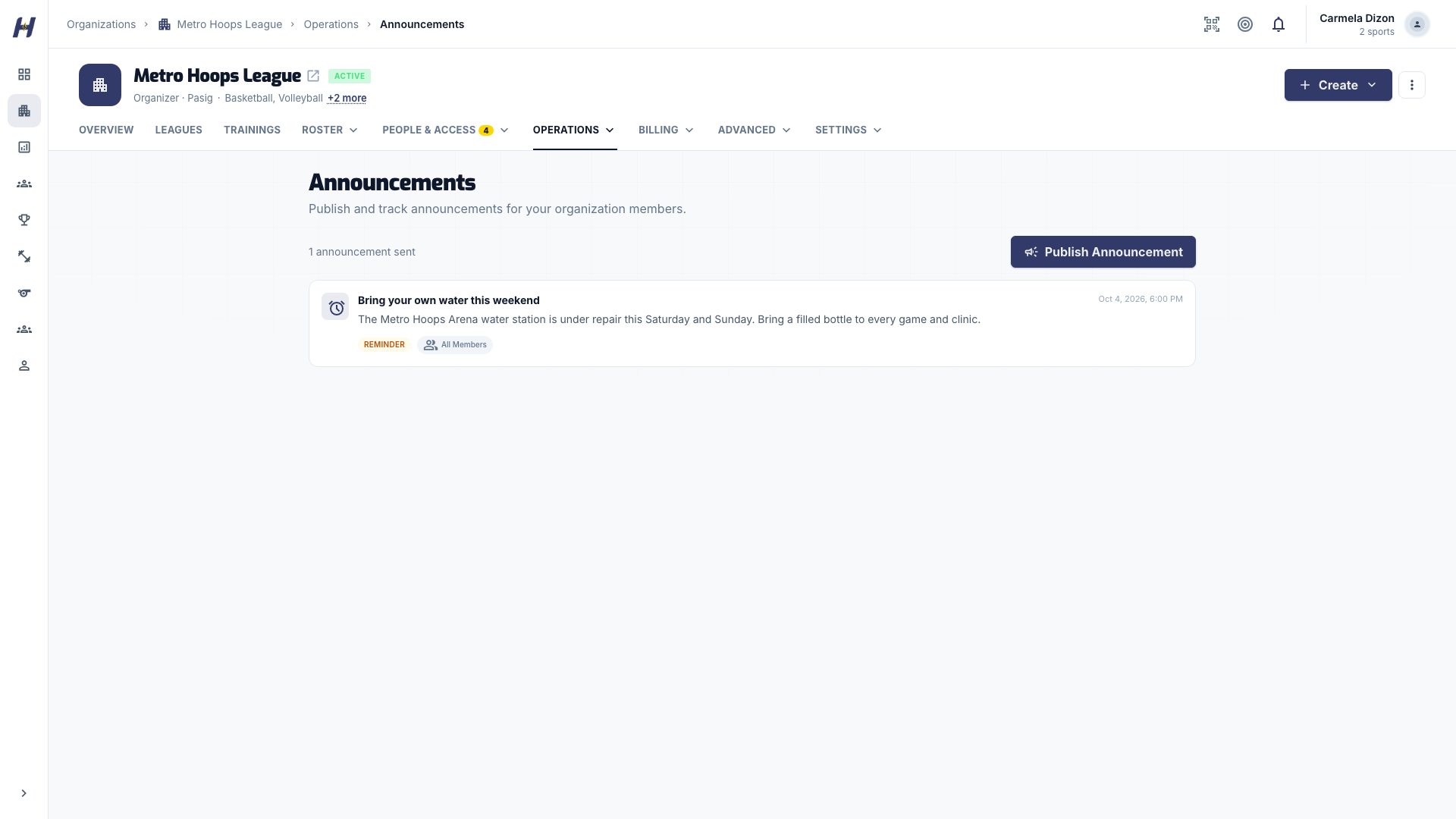
### Write the announcement
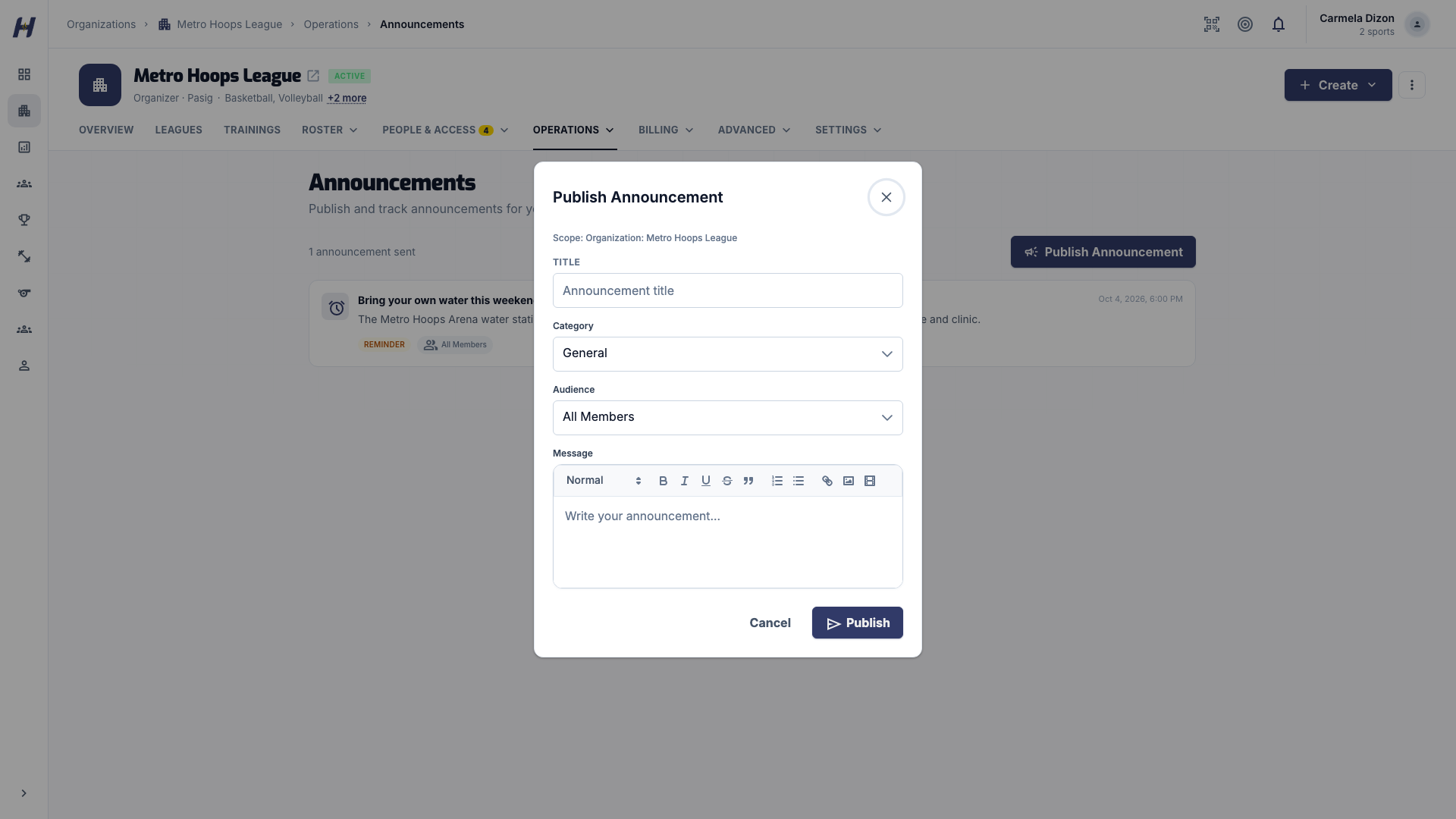
Select **Publish Announcement**. Add a **Title** and write the **Message**. Put what changed and what to do in the first sentence, and link to the match, session, or page where action happens.
### Choose category and audience
Pick a **Category**: **General**, **Reminder**, **Schedule Change**, or **Admin Only**. Then pick an **Audience**:
Posted in
Audience options
Organization
All Members
,
Staff & Admins
League
League Participants
,
League Managers
Training
Training Members
,
Training Staff
,
Members & Staff
### Publish
Select **Publish**. The announcement appears in the list right away.
## What happens next
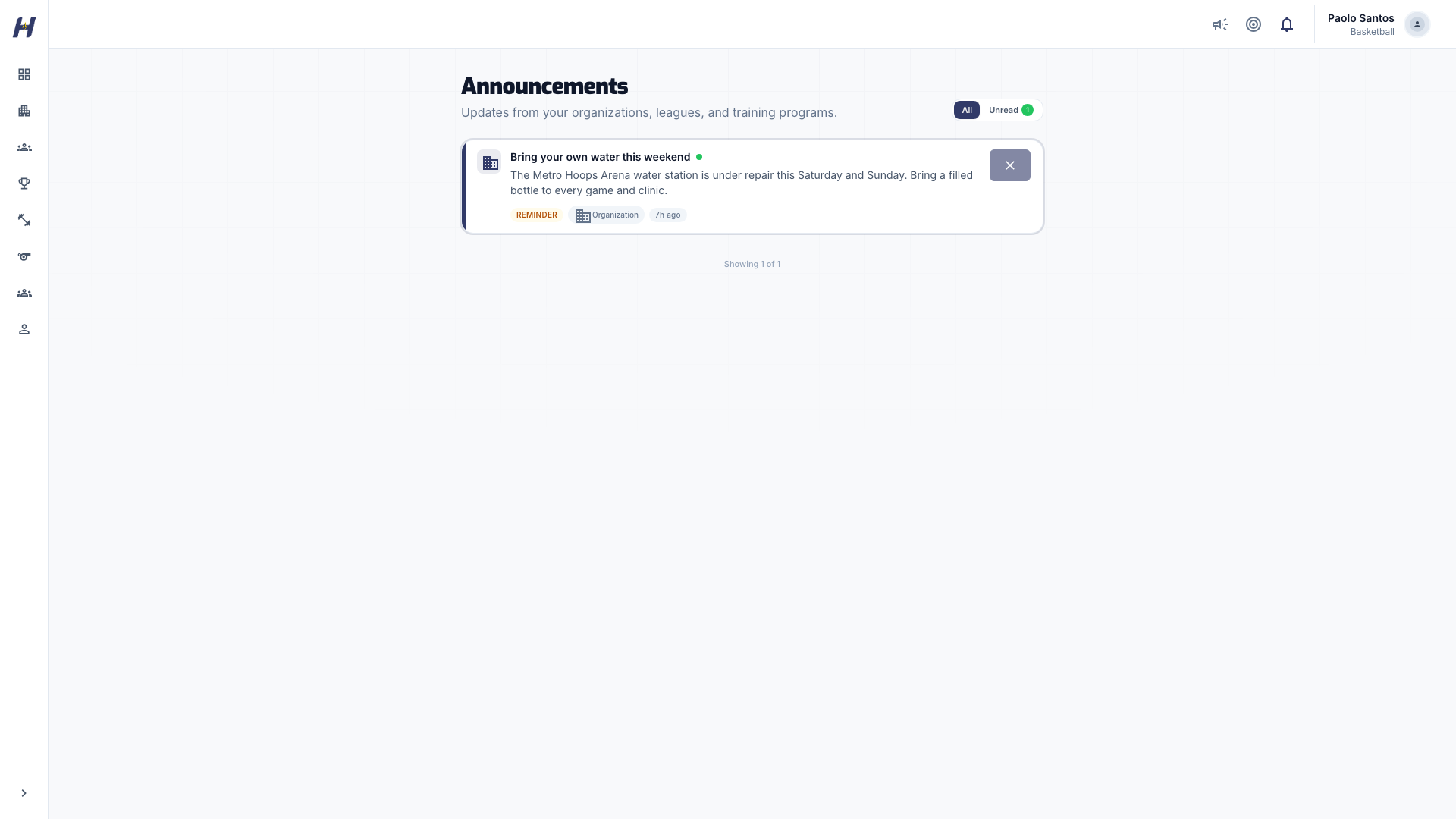
- Each person in the audience finds it on their **Announcements** page, which collects updates from their organizations, leagues, and training programs.
- Members also get a notification, and an email when their notification settings allow it.
- On the **Announcements** page, members can filter to unread items, mark an announcement as read, or dismiss it. Dismissing hides that one announcement; it does not stop future ones.
Published announcements cannot be edited or deleted. To correct one, publish a follow-up that refers to the original.
## Tips
- One decision per announcement. Do not bundle a schedule change with an award.
- Use **Schedule Change** for moved matches or sessions so members can spot them.
- Keep decisions in announcements rather than only in chat, so new staff can catch up later.
## Troubleshooting
### Some members did not see it
Check the audience. **Staff & Admins** and **League Managers** reach only staff. Members must also still belong to the organization, league, or training when you publish.
### A member did not get the email
Email follows each member's notification settings. The announcement is still on their **Announcements** page.
### I posted to the wrong place
Publish a corrected announcement in the right place, and a short follow-up in the wrong one if needed.
## Related guides
- [Manage settings and members](https://docs.hustlx.com/organizations/settings-and-members)
- [Create a league](https://docs.hustlx.com/leagues/create-a-league)
- [Create a training](https://docs.hustlx.com/training/create-a-training)
- [Documents and waivers](https://docs.hustlx.com/training/documents-and-waivers)
## Sitemap
See the full [sitemap](https://docs.hustlx.com/sitemap.md) for all pages.