---
title: "Find and join a team"
description: "Browse teams, read a team page, accept a team invitation, and create your own team when you cannot find one."
canonical_url: "https://docs.hustlx.com/organizations/find-and-join-a-team"
---
# Find and join a team
> Browse teams, read a team page, accept a team invitation, and create your own team when you cannot find one.
A team is the unit that plays in leagues. You join a team when one of its admins invites you, and you can be on several teams at once, across sports, organizations, and seasons.
Any signed-in player. Team admins send the invitations.
## Before you start
- Finish your profile so team admins can find you by name, email, or `@username`. See [Your profile](https://docs.hustlx.com/profile/your-profile).
- Turn on notifications so you see invitations as they arrive. See [Invitations and notifications](https://docs.hustlx.com/account/invitations-and-notifications).
## Find a team
### Browse teams
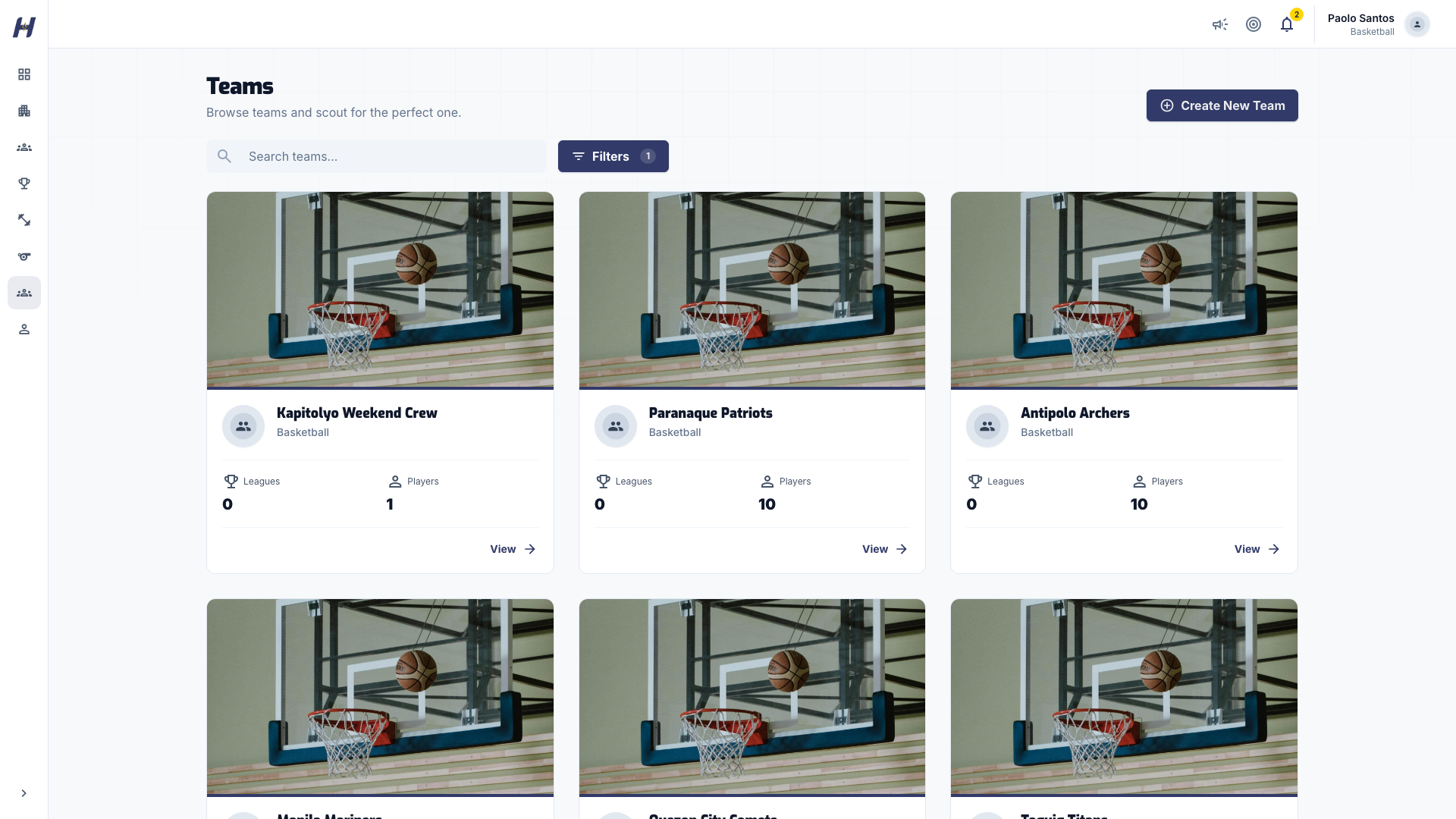
Select **Teams** in the sidebar. Search by name, or open **Filters** to narrow the list by **Sport**.
### Open a team page
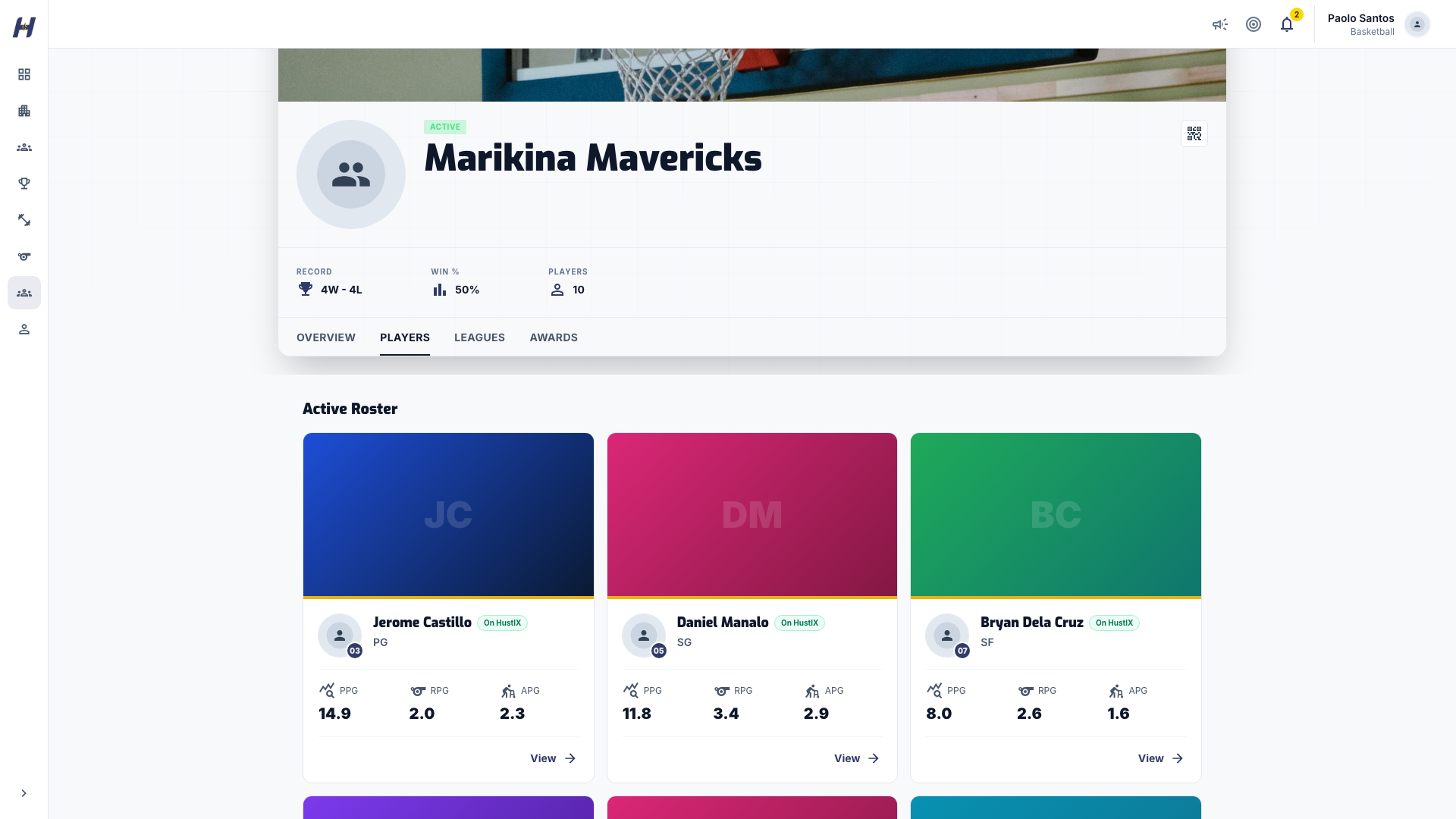
Select a team card. The team page has tabs for **Overview**, **Players**, **Leagues**, and **Awards**. **Players** shows the roster in jersey-number order.
### Ask to be added
HustlX has no join request button on team pages. Contact the team's coach, manager, or organization and give them the email or `@username` on your HustlX account so they can invite you.
## Accept a team invitation
### Open the invitation
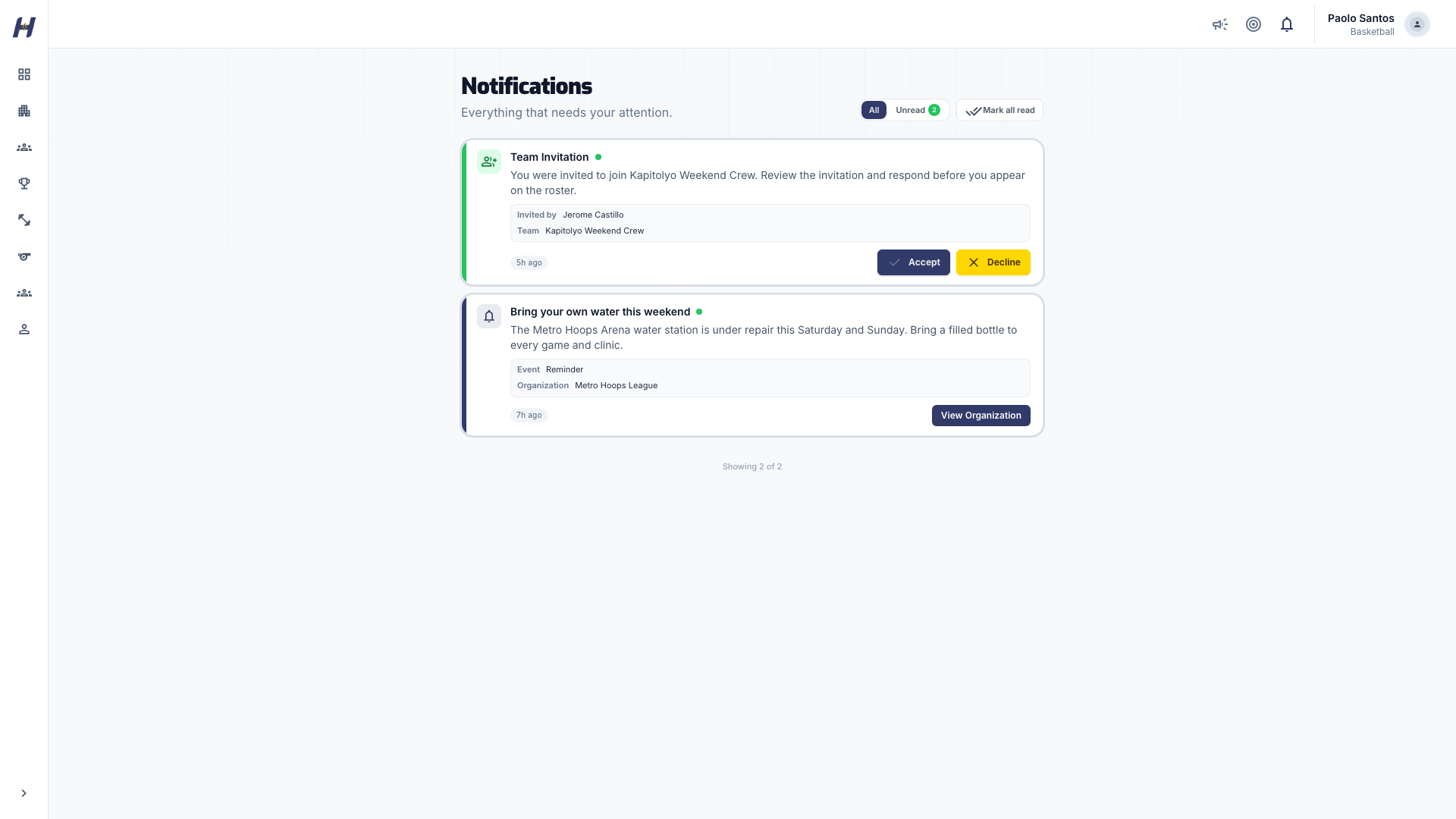
Open **Notifications** and select **All**. Team invitations show **Accept** and **Decline** buttons.
### Respond
Select **Accept** to join. To turn it down, select **Decline**, add an optional reason, then select **Confirm Decline**.
## What happens next
- You appear on the team's roster with the role the team admin chose.
- You can be placed on the rosters of leagues the team enters. As a player, you can be on only one team's roster in the same league.
**Coach**, **Assistant Coach**, and **Team Manager** are non-playing roles. If an admin added you with one of them but you want to play, ask them to change your role to **Player**.
## Create your own team
If no team fits, start one. Select **Create New Team** on the **Teams** page, add the team name, sport, and your role, invite players, and select **Create Team**. See [Manage teams and rosters](https://docs.hustlx.com/organizations/teams-and-rosters#create-a-personal-team).
## Troubleshooting
### How do I leave a team?
There is no leave button. Ask a team admin to remove you from **Manage** > **Members**.
### The invitation disappeared from Notifications
It may already be answered or withdrawn. Ask the team admin to check the team's **Invitations** tab and send a new one.
### I am on a roster I did not sign up for
An organization may have added you as a roster record before you joined HustlX. When they send you a claim link, accepting it connects that record and its history to your account. See [Invitations and notifications](https://docs.hustlx.com/account/invitations-and-notifications#claiming-an-organization-roster-profile).
## Related guides
- [Follow a league](https://docs.hustlx.com/leagues/follow-a-league)
- [Your profile](https://docs.hustlx.com/profile/your-profile)
- [Invitations and notifications](https://docs.hustlx.com/account/invitations-and-notifications)
- [RSVP and waitlist](https://docs.hustlx.com/training/rsvp-and-waitlist)
## Sitemap
See the full [sitemap](https://docs.hustlx.com/sitemap.md) for all pages.