---
title: "Find your awards and stats history"
description: "Find your league awards, Player of the Game honors, and recorded match statistics, and add your own experience entries."
canonical_url: "https://docs.hustlx.com/profile/awards-and-stats-history"
---
# Find your awards and stats history
> Find your league awards, Player of the Game honors, and recorded match statistics, and add your own experience entries.
HustlX builds your awards and statistics from what organizers record in their leagues. Use your profile for the summary, and the league and match pages for the full record.
Any player. Visitors can see your public awards and matches. Your **Stats** tab is visible only to you.
## Before you start
- [Set up your player profile](https://docs.hustlx.com/profile/your-profile).
- Play in a league whose organizer records results on HustlX. Awards and statistics come only from recorded league activity.
## Check your Awards Cabinet
### Open your profile
Select your avatar, then **My Profile**. Stay on **Overview**.
### Find the Awards Cabinet
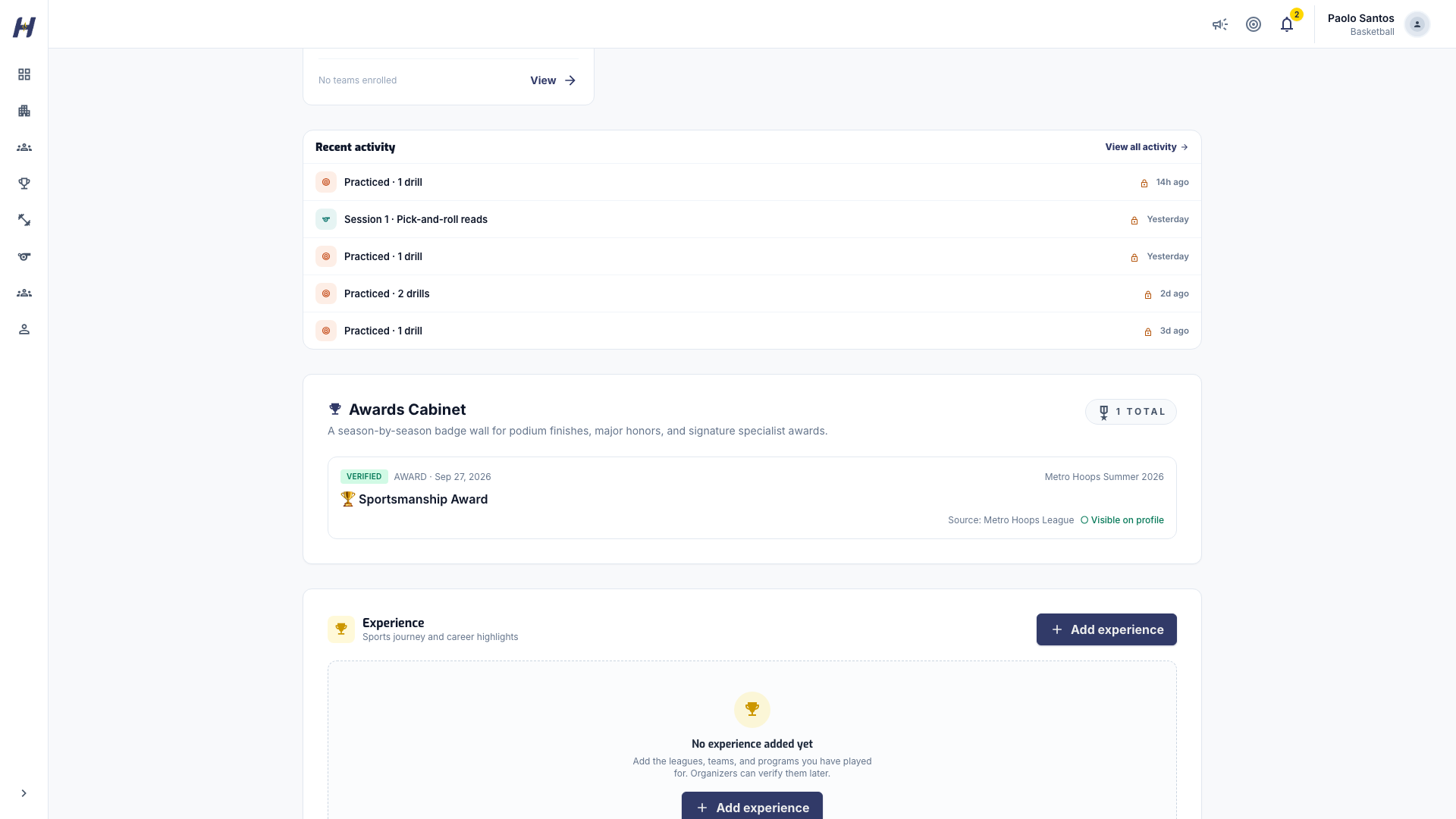
Scroll to **Awards Cabinet**. Each badge shows the award, whether it is a player or team honor, how many times you won it, and the league it came from.
### Open the league's award board
To see every recipient, open the league and select its **Awards** tab. The organizer chooses league award recipients there.
A high leaderboard position is evidence to review, not an automatic award. Organizers pick season award recipients on the league **Awards** page, and the scorekeeper picks Player of the Game when a match ends.
## Find Player of the Game honors
When a scorekeeper names you Player of the Game, the honor appears on the match page above the match highlights, and on your profile **Activity** feed. On the feed, select **Player of the Game** to list only those honors.
## Review your statistics
### Open the Stats tab
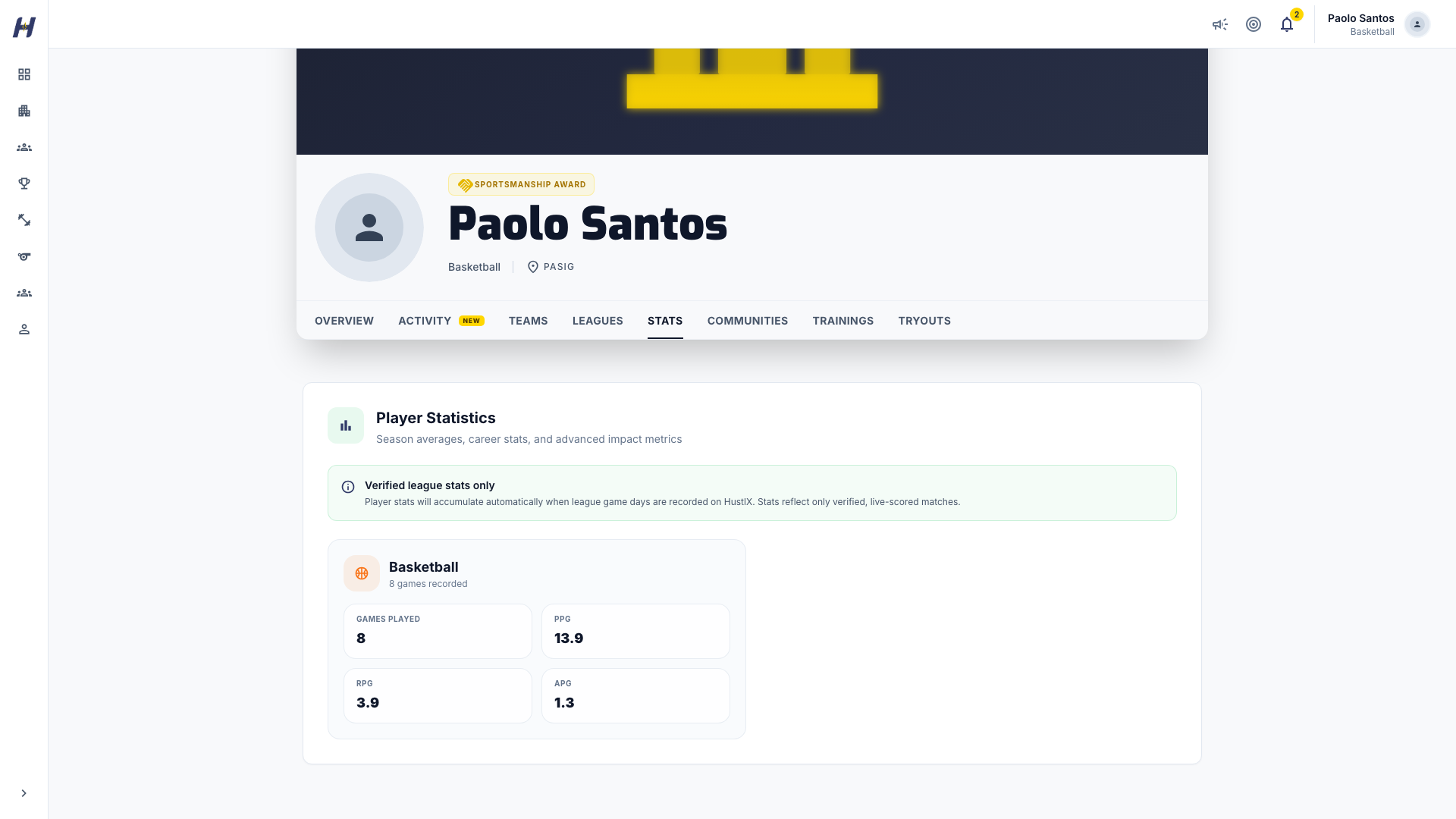
On your own profile, select **Stats**. Only you can see this tab.
### Read your totals by sport
**Player Statistics** lists each sport you have played with **Games Played** and that sport's recorded measures. Basketball includes measures such as points, rebounds, and assists. Volleyball includes measures such as kills, blocks, digs, and aces.
### Check a single match
Open the league, select **Matches**, and open the match. Review the score, player statistics, and play-by-play for that game. Check the player and team before comparing the figures with your totals.
Stats count only verified, live-scored league matches. They are not a manual entry form. To compare players inside one competition, use the league **Leaderboard** tab.
## Add your experience
The **Experience** section on your Overview records your own sports journey, including seasons played outside HustlX.
### Start a new entry
On your own **Overview**, find **Experience** and select **Add experience**.
### Fill in the details
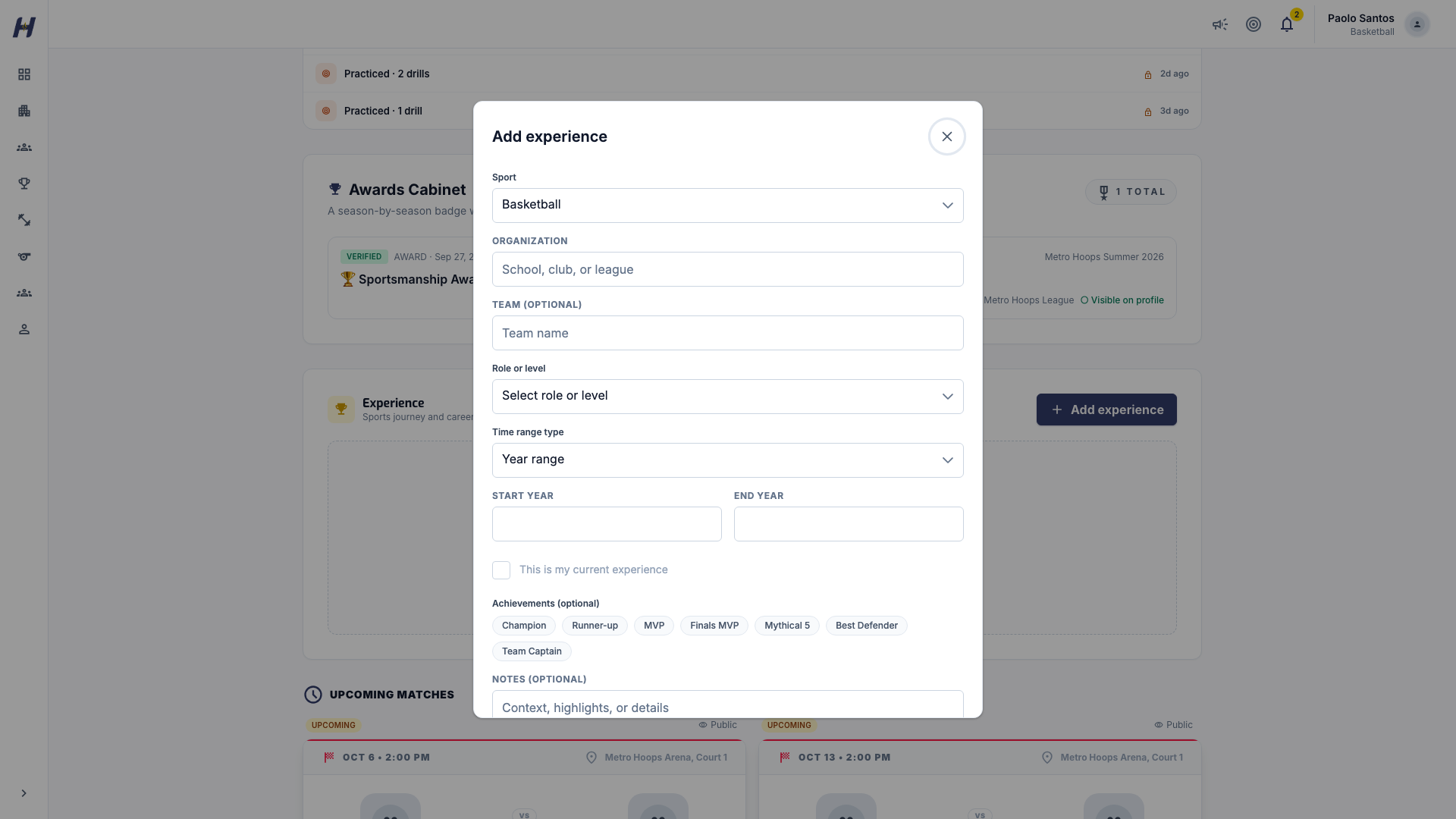
Choose the sport, then enter the **Organization**, **Team (optional)**, and **Role or level**. Add a **Start year** and **End year**, or exact dates, or select **This is my current experience**.
### Add highlights and save
Pick any **Achievements (optional)**, add **Notes (optional)**, and select **Save**. Use the edit and delete icons on an entry to change or remove it later.
An experience entry is your own account of that period. It does not assign a league award or change a match box score.
## What happens next
- New awards appear in your **Awards Cabinet** after the organizer saves them.
- New statistics appear after each live-scored league match is completed.
## Troubleshooting
### An award is missing
Open the league's **Awards** tab. If you are not listed there, ask the organizer whether the recipients have been saved.
### A match is missing from my history
Open the match directly and ask the organizer to check that it was completed and that your stats were recorded under your player identity.
### My statistics look wrong
Send the organizer the match link and the specific entry to review. Editing your experience does not correct match data.
### My Stats tab is empty
Statistics appear after you take part in at least one live-scored league match on HustlX.
## Related guides
- [Follow a league](https://docs.hustlx.com/leagues/follow-a-league)
- [Standings, playoffs, and awards](https://docs.hustlx.com/leagues/standings-playoffs-and-awards)
- [Share your profile and activity](https://docs.hustlx.com/profile/followers-and-social)
- [Anonymous players and walk-ins](https://docs.hustlx.com/organizations/anonymous-players-and-walk-ins)
## Sitemap
See the full [sitemap](https://docs.hustlx.com/sitemap.md) for all pages.