Run pickup game day
Pickup game day is a lightweight scoring console for community runs. It records the score and, where the sport supports it, simple player stats. It does not enforce official league rules.
Before you start
- Schedule the pickup and make sure players are on the roster.
- Starting game day uses one session from your monthly allowance. See Know your monthly session allowance.
- For paid pickups, check each player's payment in Pickup Join Requests before they play.
Run the game
Open the pickup
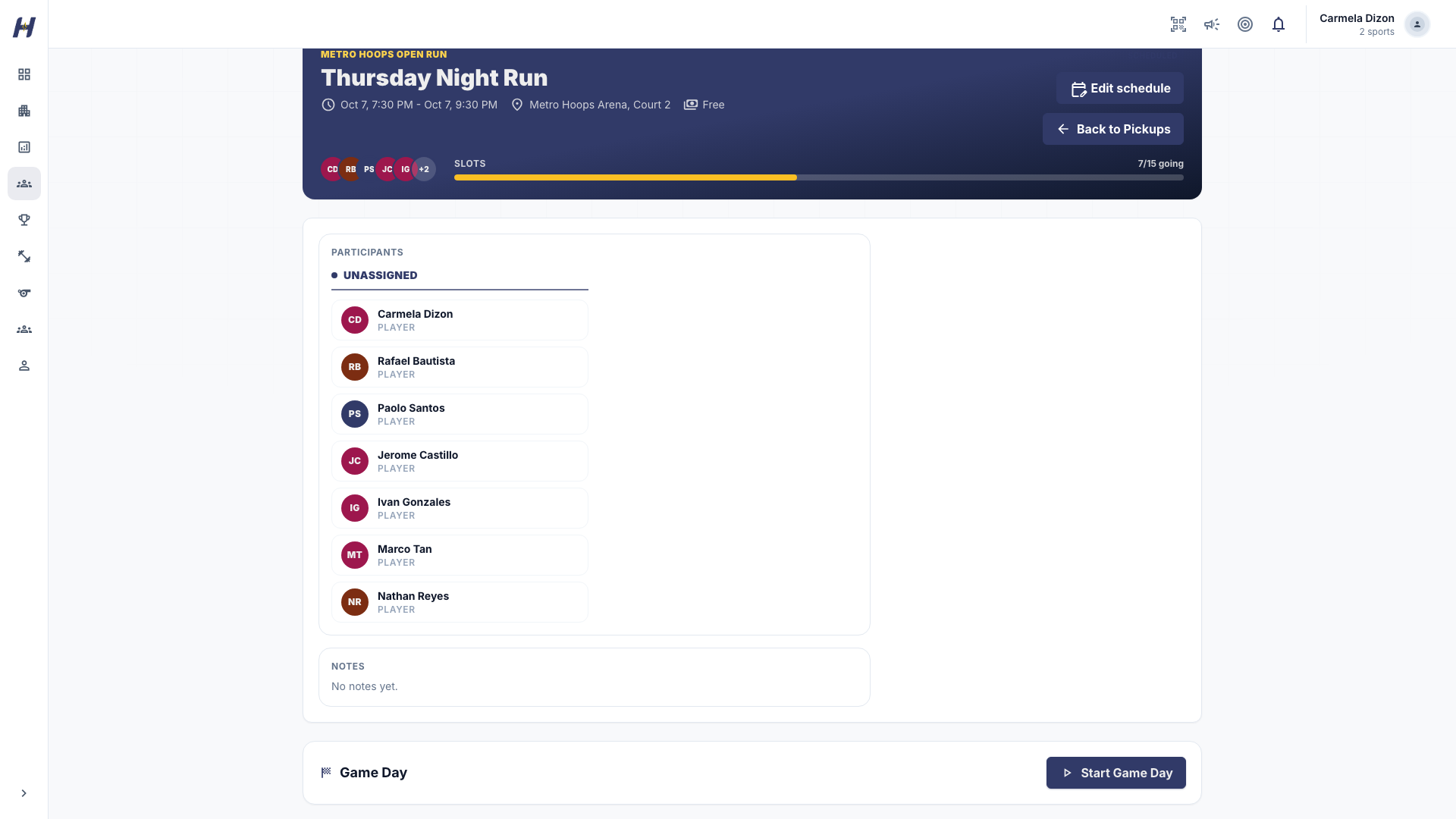
Go to your community's Pickups and open the game. Select Start Game Day. If the game is already running, select Open Game Day.
Score the game
Tennis, table tennis, badminton, padel, and pickleball pickups use basic side scoring. Select Point for the side that won the rally. The scoreboard follows the sport's own points, games, and sets. Use Undo last command to fix a mistake, and Refresh score to reload the saved score.
To finish a short game early, pick the Winning side, add a Result note, and select Complete this game. Then select Start next game. Basic scoring records side results only, not individual aces, faults, or player stats.
Pickleball pickups set up for open play use the court queue board, ratings, and score operators instead.
Rotate groups between games
Use the rotation queue to move the next group on court. Select the waiting players, then select Move Group on Court. When a group is already playing, select Complete Game and Advance to finish the current game and bring the selected group on together.
For volleyball, the queue shows each player's position and warns when a selection is not twelve players or a side has more than six. These are reminders, not blocks. If a selected player is no longer eligible, HustlX leaves both groups unchanged so you can fix the selection.
Add a walk-in
A game day walk-in is a community member who already has a HustlX account but is not on this pickup roster yet. Add them from the roster panel. For a volleyball pickup with role booking, pick their position first.
If the person has no HustlX account, add them to the community roster in Manage > Players first. See Anonymous players and walk-ins.
Complete the game
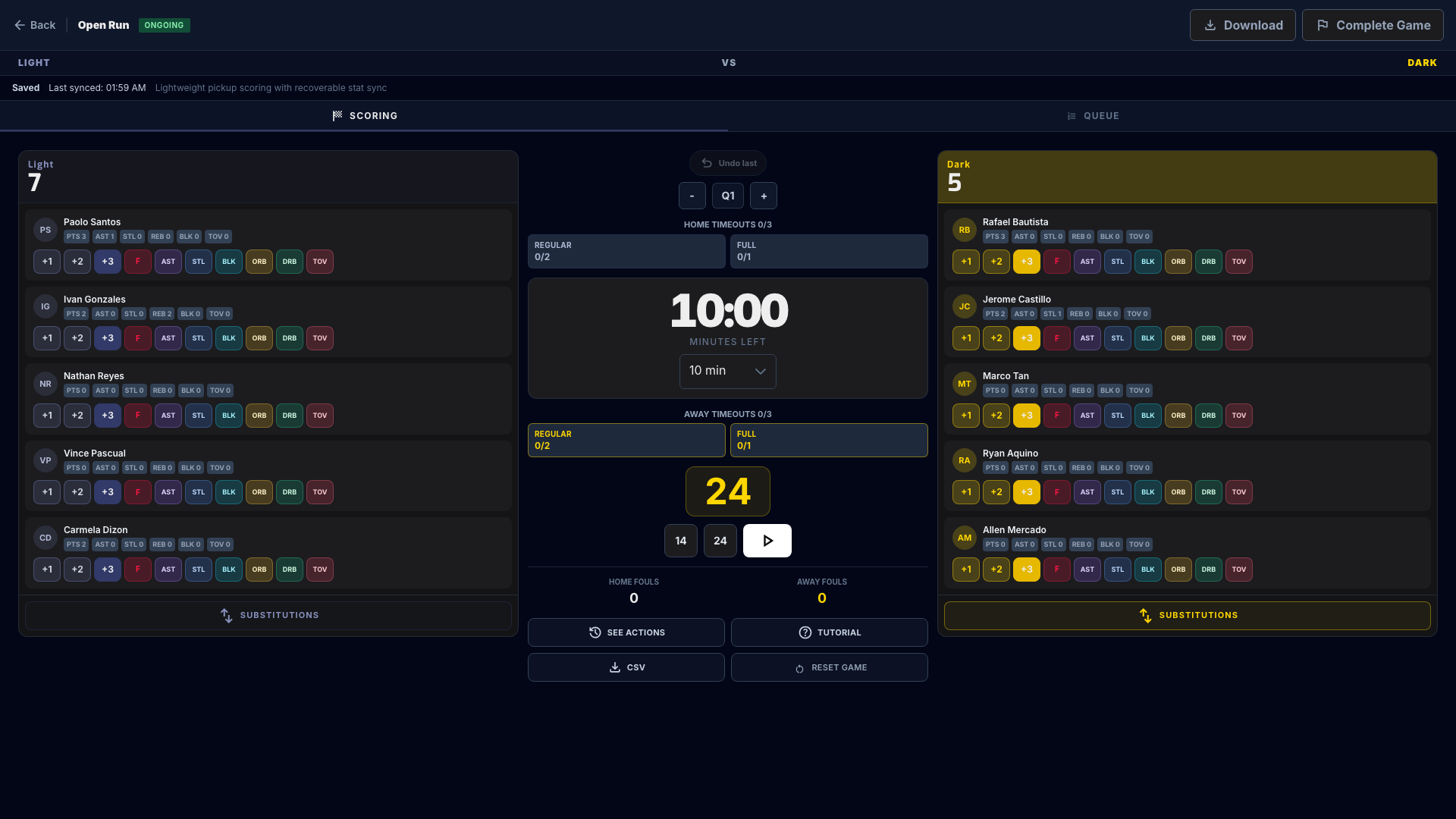
Select Complete Game (basketball) or Complete Match (volleyball, football, and futsal) after the final score is saved. HustlX waits for any unsynced actions before it completes.
What happens next
- The pickup page shows each side's final total and the top performers.
- Completed basketball, volleyball, and football or futsal pickups feed the community Leaderboard. Basic racquet pickups record side results only, so they have no individual leaderboard.
- Owners of a standalone community can turn results into posters in Manage > Creator Studio.
Troubleshooting
A paid player shows grace or expired time. Can they keep playing?
Paid time runs through the scheduled end, then a two-hour grace window. When grace ends, HustlX removes the player from the live rotation. Stats already recorded stay. Use Open renewal in Pickup Join Requests so they can pay again, then add them back to a group yourself.
I refreshed the page in the middle of a racquet game.
The score is saved on each command. Reopen game day and continue from the saved score. If a command did not save, use Retry saved command.
Can I reopen a completed pickup?
No. Completed pickups cannot restart game day. Review the final totals on the pickup page.