Run and follow a pickleball league
Pickleball leagues use the same league workspace as other sports, with three differences: competitors are entrants (players or pairs) instead of teams, scoring can be side-out or rally, and the public pages are built around games and serves. This page covers those differences. Use the general league guides for everything else.
Before you start
- Read Create a league and Create and schedule matches. The steps there apply to pickleball.
Set up a pickleball league
Choose the entrant format
In the League step, pick an Entrant format: singles players, doubles pairs, or mixed doubles pairs. There is no team competition format to choose.
Choose the scoring
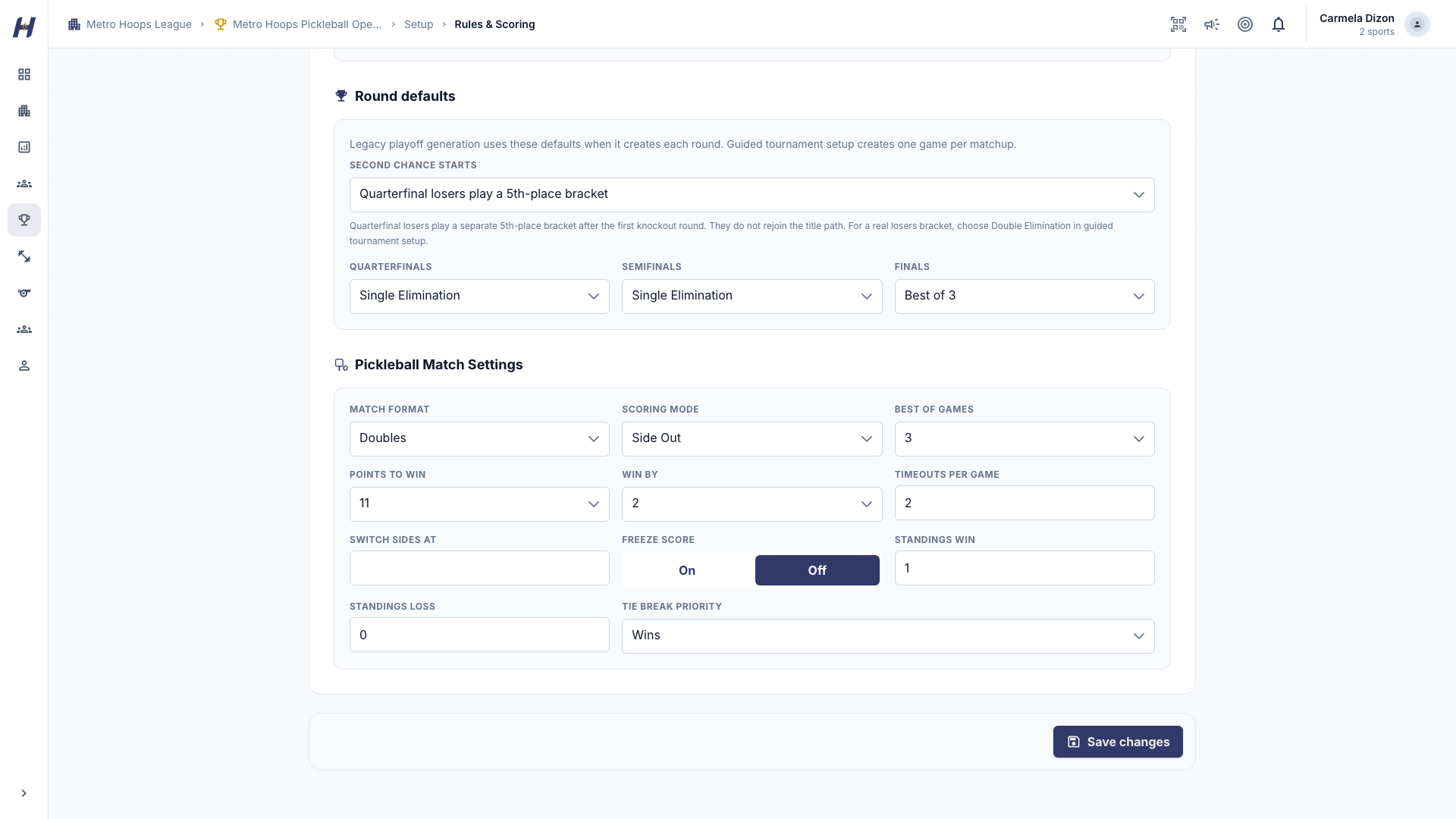
In Rules & Scoring, choose Side Out or Rally scoring, the games per match, and the points per game. Your organizers and officials agree on the final rules, including any freeze rule.
Add entrants
In Manage, open Setup > Entrants (or Operations > Manage competitors) and select Add competitor. An entrant can be linked to a HustlX team or entered directly.
Follow a pickleball league
The public league page has the usual tabs plus Participants. The Overview shows the entrant count and a short standings snapshot.
Standings
Each row is one entrant, ranked by the league's criteria and tiebreakers. Columns include Wins and Losses, Games Won and Games Lost, PF and PA (points for and against), Diff, and Points (standings points, separate from scoreboard points). Select a row linked to a team to open the team page. Standings update when the operator closes out a match.
Leaderboards
The Leaderboard tab ranks individual players by one metric at a time: Points, Winners, Aces, Serves Won, Return Points Won, Errors, Kitchen Faults, Service Faults, and Timeouts Used. Pair results belong in the standings. Return Points Won counts rallies won while receiving, including side-outs that do not add a point. A board fills in only once matches have produced that metric.
The live scoreline
The scoreline shows each side's current game points, the games won so far, and a serve arrow next to the serving side. In doubles side-out play, the score is called as your score, their score, and the server number: "7-5-2" means the serving side has 7, the receivers have 5, and the second server is serving. Each game opens at 0-0-2 because the first side gets only one service turn. Singles uses the two point totals.
In side-out scoring, only the serving side scores, so a rally won while receiving moves the serve without changing the score. In rally scoring, either side can score. The play-by-play feed stamps each rally with the running score and server.
Troubleshooting
Standings look behind the live score
Standings update from completed matches. A match still on game day appears there after the operator closes it.
An entrant has no team page
Entrants entered directly do not have a team page, so their standings row is not a link.
A leaderboard looks empty
That metric has not been recorded yet. Early in a season some boards fill in before others.