Share your profile and activity
Your profile is how coaches, teammates, and organizers see your sports history on HustlX. Share its link, and use the Activity feed to decide which matches, awards, trainings, and practice days appear publicly.
Before you start
- Set up your player profile so your photo, name, and sports are current.
- Know your username. Your public address is
www.hustlx.com/profile/{username}.
Share your profile
Open your profile
Select your avatar in the top navigation, then select My Profile.
Check what visitors will see
Open Overview and Activity. Records marked Only you are hidden from visitors, and the Stats, Communities, and Tryouts tabs appear only to you.
Copy the link
Copy the address from your browser, for example www.hustlx.com/profile/{username}, and send it to the person you want to share with.
To share one result instead of your whole history, share the league Awards page or the match page. Those pages show the organizer's recorded results.
Choose what appears on your Activity feed
Open Activity
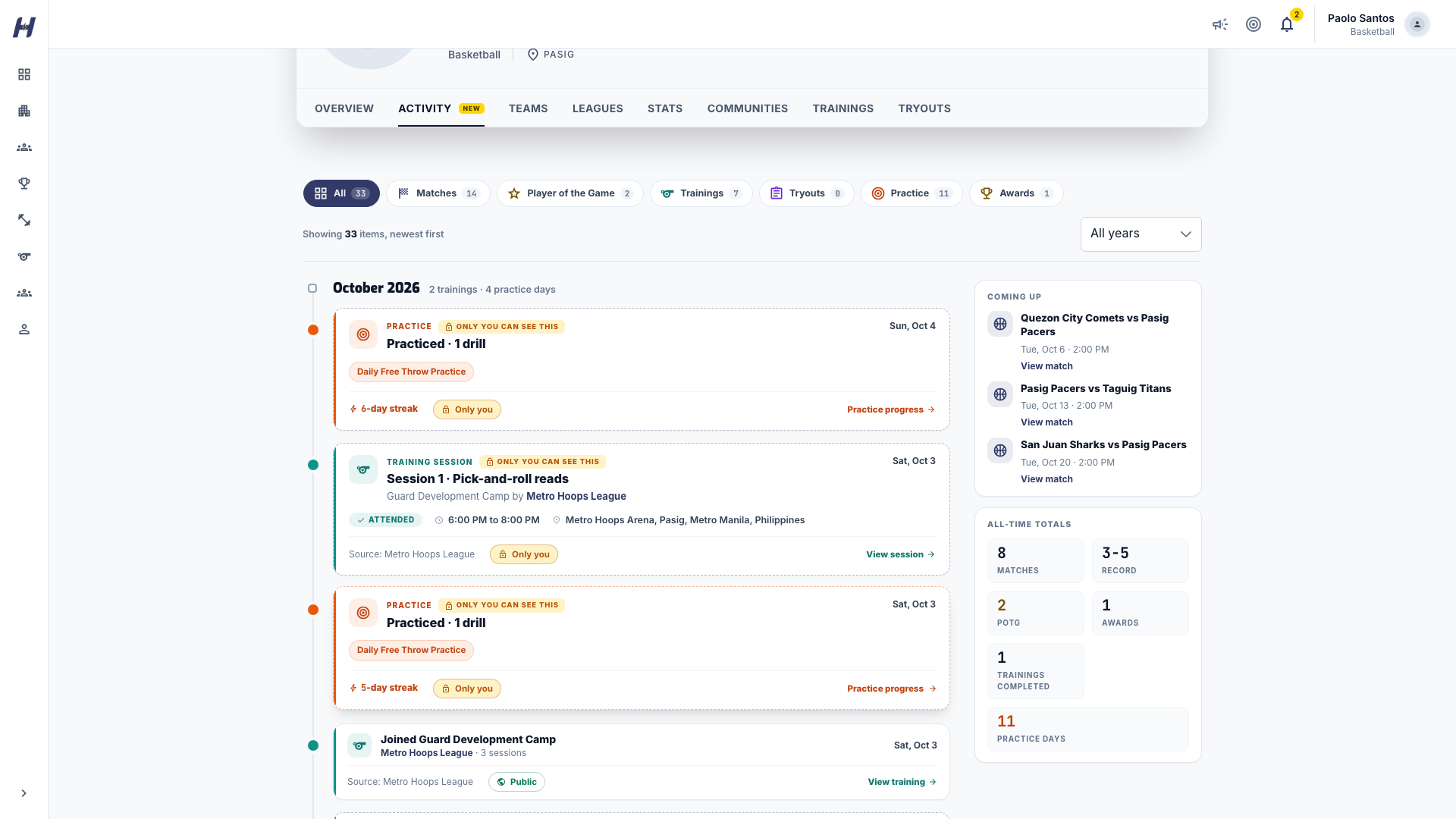
On your profile, select the Activity tab. It lists your matches, Player of the Game honors, awards, trainings, tryouts, and practice days.
Filter the feed
Use the type chips: All, Matches, Player of the Game, Trainings, Tryouts, Practice, and Awards. Narrow further by Sport and Year.
Set each record's visibility
Each card shows Public or Only you. Select it to switch. Public records appear to anyone who opens your profile. Only you records stay visible to you alone.
New records follow these defaults:
| Record | Default for adults | Default for players under 18 |
|---|---|---|
| Matches and Player of the Game | Public | Only you |
| Awards | Public | Only you |
| Trainings and tryouts | Only you | Only you |
| Practice days | Only you | Only you |
If your date of birth is not set, HustlX uses the under-18 defaults. Practice notes are never shown on the feed, even when a practice day is public.
What visitors see
- Visitors see only public records. When a feed has nothing public, they see a message such as No public activity yet.
- Your date of birth is never shown to other people.
- Hiding a record on your profile does not remove it from the league. Public match results still appear on league and team pages.
What happens next
New matches, awards, and training records appear on your feed as organizers record them. Each one starts with the default visibility above until you change it.
Troubleshooting
A match is missing from my Activity feed
Check the filters first and select All. If the match still does not appear, open it from the league's Matches tab and ask the organizer to confirm it was completed with you on the roster.
My training does not show on my public profile
Trainings start as Only you. Switch the training to Public on your Activity feed or Overview.
I switched a record to public, but a visitor cannot see it
Visibility is set per record. Check that the card you switched now shows Public, then ask the visitor to reload your profile.