Run a volleyball league
Volleyball leagues use the same league workspace as every other sport: you create the league, add teams, build the schedule, check readiness, and assign awards the same way. This page covers only what is different for volleyball. Use the linked general guides for everything else.
Before you start
- Read Create a league and Create and schedule matches. The steps there apply to volleyball.
- Agree on the set format and substitution rules with your officials. HustlX records them, but your crew decides how strictly to apply them.
What is different for volleyball
Choose the volleyball format
In the League step, pick Volleyball 6v6 or Beach Volleyball 2v2 as the Competition Format. The format sets lineup and rotation expectations for Game Day.
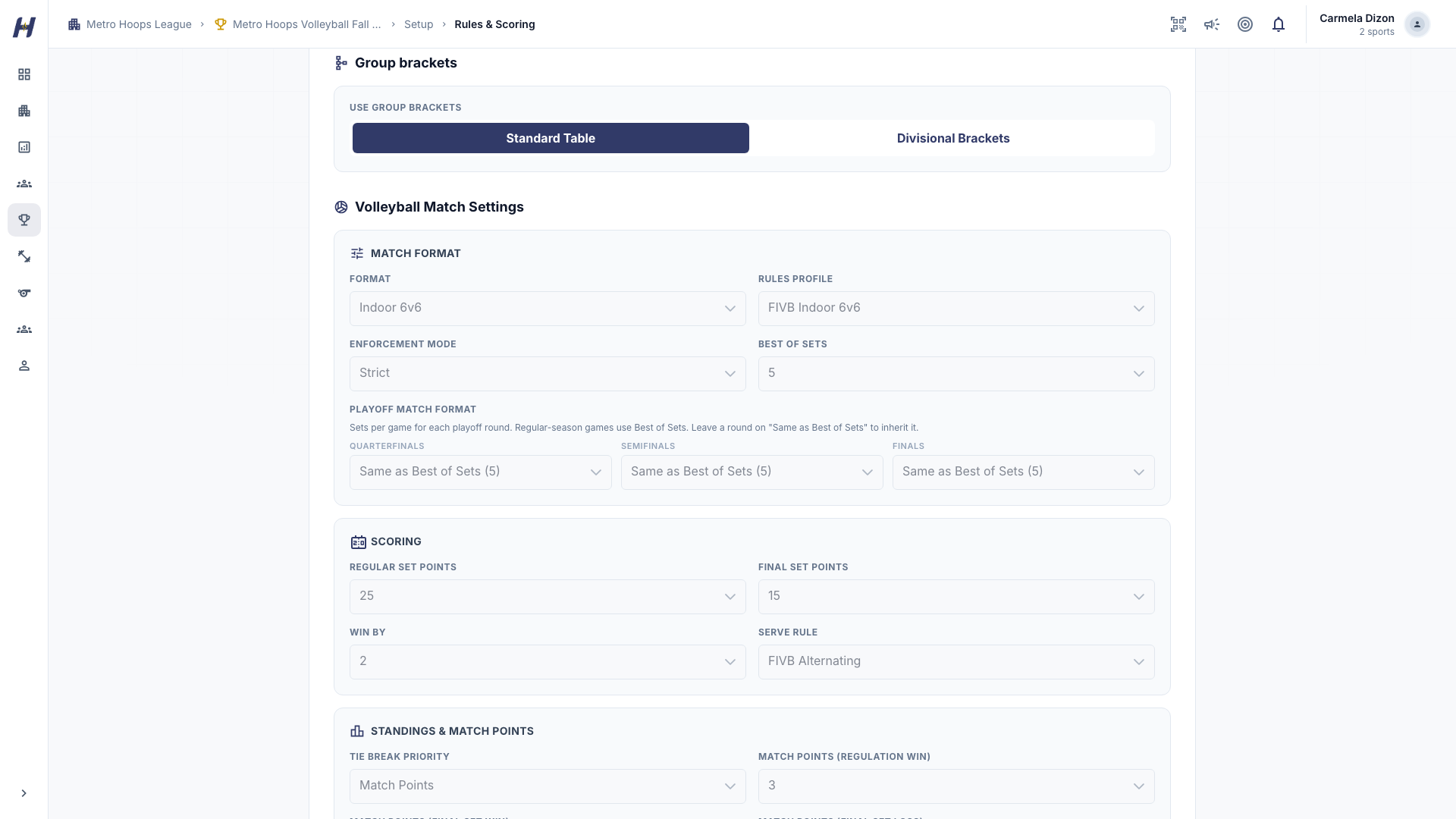
Set the match rules
In Rules & Scoring, set Best of Sets for regular-season games. Use Playoff Match Format to give each playoff round its own length, for example best of 3 in the quarterfinals and best of 5 in the semifinals and finals. Leave a round on Same as Best of Sets to inherit the default. You also set the set targets, the winning margin, standings points, tiebreakers, and Substitutions (Standard or Unlimited).
Build games on the volleyball matchmaking page
Volleyball leagues open their own matchmaking page. Under Create games, choose the game type, how teams play (Single Round Robin, Double Round Robin, Triple Round Robin, or Single Elimination), Sets per game, and whether to Save as draft or Publish live. Group and playoff tools are under Advanced setup.
Run the match in the volleyball controller
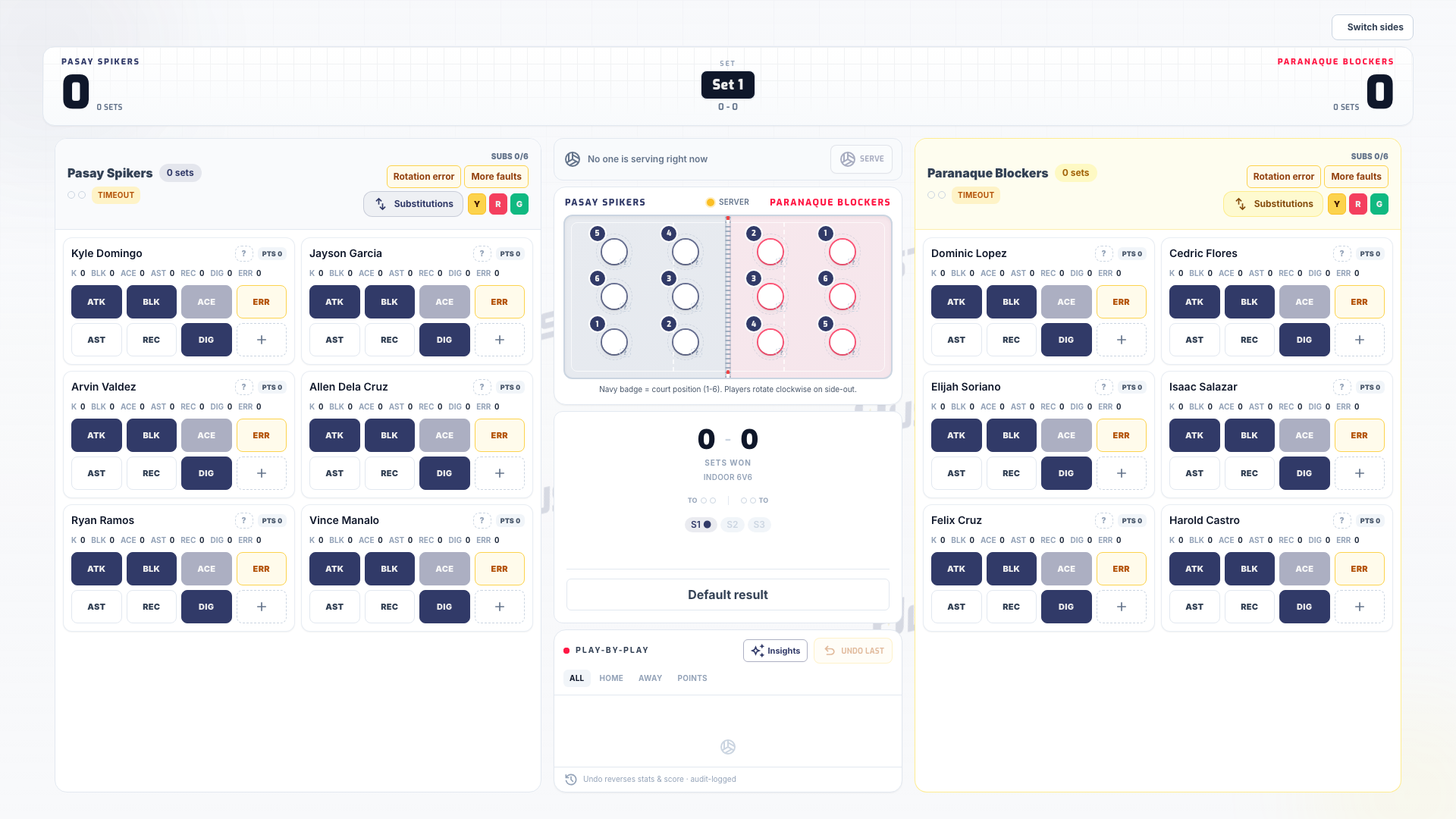
Select Start Game Day on the match. HustlX opens the volleyball controller instead of the basketball one. Confirm Best Of, First Serve, Server, Points per Regular Set, Points for Final Set, and Win By with your officials before the first rally.
Complete each set yourself
Reaching the target score does not end a set. When a set is won by the required margin, select Complete Set and confirm. Completing a set resets both teams' timeouts. After the deciding set, the controller offers Conclude Match, where you pick the winner and can assign match honors such as Best Player and Best Libero, or select Skip awards.
Scoring and substitutions
- A kill, ace, or scoring block already records the point. Do not add a separate point for the same rally.
- When a substitution goes past the league's limit, the controller asks Record this substitution anyway? so the operator can follow what the officials decide. Substitution limits never stop the match.
- A libero exchange is not counted as a substitution.
For the full controller workflow, see Game Day overview.
Standings, stats, and awards
- Standings use match and set results, with sets won and lost and points for and against. Standings points can reward a regulation win more than a win in the deciding set.
- Leaderboard and Stats show volleyball statistics such as kills, aces, blocks, and digs.
- Season awards include volleyball honors such as Best Setter and Best Libero. See Standings, playoffs, and awards.
Match honors chosen at Conclude Match are separate from the season award board.
Troubleshooting
Complete Set is unavailable
Check the score, the set target, and the winning margin. At 25-24 with Win By 2, the set is not over.
The set is won but the next set has not started
Select and confirm Complete Set.
A game uses the wrong number of sets
Check Best of Sets, the round's Playoff Match Format, and the Sets per game chosen when the game was built.
No Game Day session or an invalid session
Return to the match page and open Game Day again for that match.
Related guides
Follow a league
Find a league, read its standings and schedule, open match results and box scores, and see the projected playoff picture.
Pickleball
Learn what changes for pickleball leagues, from singles and doubles entrants and side-out scoring to reading standings, leaderboards, and the live scoreline.