Your dashboard
The dashboard at /dashboard is your home page after you sign in. It shows a player view by default, and an organization view when your current organization gives you a management role.
Open your dashboard
Select Dashboard at the top of the icon rail on the left. On a phone, open the menu first.
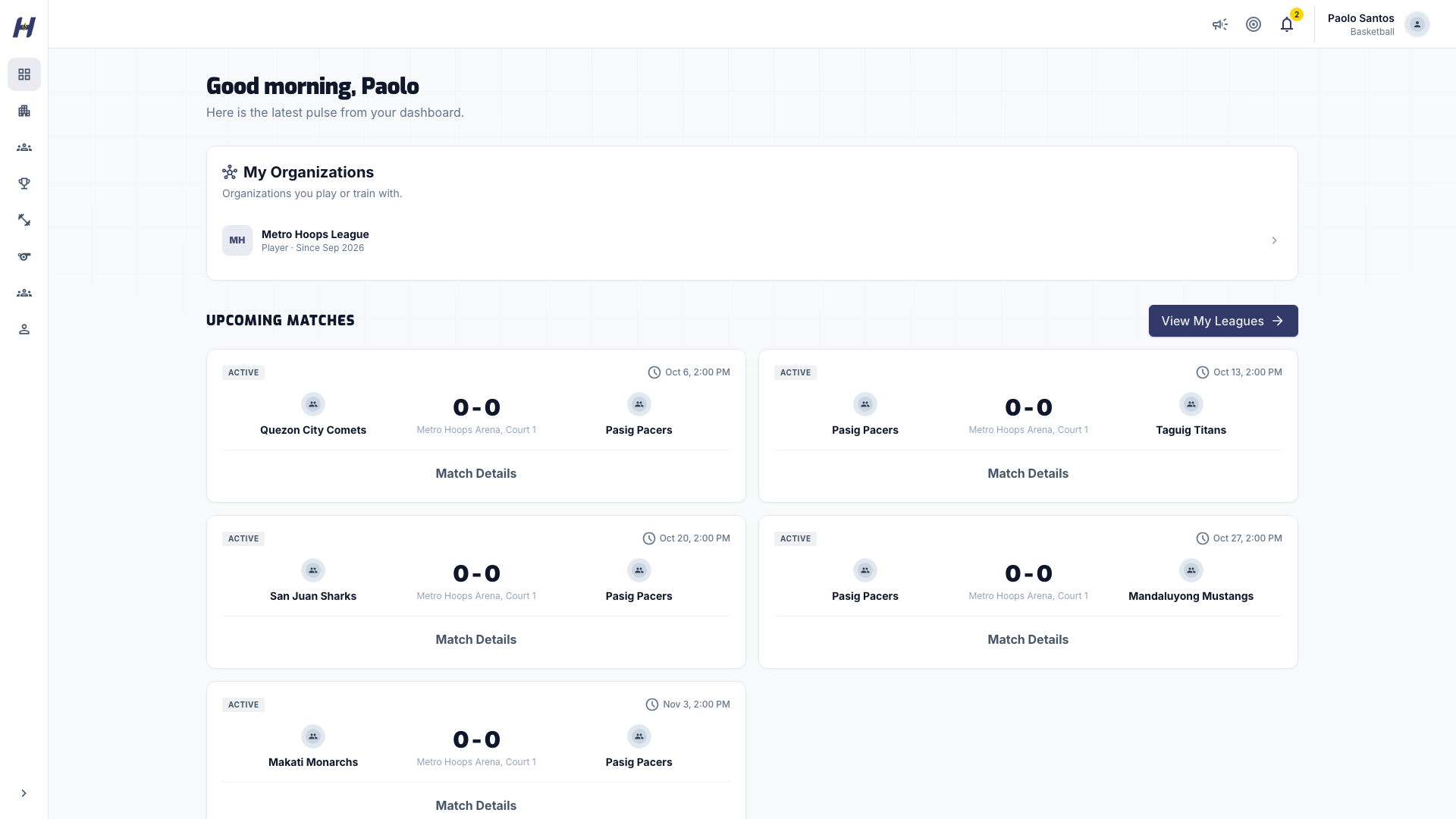
The player view shows these sections, top to bottom:
- Upcoming Matches: your next games, with opponent, league, venue, and time. Select a match to open its match page.
- Your Stats: cards such as games played, total points (total score for volleyball), points per game, and win rate across your league matches.
- Quick Play: your practice activity, with this week's mission, Total Plays, and This Week. Select View All or Get Started to open Practice. See Practice and challenges.
- Recent Results: your last completed matches with final scores.
- Your Team Standings: where each of your teams sits in its league. It appears once a team has standings.
- Recent Leagues: leagues connected to your teams. It appears once there are leagues to show.
A new account shows No upcoming matches and No recent results until you join a league and play.
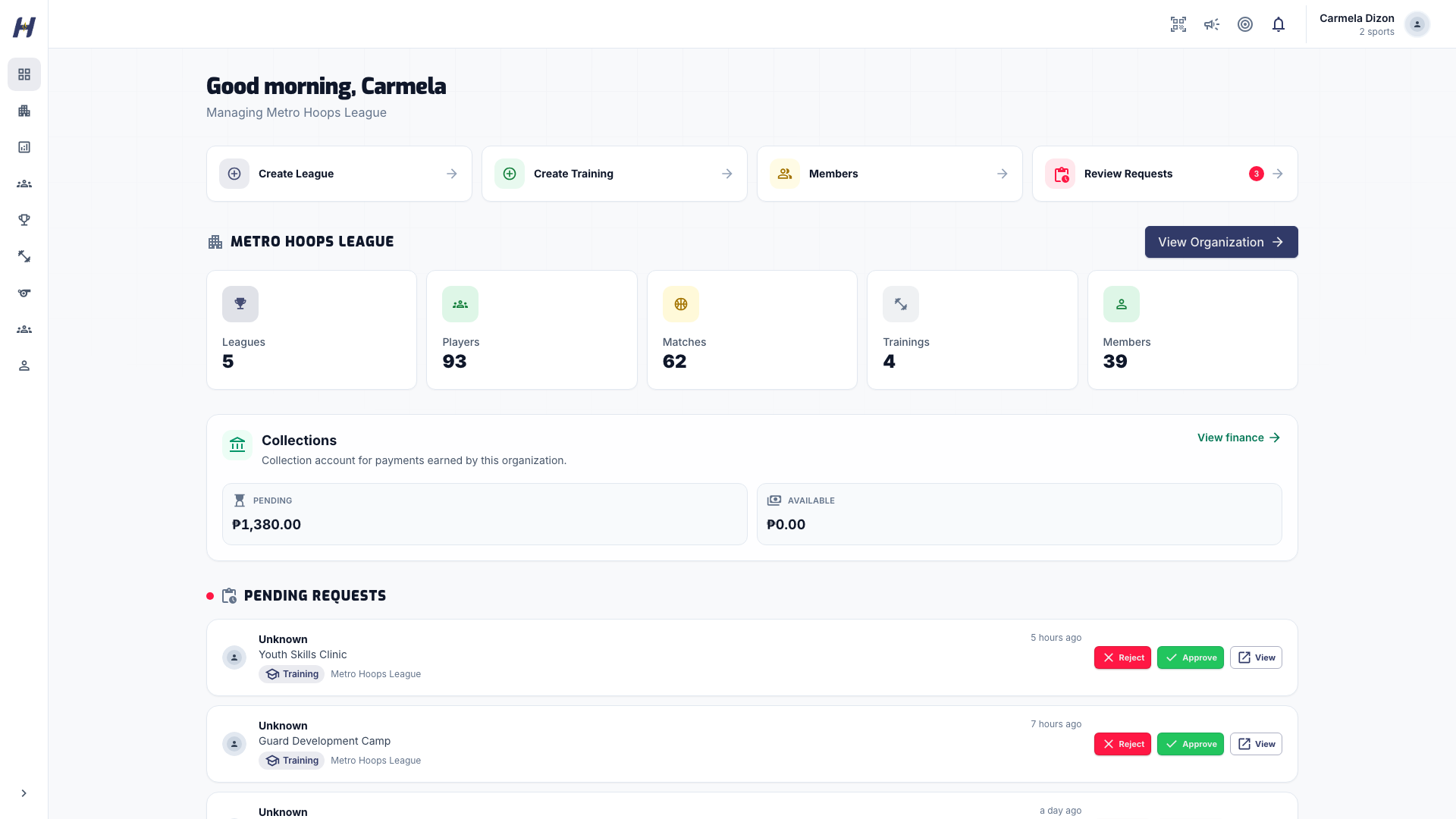
The heading reads Managing and your organization's name. You see these sections:
- Quick action buttons: Create League, Create Training, Members, and Review Requests. Each one appears only when your role allows it.
- An organization overview card with counts for Leagues, Players, Matches, Trainings, and Members, and a View Organization link.
- Collections: payments earned by the organization, for roles that can view collections.
- Pending Requests: league and training join requests. Approve or reject each one here, or open the full requests page.
- Recent Org Matches: matches recently played in your organization's leagues.
- Your own Upcoming Matches and Recent Results, if you also play.
If the organization still needs setup, a banner at the top asks you to finish it first.
Switch organizations
If you manage more than one organization, open Organizations in the icon rail and choose one under Your organizations. The dashboard then shows that organization.
Troubleshooting
I manage an organization but see the player view
Your current organization does not give you a management role, or a different organization is selected. Choose the right one under Organizations, or ask an Organization Admin to check your role.
A quick action is missing
Quick actions follow your role. For example, Create League needs permission to manage leagues. See Organization settings and members.
My stats are empty
Your Stats fills in after you play recorded league matches. Practice activity shows in Quick Play instead.