Manage settings and members
Organization settings live in the Manage area of your organization. Use them to keep the public profile current, give staff the access they need, and turn league or training tools on or off.
Before you start
- Create an organization and finish onboarding.
- Know which people need management access and what they will run. Each staff role uses one admin seat.
Update the profile and branding
Open General settings
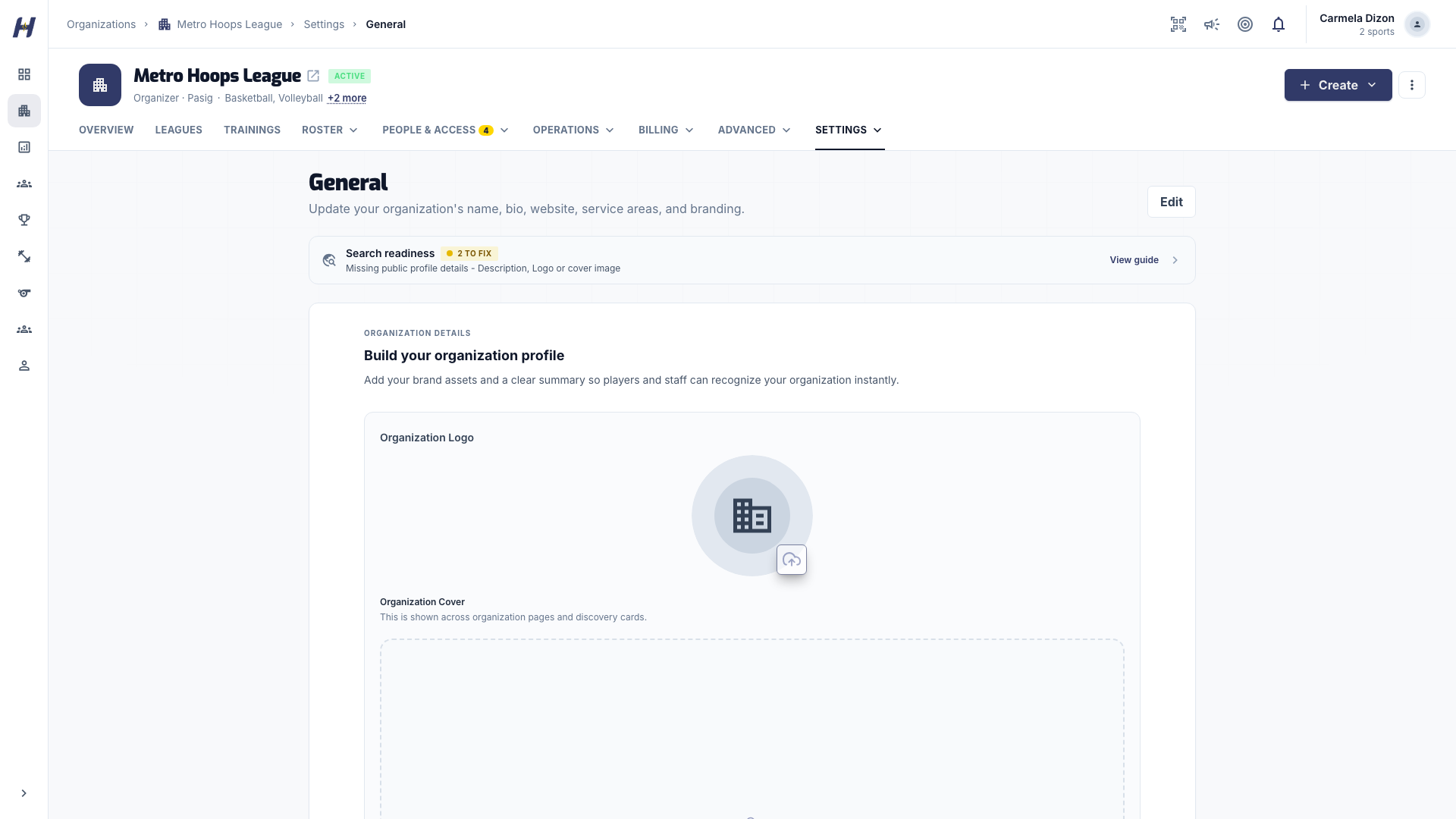
Open your organization, select Manage, then Settings > General. The form opens read-only.
Edit and save
Select Edit, update the name, bio, website, social links, service areas, logo, or cover image, then select Save Changes. If the organization is pending approval or restricted, a banner explains why some fields are locked.
Set your card colors
Open Settings > Branding to choose the colors and texture used on your league cards and training certificates, then select Save branding. You can reset to the HustlX look at any time.
Invite members and assign roles
Members are the people who operate your organization workspace. This is separate from Roster > Players, which holds your sports roster.
| Role | What it can manage | Uses an admin seat |
|---|---|---|
| Member | No management tools | No |
| League Manager | Leagues and matches, officials assignments, announcements, live streaming | Yes |
| Training Manager | Training programs, official programs, announcements, live broadcasts | Yes |
| Organization Admin | Members and roles, leagues and trainings, communities, courts and bookings, day-to-day finance, live streaming | Yes |
| Super Admin | Everything an Organization Admin can do, plus billing and subscription, super admin access, and organization deletion | Yes |
Open Members
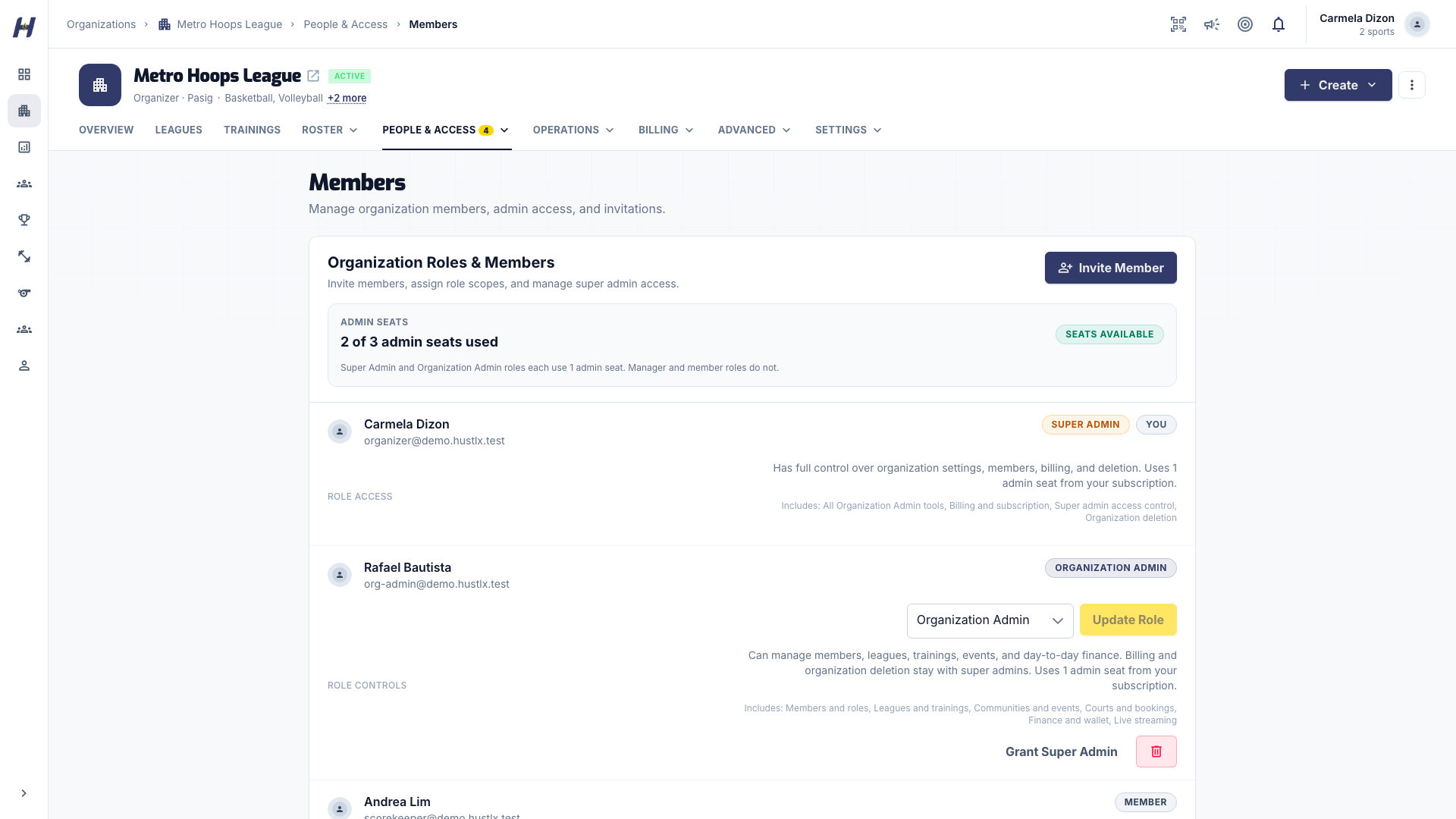
Select Manage, then People & Access > Members. The Admin Seats summary shows how many seats are used and whether more are available.
Send invitations
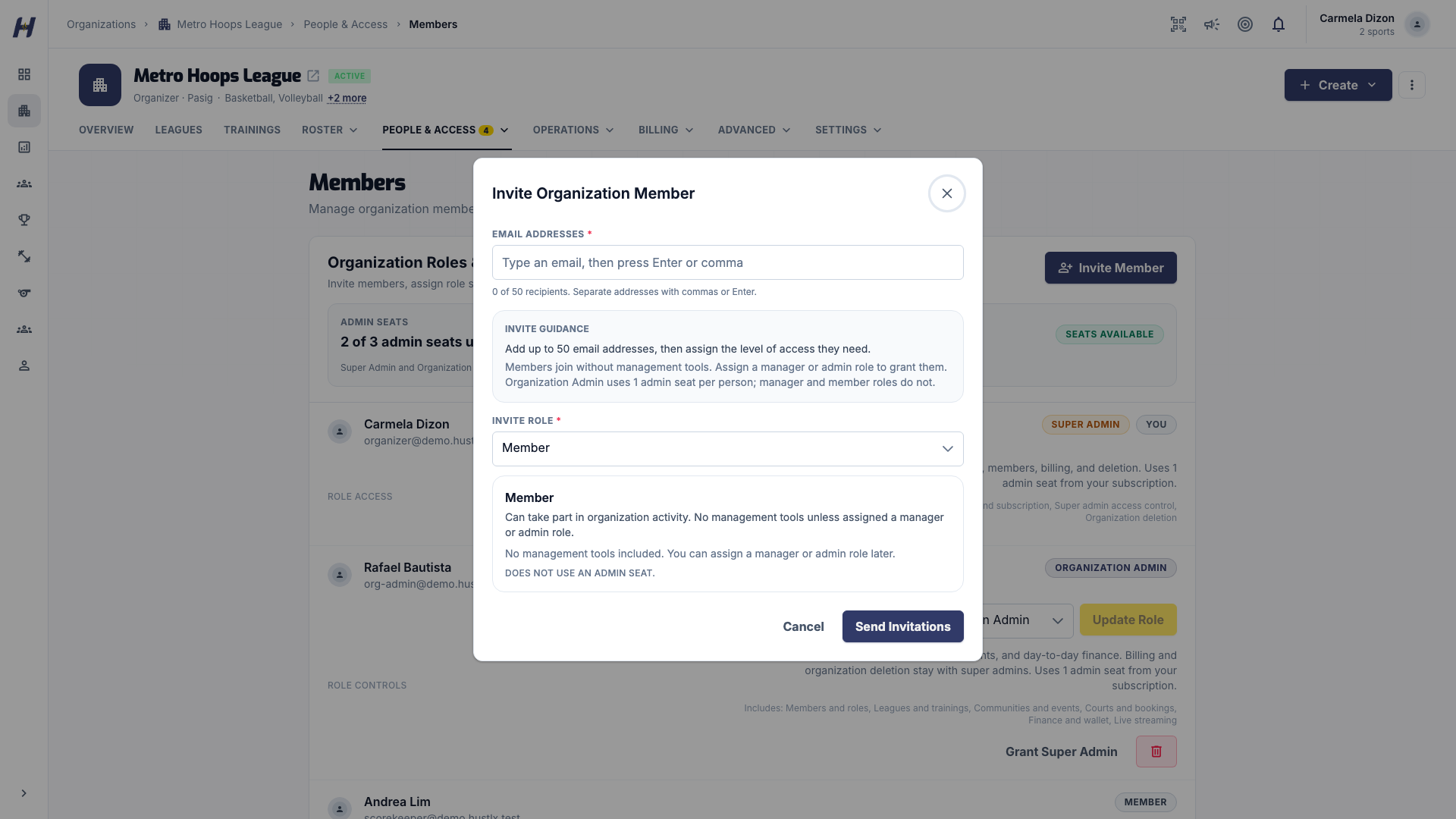
Select Invite Member. Add up to 50 addresses under Email Addresses, choose an Invite Role, and send. Each person receives an invitation they accept from their notifications.
Change a role or remove someone
On a member's row, pick a new role and select Update Role. To remove someone, use the remove action and confirm Remove Member.
Grant super admin access
Only a super admin can grant or remove super admin access. Use the super admin action on the member's row, enter your password under Confirm Your Password, and select Confirm Access Change. Super Admin is never offered as an invite role.
Turn programs on or off
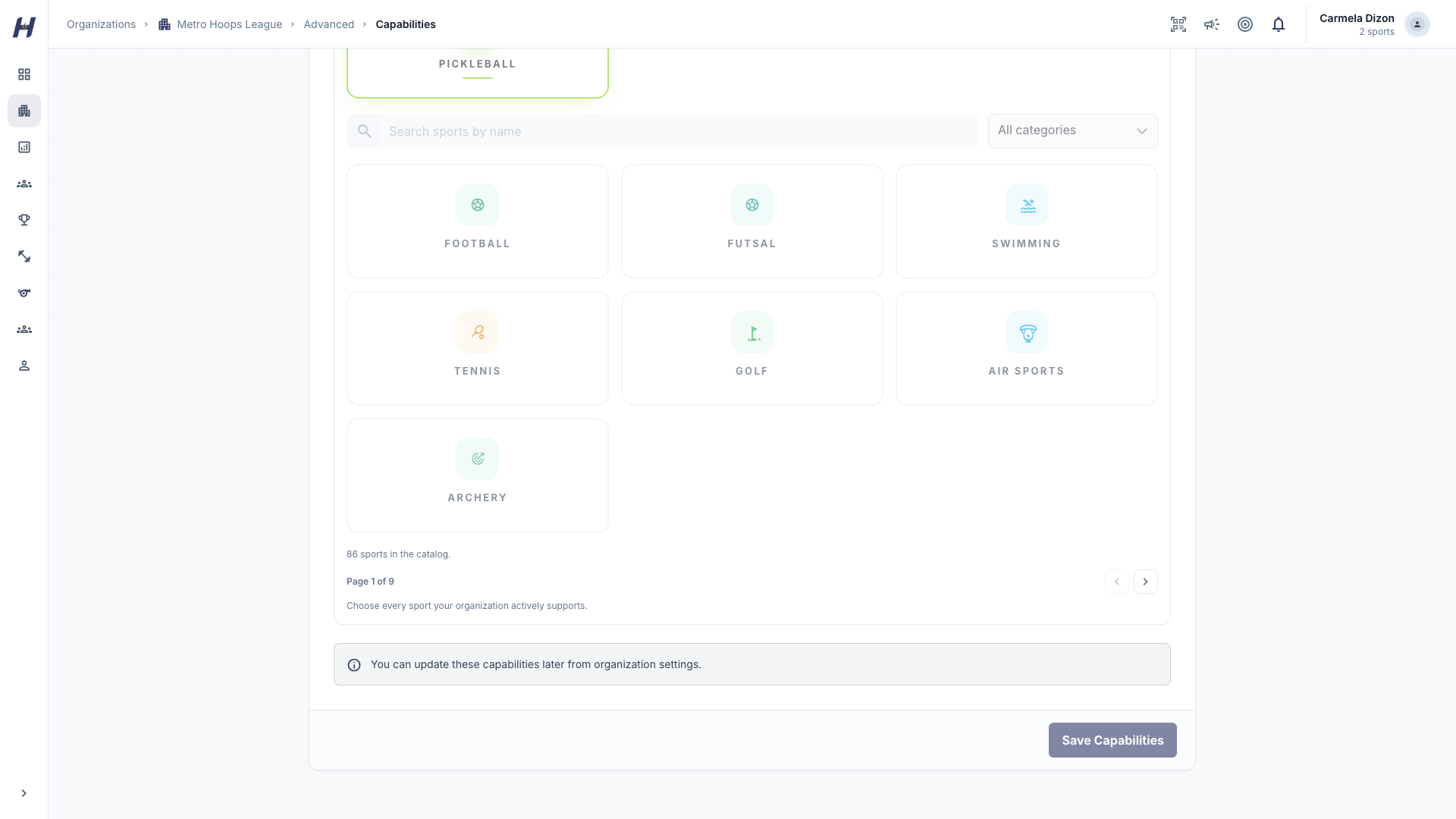
Open Manage > Advanced > Capabilities, select Edit, change League Operations, Training Programs, or your sports, then select Save Capabilities. League tools appear only when League Operations is on, and training tools only when Training Programs is on. An inactive organization cannot change capabilities.
Billing
Manage > Billing holds the money tools your role can open, such as Wallet & Subscription and Payment Methods. To buy Annual Registration, an extra admin seat, or more gallery storage, open Billing, select Wallet & Subscription, and use its subscription controls. These purchases go through secure hosted checkout and activate only after verified payment confirmation. See Annual Registration and Wallet and top-ups.
Paid Training remains disabled by default until its provider and legal launch gates are approved. Saved payment methods do not authorize paid-Training collection.
Troubleshooting
Why is a management tab missing?
Tabs follow your role. A League Manager does not see training tools, and a Training Manager does not see league tools. Ask a super admin to review your role.
Why can't I assign Organization Admin or a manager role?
All admin seats are in use. Remove a staff role from someone, or add a seat from Wallet & Subscription.
Where do I close the organization?
Organization deletion is not in the normal Manage menu. Contact Support & Contact.
Related guides
New organization
Register an organization account, set up its profile, offerings, and sports, then continue with the free setup or Annual Registration.
Teams and rosters
Create organization teams, fill their rosters with jersey numbers, positions, and captains, add coaches, and create a team of your own from the Teams page.