Leagues

Choose a competition format

Compare round robin, tournament shells, group brackets, second-chance paths, and advanced stages, then pick the setup that fits your field.

Pick your competition structure before you build any games. This page explains the formats HustlX supports, how teams advance in each, and the limits to plan around. Basketball and volleyball share the core format tools. Some organizer controls are specific to a sport and group layout, including the four-group Basketball quarterfinal pairing choice below.

Organization owners and league managers set the format in Rules & Scoring and build it in Matchmaking. Players see the result on the league's Matches and Standings tabs.

How HustlX models competitions

  1. Create the league with Customized, then confirm enrollment and any team admission.
  2. Decide between one shared table, separate groups, or a knockout path.
  3. Open Manage > Matchmaking. Use Create games for round robin and knockout, or Advanced Setup for grouped and advanced structures.
  4. Review the preview or saved drafts, then publish.

Competition format explorer

Use the explorer to compare organizer-friendly formats for 4 to 24 teams, including awkward odd counts such as 13. It is a planning tool: not every recommended structure maps to a one-click generator in HustlX. Some options fit the platform directly, while others need advanced stages or more deliberate manual setup.

Competition Format Explorer

Compare league structures for any field from 4 to 24 teams

Use this planning tool to compare formats, spot awkward odd-team cases, and choose a structure that fits your court hours, staff load, and playoff goals.

Team Count

12

Planning Lens

Medium Field

Format Options

3 recommended paths

Low complexity Balanced match load Direct fit in HustlX

Single Table + Top 4 Playoffs

Run one shared table, then send the top four teams into semifinals and a final.

Best For

Organizers who want a fair table first and a clean championship finish.

Watch Out

Lower-table teams may have less to play for late unless you add placement goals.

Format Flow

League Table
then
Top 4
then
Semis
then
Final
Medium complexity Balanced match load Direct fit in HustlX

Two Pools + Crossover Finals

Split the field into two pools, then use crossovers to decide the medal matches.

Best For

Mid-size fields where a full-table season feels too long for available court time.

Watch Out

Odd counts can create one larger pool or uneven bye patterns.

Format Flow

Pool A
Pool B
then
Crossovers
then
Final
Medium complexity Balanced match load Supported with advanced stages

Two Pools + Classification Matches

Pool play decides both the championship path and placement games so more teams finish with a meaningful last match.

Best For

Events that want stronger placement clarity beyond only crowning one champion.

Watch Out

Needs tighter staffing and court sequencing on the crossover day.

Format Flow

Pool A
Pool B
then
Championship
Placement
then
Final Ranks

Regular season / round robin

Regular season play is single or double round robin. In a single round robin each team plays every other team once; in a double round robin, twice.

  • The guided Everyone plays everyone flow previews a single round robin without saving games. You choose which games to publish or keep as drafts, then confirm Publish. Close preview saves nothing.
  • Legacy and advanced generators can create saved drafts. Check which flow you are in before you leave the page.
Legacy autogeneration only works before published matches already exist in the league. Once live or completed matches are on the board, use stage-based progression instead of re-running the original generator.

Choose round robin when you want a fair standings sample before seeding and every team should face the rest of the field.

Tournament shell with shared standings

When you want one league-wide table first and a knockout finish after it, HustlX can build a tournament shell: the round-robin stage first, then draft playoff placeholders. Generating the shell (generate-bracket) requires at least 8 enrolled teams.

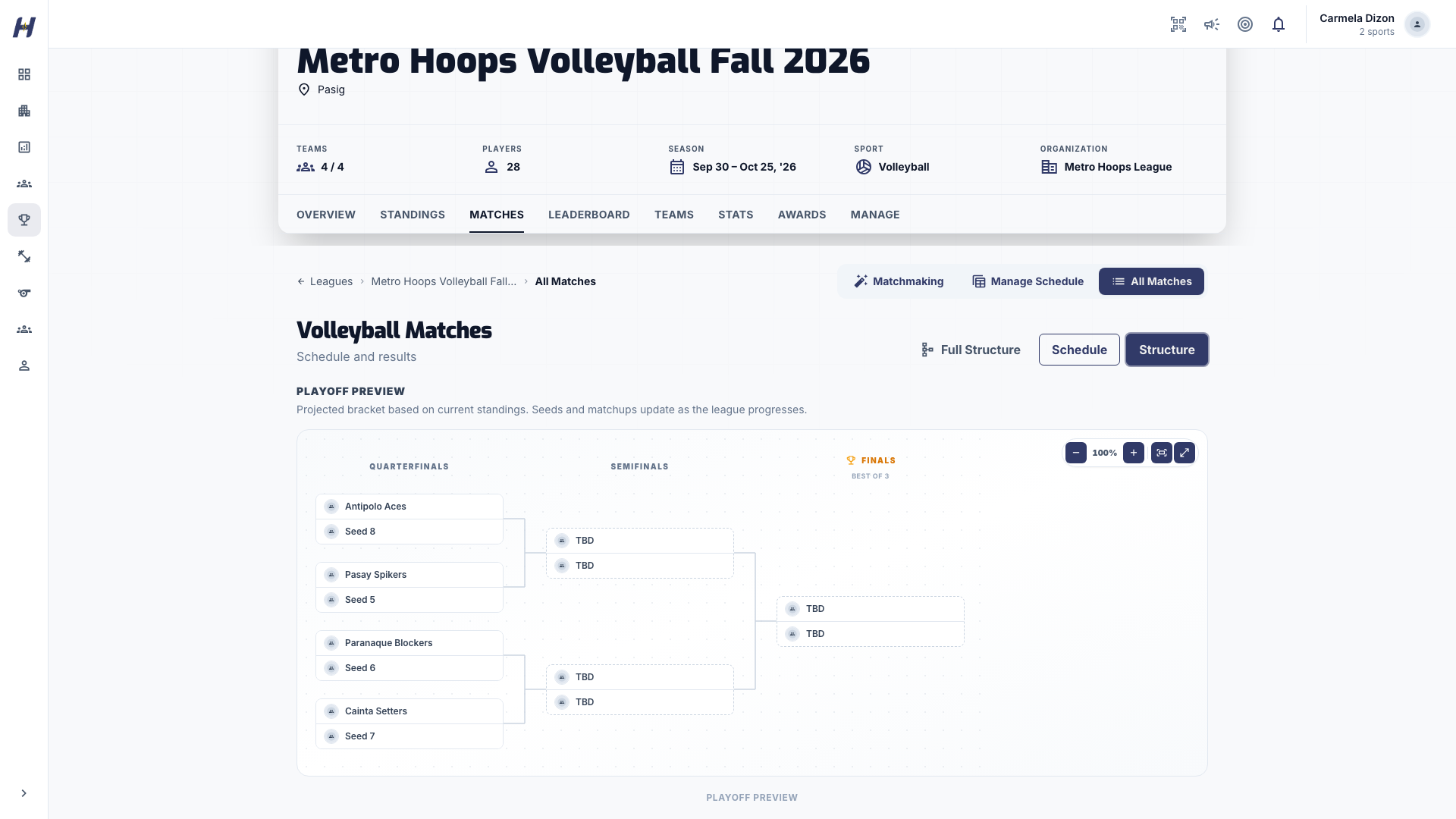
Playoff Preview

For a league that runs on standings first, the Matches tab's Structure view shows a read-only Playoff Preview. It seeds a quarterfinals, semifinals, and finals path from the current standings, shows each round's series length from your playoff settings, and updates as results come in.

The preview is a projection only. It never creates games, and you do not need it to generate playoffs. See Standings, playoffs, and awards.

Divisional or pool bracketing

Turn on Divisional Brackets under Use group brackets when teams play inside groups first. Before generating group games:

  • The league has Active Brackets (group codes A to D).
  • Every enrolled team has a group, and only active groups are used.
  • Groups can be paired when Crossover Mode is Playoffs or Classification.

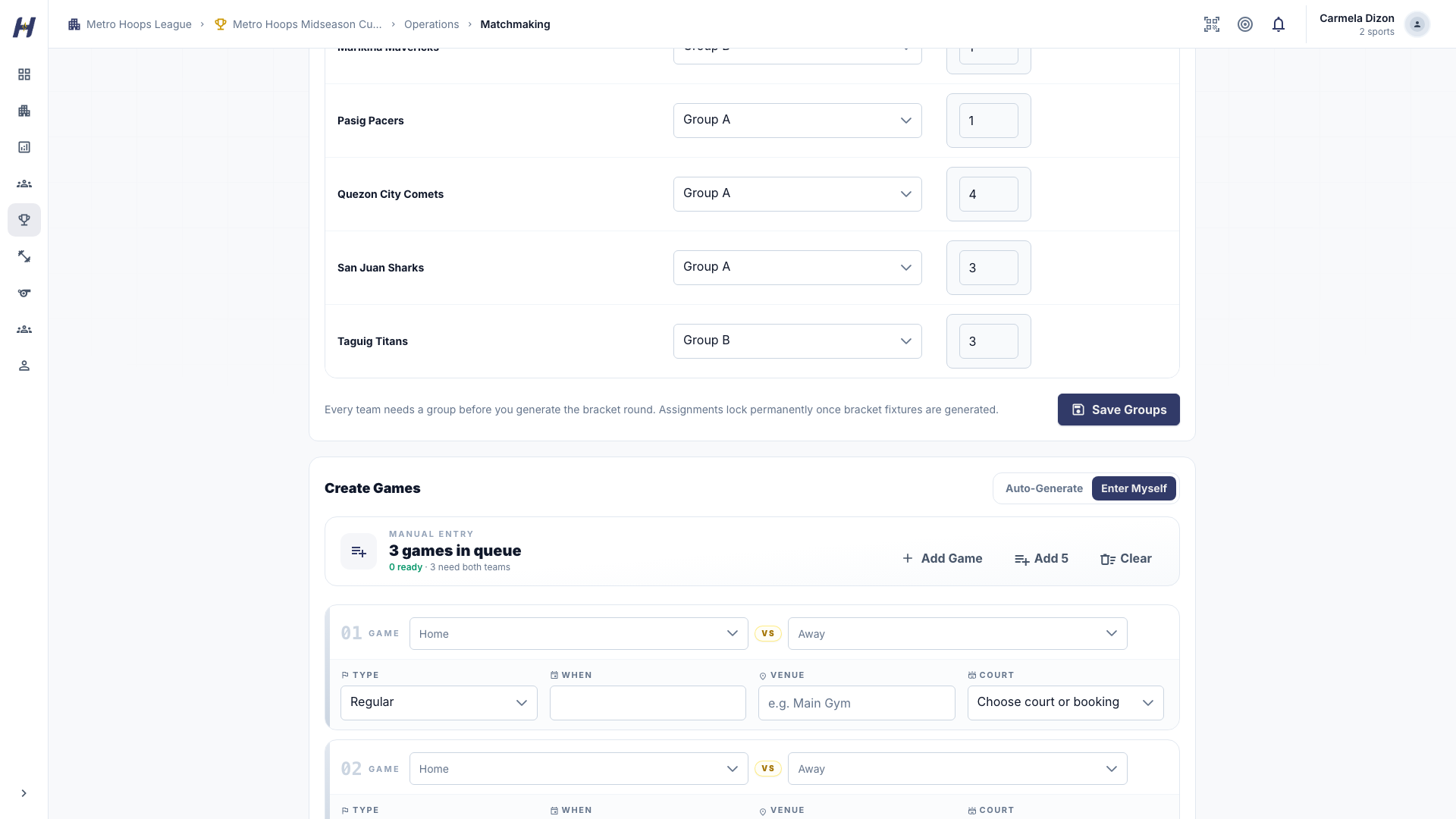
Place teams yourself with Manual, or let HustlX place them with Auto Assign and a Seeding Strategy: Registration Order (registration_order), Overall Points (overall_points), or Win-Loss Standing. For manual placement, open Matchmaking > Advanced Setup, use Put teams in groups, and select Save Groups.

How teams advance depends on Crossover Mode:

  • When crossover mode is None, finish every group game, then choose a Playoff Qualification:
    • Group rankings (bracket_standings) takes the same number of teams from every group. With Groups A and B feeding the quarterfinals, the top 4 of each group qualify and pair in slot order: QF1 A1 vs B4, QF2 B2 vs A3, QF3 B1 vs A4, and QF4 A2 vs B3.
    • Overall standings (overall_standings) takes the top teams from the combined league-wide table (win-loss record, then your tiebreakers), so one group can send more teams than another. An eight-team quarterfinal uses #1 vs #8, #4 vs #5, #2 vs #7, and #3 vs #6. Leagues that never chose a source keep this behavior.
  • When crossover mode is Playoffs, the crossover round is a knockout: every team plays one crossover game and the winners move on, whatever their group record.
  • When crossover mode is Classification, choose a Playoff Qualification Source after the classification stage: Final overall standings (recommended) (overall_standings) or Classification placements (classification_placements), the order decided by placement games. Both need every group and classification game complete.

Existing classification leagues created before this setting keep their historical placement-order behavior. Both choices require every group and classification game to be complete. Semifinals and finals continue to advance winners from the previous playoff round, including the resolved series winner for a best-of series. Every later round pairs the winners of adjacent bracket games exactly as drawn: the QF1 winner plays the QF2 winner, and the QF3 winner plays the QF4 winner. Standings never reseed a later round. Before you generate a round, you can reorder teams on the Advance page, and that order is what gets created.

The Standings tab shows By group and Overall views so everyone can see who holds each qualifying spot.

Which qualification source to use is a rule in your tournament regulations, not a universal FIBA rule. Publish it before play, and review the suggested field and seed order before generating the playoff round.

Basketball: 16 teams, four groups, eight quarterfinalists

Use four groups of four teams, Crossover Mode: None, and Playoff Qualification: Group rankings. The top two of each group qualify: A1/A2, B1/B2, C1/C2, and D1/D2. Set a separate Quarterfinal pairing in Rules & Scoring, or review the choice in Matchmaking > Advanced Setup > Auto-Generate before generating quarterfinals. You can also open Matchmaking > Advance top 8 and choose Quarterfinal pairing there.

Pairing choiceWhat happens
Group crossover (recommended)QF1 A1 vs B2; QF2 C1 vs D2; QF3 B1 vs A2; QF4 D1 vs C2. Semifinals use winners of QF1/QF2 and QF3/QF4, keeping original groupmates apart until the final.
Overall seeding of qualified teamsOnly those eight group qualifiers are ranked in the final overall standings order, then paired #1 vs #8, #4 vs #5, #2 vs #7, and #3 vs #6. Semifinals keep those fixed quarterfinal paths. This can create a quarterfinal rematch within a group.

Overall seeding of qualified teams is different from Overall standings qualification. Seeding keeps the top two from every group. Overall qualification selects the top eight across all enrolled teams and can exclude a group's runner-up.

Publish the pairing policy before group play begins. Crossover is easier to explain for separate pools; overall seeding compares teams that faced different opponents and is a local competition choice, not automatic FIBA approval. The app uses the league's saved standings rules rather than creating a new tie-break system.

Opening Auto-Generate or switching the local pairing selector saves no configuration and creates no games. An explicit preview or generation saves a changed choice first. If that save fails, generation stops so you can retry. Review the actual participants and matchups before creating drafts.

On Advance top 8, selecting a method alone saves nothing. Press Apply and preview to save it and refresh the eight qualifiers and bracket. Both methods qualify the top two from each group. If your league currently uses Overall standings qualification, the page explains that applying either method changes qualification to top two per group. Review the refreshed seeds and pairings, then confirm generation. A pending change or failed save/preview blocks generation until you apply and review again. Existing leagues keep their saved behavior until you explicitly apply a choice.

Once a quarterfinal or later round exists, its winner paths are preserved. To change the method for an incorrect draft bracket, delete the eligible draft quarterfinal and later games in Manage Matches first, reload the setup, then choose the method and regenerate. Published, ongoing, and concluded games are not automatically rewritten. A league that already has quarterfinals advances by the bracket as drawn.

Second chance, repechage, and placement paths

The legacy knockout tools include fixed 8-team templates:

  • single_elim_8: a straight 8-team championship bracket.
  • single_elim_repechage_8: the main bracket plus a repechage placement path for quarterfinal losers.
  • placement_only_8: classification for league ranks 5 to 8, with no championship path.

There is also an 8-team second-chance qualifier that can feed quarterfinal slots. The guided Knockout bracket flow uses competition presets instead and offers the presets that fit your enrolled team count.

Advanced competition stages and presets

The competition-stage system builds custom progression graphs: bronze-match championships, second-chance and classification presets, and double_elimination_8. It supports several downstream stages from one source, winners and losers going to different targets, and qualification paths that merge back into the championship. Treat it as advanced setup rather than the default league workflow.

What is not supported yet

  • The legacy knockout templates take exactly 8 teams. This does not limit the guided Knockout bracket flow.
  • The legacy knockout phase generator does not implement full double elimination yet. double_elimination_8 exists only as an advanced competition-stage preset, so full double elimination is still not supported by the simpler knockout phase generator.
  • Group codes are pools, not winners or losers bracket labels.
  • Not every bracket size or repechage depth has a built-in template.

Which setup to choose

Your situationUse
Standings first, every team meets the fieldRegular season / round robin
One shared table, then a playoff finish, 8 or more teamsTournament shell with shared standings
Teams split into pools or divisionsDivisional or pool bracketing
A bracket from day oneGuided Knockout bracket
Losers keep playing for placementRepechage or placement template
Custom stage-to-stage progressionAdvanced competition stages and presets