Find and join a team
A team is the unit that plays in leagues. You join a team when one of its admins invites you, and you can be on several teams at once, across sports, organizations, and seasons.
Before you start
- Finish your profile so team admins can find you by name, email, or
@username. See Your profile. - Turn on notifications so you see invitations as they arrive. See Invitations and notifications.
Find a team
Browse teams
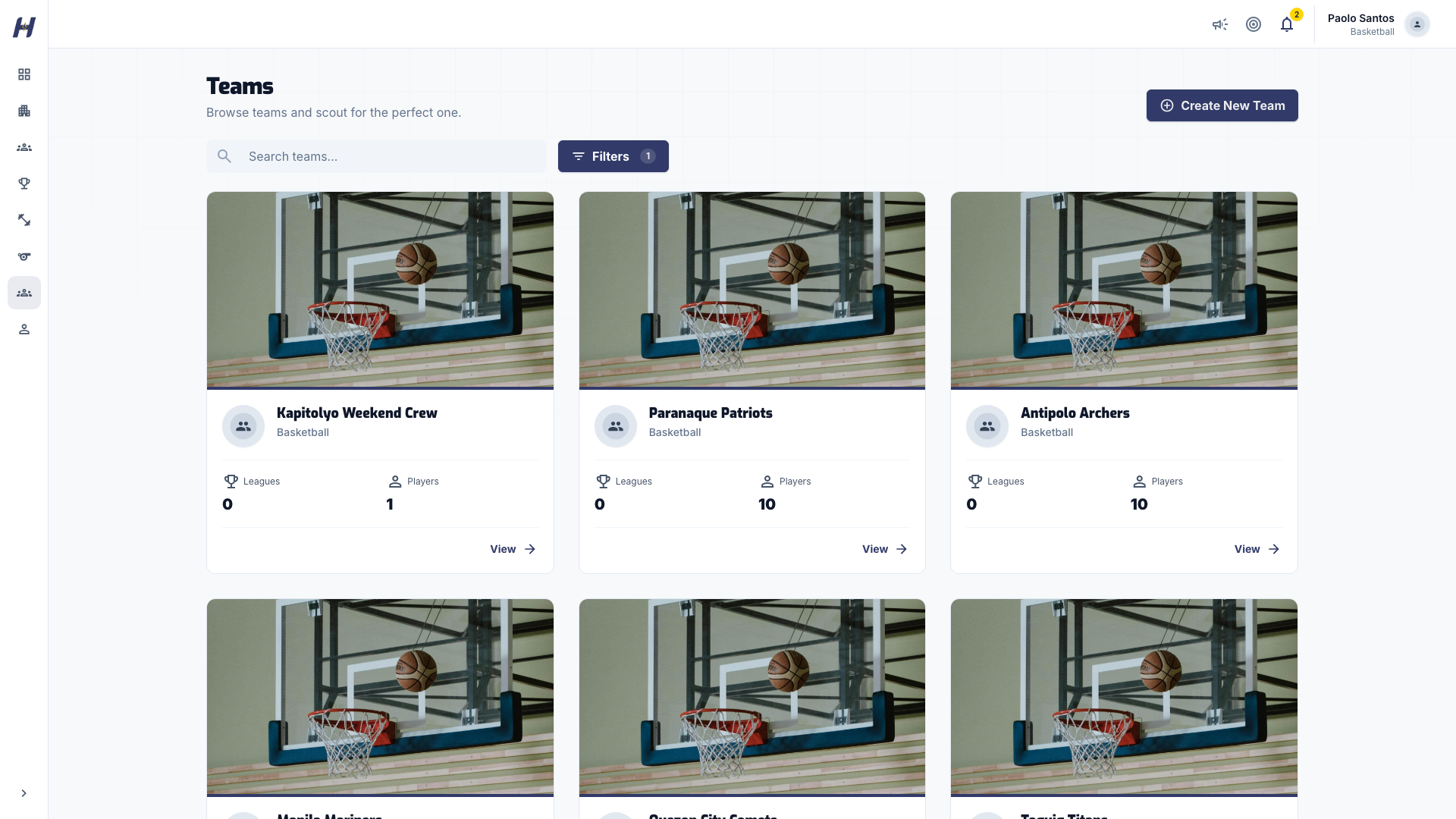
Select Teams in the sidebar. Search by name, or open Filters to narrow the list by Sport.
Open a team page
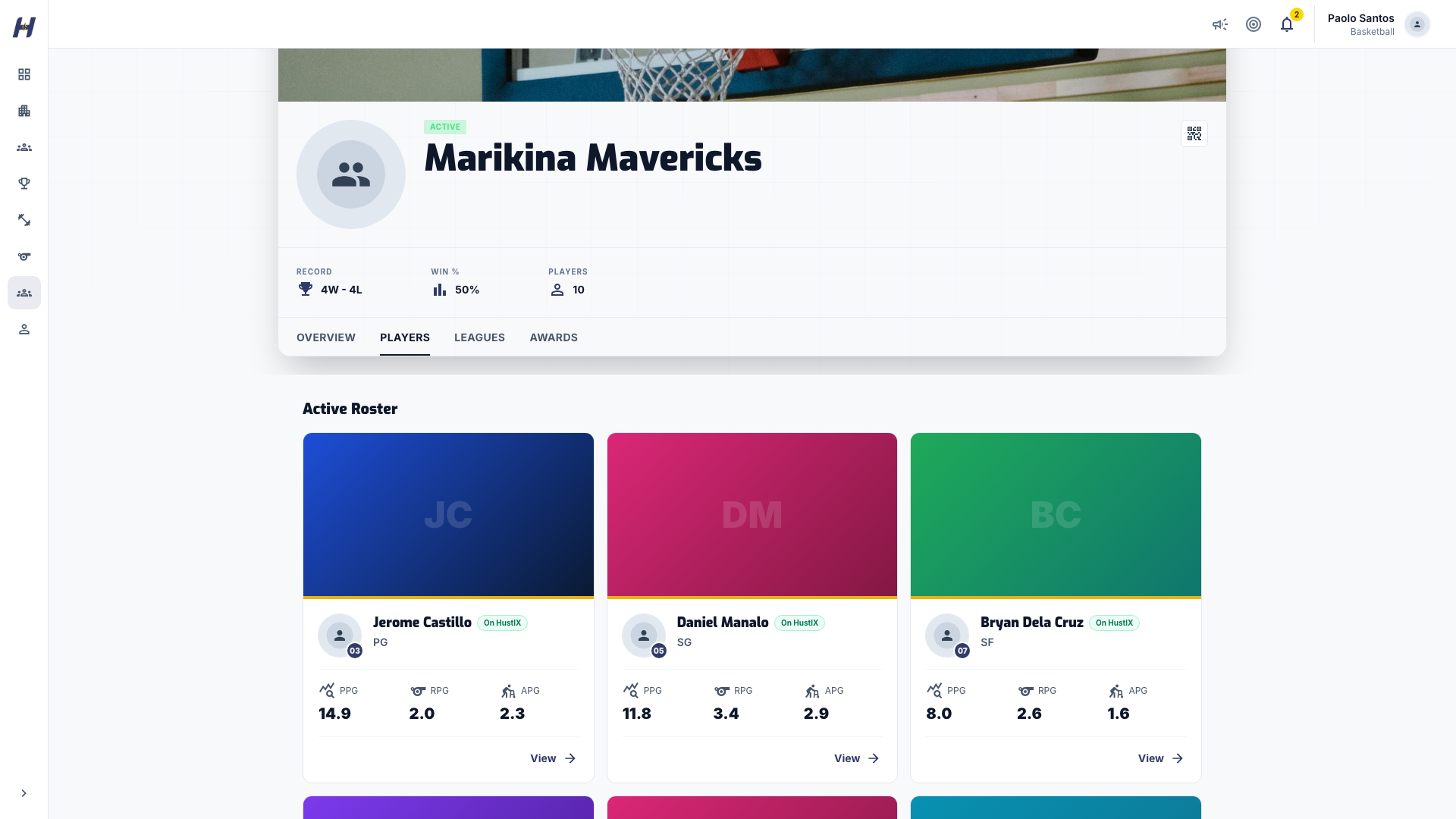
Select a team card. The team page has tabs for Overview, Players, Leagues, and Awards. Players shows the roster in jersey-number order.
Ask to be added
HustlX has no join request button on team pages. Contact the team's coach, manager, or organization and give them the email or @username on your HustlX account so they can invite you.
Accept a team invitation
Open the invitation
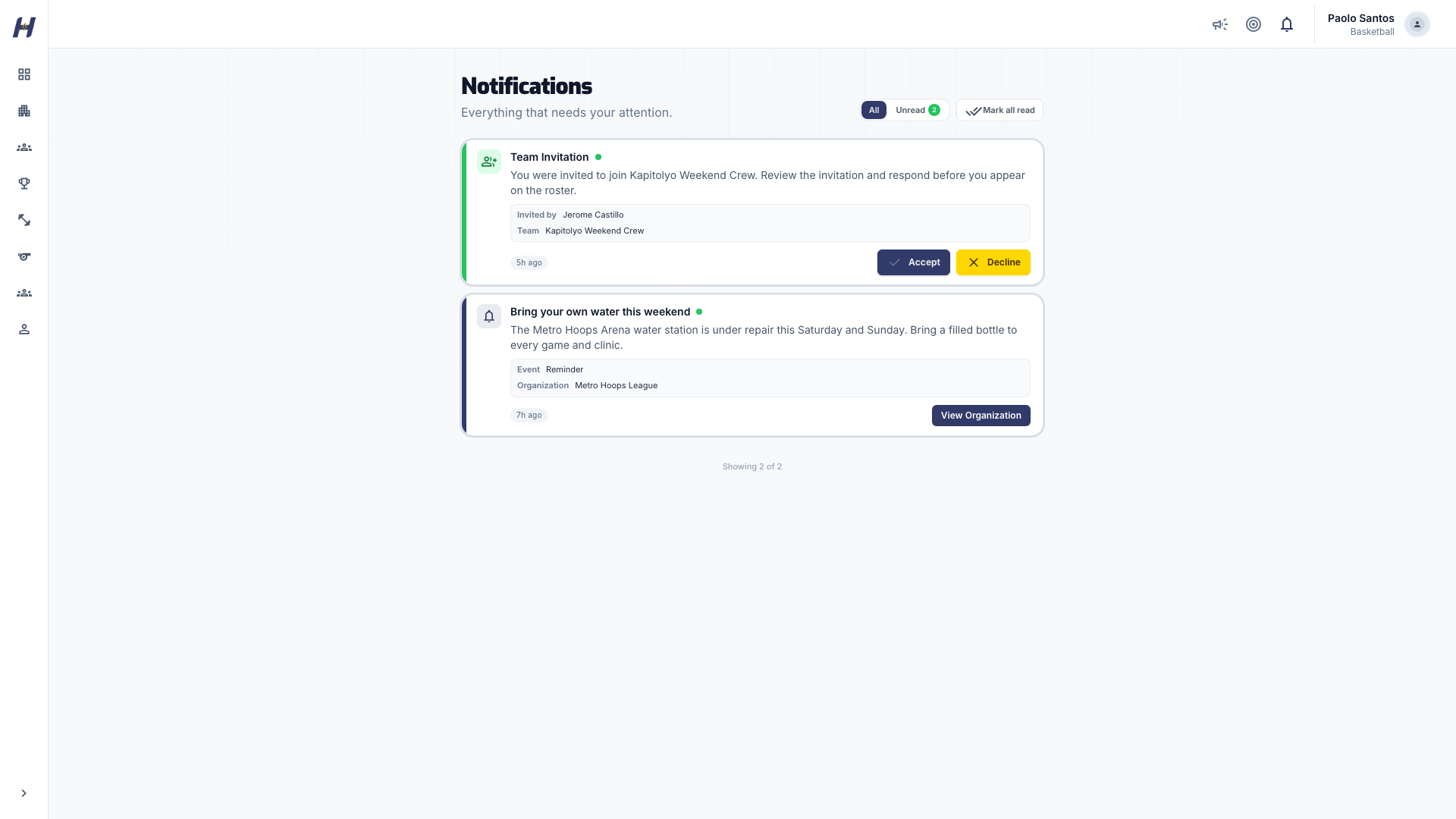
Open Notifications and select All. Team invitations show Accept and Decline buttons.
Respond
Select Accept to join. To turn it down, select Decline, add an optional reason, then select Confirm Decline.
What happens next
- You appear on the team's roster with the role the team admin chose.
- You can be placed on the rosters of leagues the team enters. As a player, you can be on only one team's roster in the same league.
Coach, Assistant Coach, and Team Manager are non-playing roles. If an admin added you with one of them but you want to play, ask them to change your role to Player.
Create your own team
If no team fits, start one. Select Create New Team on the Teams page, add the team name, sport, and your role, invite players, and select Create Team. See Manage teams and rosters.
Troubleshooting
How do I leave a team?
There is no leave button. Ask a team admin to remove you from Manage > Members.
The invitation disappeared from Notifications
It may already be answered or withdrawn. Ask the team admin to check the team's Invitations tab and send a new one.
I am on a roster I did not sign up for
An organization may have added you as a roster record before you joined HustlX. When they send you a claim link, accepting it connects that record and its history to your account. See Invitations and notifications.
Related guides
Guests and walk-ins
Put athletes who have no HustlX account on rosters, register and pay for a training participant, add the contact email later, and hand the record over when the athlete joins.
Post announcements
Publish an announcement to your organization, a league, or a training, choose its category and audience, and see how members read it.