Run standings, playoffs, and awards
As games finish, HustlX updates the league standings. At the end of the regular season you use those standings to seed the playoffs, and after the final you assign season awards. This guide covers all three.
Before you start
- Conclude every game in the stage you are closing out, and fix any score or stat corrections first.
- Know your playoff field size and qualification rule. See Choose a competition format.
Read the standings
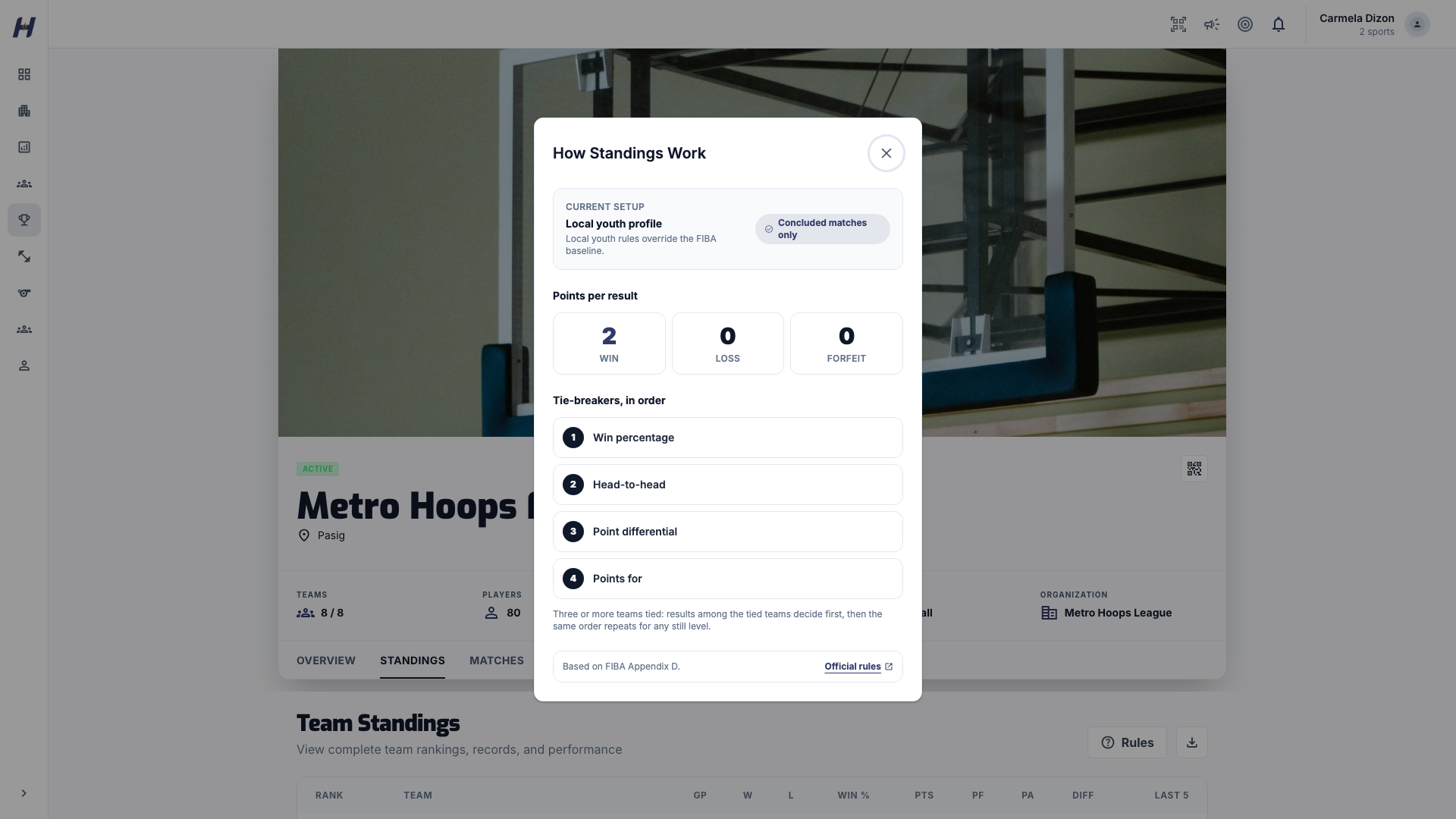
Open the league's Standings tab. In a basketball league, select Rules beside Team Standings to open How Standings Work, which lists the league's points per result and its tiebreakers in order. Grouped leagues add By group and Overall views: By group ranks each group on its own, and Overall shows the combined table.
For a league that plays standings first, the Matches tab's Structure view shows a read-only Playoff Preview seeded from the current table. It is a projection only: it never creates games, it is not a step you must complete, and it does not limit which teams you can choose when you generate the real round.
Generate playoff rounds
Finish the stage
Conclude every regular-season or group game. Record forfeits, and settle any local tiebreaker your league decides outside the app.
Open Manage Matches
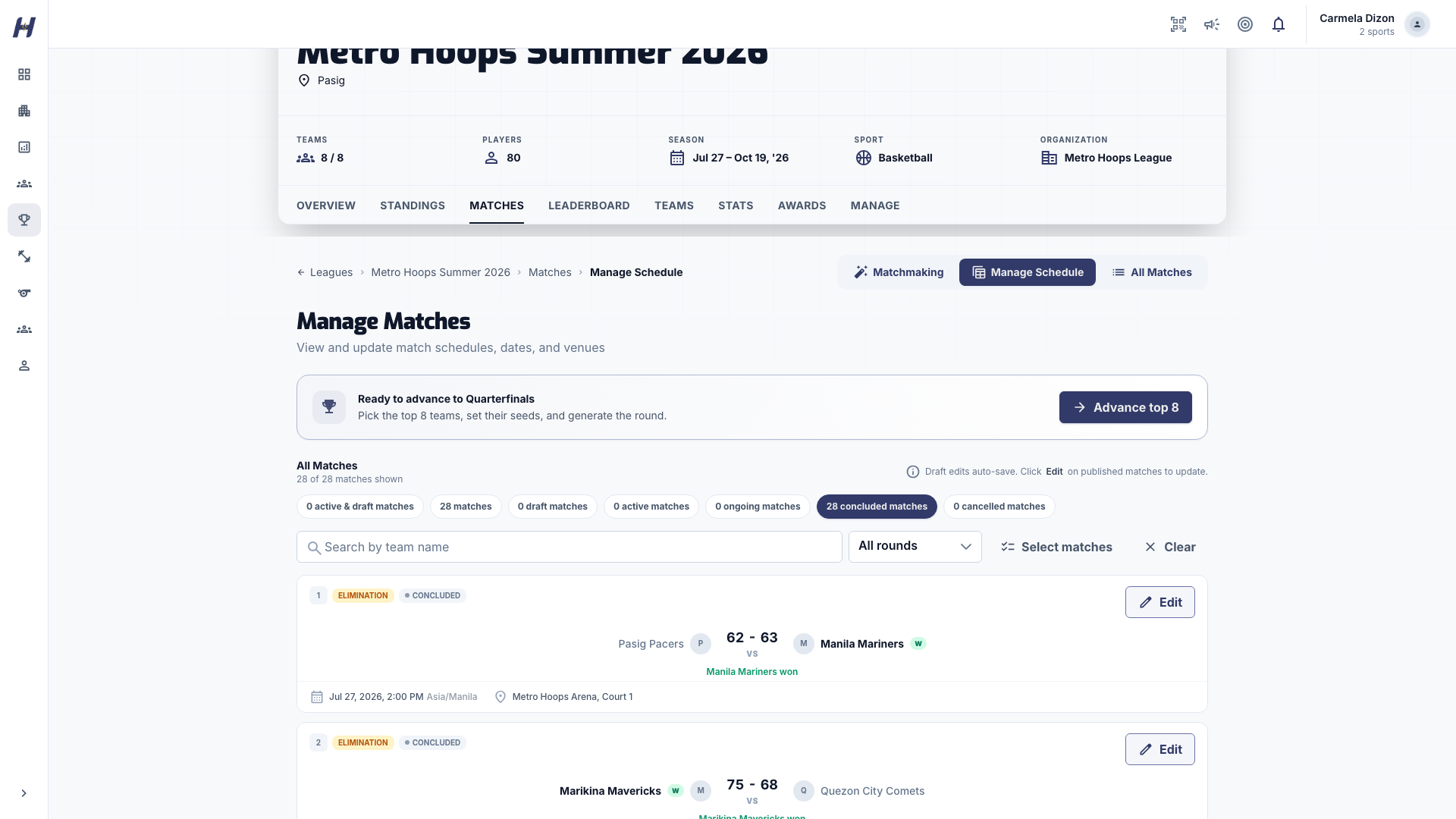
On the league's Matches tab, select Manage Matches. When the stage is complete and the next round does not exist yet, a callout reads Ready to advance to Quarterfinals with Advance top 8. Leagues with 4 to 7 teams advance straight to semifinals with Advance top 4. Select the button.
Review the advancing teams
The advancement screen preselects the top teams from the standings and lists the other teams under Available teams. Remove, add, or reorder teams for a withdrawal, disqualification, or local tiebreaker. The bracket preview updates from the seed order. Quarterfinals need exactly 8 teams.
Standard quarterfinal pairings are #1 vs #8, #4 vs #5, #2 vs #7, and #3 vs #6.
Generate the round
Select Review & Generate Quarterfinals, check the list in Advancing teams, and select Confirm & Generate Quarterfinals. Review the new draft games in Manage Matches, set their dates and venues, and publish them.
Repeat for later rounds
After the quarterfinals conclude, the callout offers semifinals with the 4 winners. The semifinals pair the winners of QF1 and QF2, and of QF3 and QF4, in the order shown on the bracket. After the semifinals, it offers the finals with the 2 finalists.
Which standings seed the playoffs
- One shared table: the top teams in the final overall standings.
- Groups with crossover mode None: the league's Playoff Qualification decides. Group rankings takes the same number from each group (for two groups into the quarterfinals, in slot order: QF1 A1 vs B4, QF2 B2 vs A3, QF3 B1 vs A4, QF4 A2 vs B3). Overall standings takes the best records across all groups, so a third-place team in one group can qualify ahead of a runner-up in another.
- Groups with crossover mode Playoffs: the crossover winners advance.
- Groups with crossover mode Classification: the Playoff Qualification Source decides, either the final overall standings or the classification placements.
If a playoff round was generated with the wrong field, do not edit published or completed games. Clear the incorrect draft round in Manage Matches, review the standings, and generate it again.
Assign season awards
Open Manage Awards
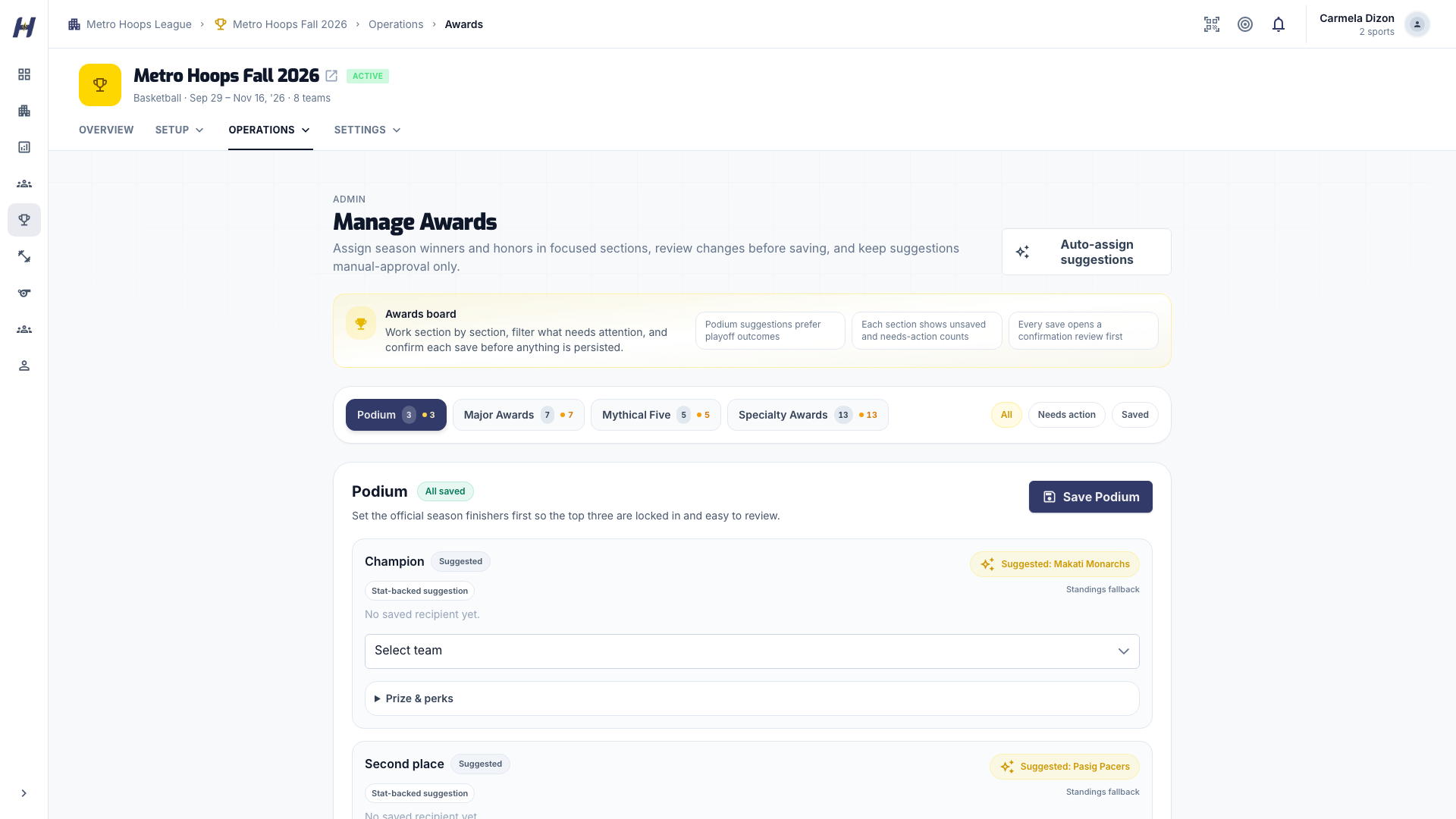
Open the league, select Manage, then Operations > Awards. Use All, Needs action, or Saved to focus the board.
Choose recipients
Sections depend on the sport: Podium (champion, second, and third place), Major Awards such as Season MVP, Mythical Five for basketball, and Specialty Awards. Search each recipient list and use the team name and jersey number to find the right player. For Basketball and Volleyball, Podium needs all three finishers. Racquet leagues can save the known podium recipients when a place has no recipient. Each Mythical Five position needs a different player.
Add prize details (optional)
Expand Prize & perks to record a cash prize or select Trophy, Medal, or Plaque. These details are a record only; saving them does not send any payment.
Review and save each section
Select the section's save button, such as Save Podium. Check each change in the review dialog, then select Save changes, or Keep editing to go back. Each section saves on its own, so save every section you changed.
Auto-assign suggestions can prepare picks from recorded results and stats. Select Auto-assign to request them, review each suggestion, and save the section to publish it. Suggestions alone never publish awards or replace saved ones. Podium suggestions prefer recorded playoff results and fall back to standings.
Racquet Season MVP and Finals MVP suggestions show their criteria and result coverage. Confirm the suggested recipient or make a manual choice; tied evidence needs your decision. Review the evidence again after a correction.
Table Tennis results, rankings, and awards
In a Table Tennis knockout draw, podium suggestions follow the confirmed final and its matching third-place game. Earlier wins cannot override the final. A pending or disputed final has no automatic podium suggestion. Round-robin placements use the standings.
The MVP race uses confirmed results: 3 points per win and 1 per loss, including results recorded without detailed point statistics. Both doubles partners receive their result points. These are HustlX local ranking points, separate from the match points used in league standings. These local race points do not automatically choose award recipients. Manage Awards shows separate Season MVP and Finals MVP suggestion criteria, and the organizer confirms the recipients.
Automatic Best Singles Player, Best Doubles Pair, and Best Server suggestions need complete attributed point capture that agrees with the game scores. Best Server also needs at least ten recorded service points. Partial statistics remain visible, but do not qualify for those automatic suggestions. You can still select recipients yourself.
A match's Player of the Game or Best Player is a match highlight, separate from season awards.
What happens next
Players can review the published winners from the league's Awards tab. Once a final has a winner or a champion is saved, you can move the league to Concluded in Settings > League Status.
Troubleshooting
Advance top 8 does not appear
Every game in the stage must be concluded, and the next round must not exist yet. Check Manage Matches with the All statuses filter for a game still open.
Podium will not save
For Basketball and Volleyball, select all three finishers. Racquet leagues can save a partial podium using the known recipients. For Mythical Five, look for Duplicate in Mythical Five and pick a different player.
Suggestions appear, but public winners did not change
Save the section and confirm Save changes. Suggestions do not publish on their own.
Standings look different from the Playoff Preview
The preview reflects standings at the moment you view it. Use the advancement screen, which reads the final standings, as the source of the real field.