Create a league
A league is the home for one competition season: its teams, rules, schedule, standings, and awards. You can set one up in about a minute with Quick setup, or use Customized when you want to choose every rule before teams join.
Before you start
- Create the teams you plan to enter, or have a team list or roster CSV ready. See Manage teams and rosters.
- Decide the sport, start date, and whether teams join by invitation or by open request.
- You can publish without adding your organization's payment methods. HustlX online checkout handles supported team payments. If you also want teams to pay your organization directly, add an active method under Finance > Payment Methods and enable that option for a paid open league.
Create the league
Open Leagues
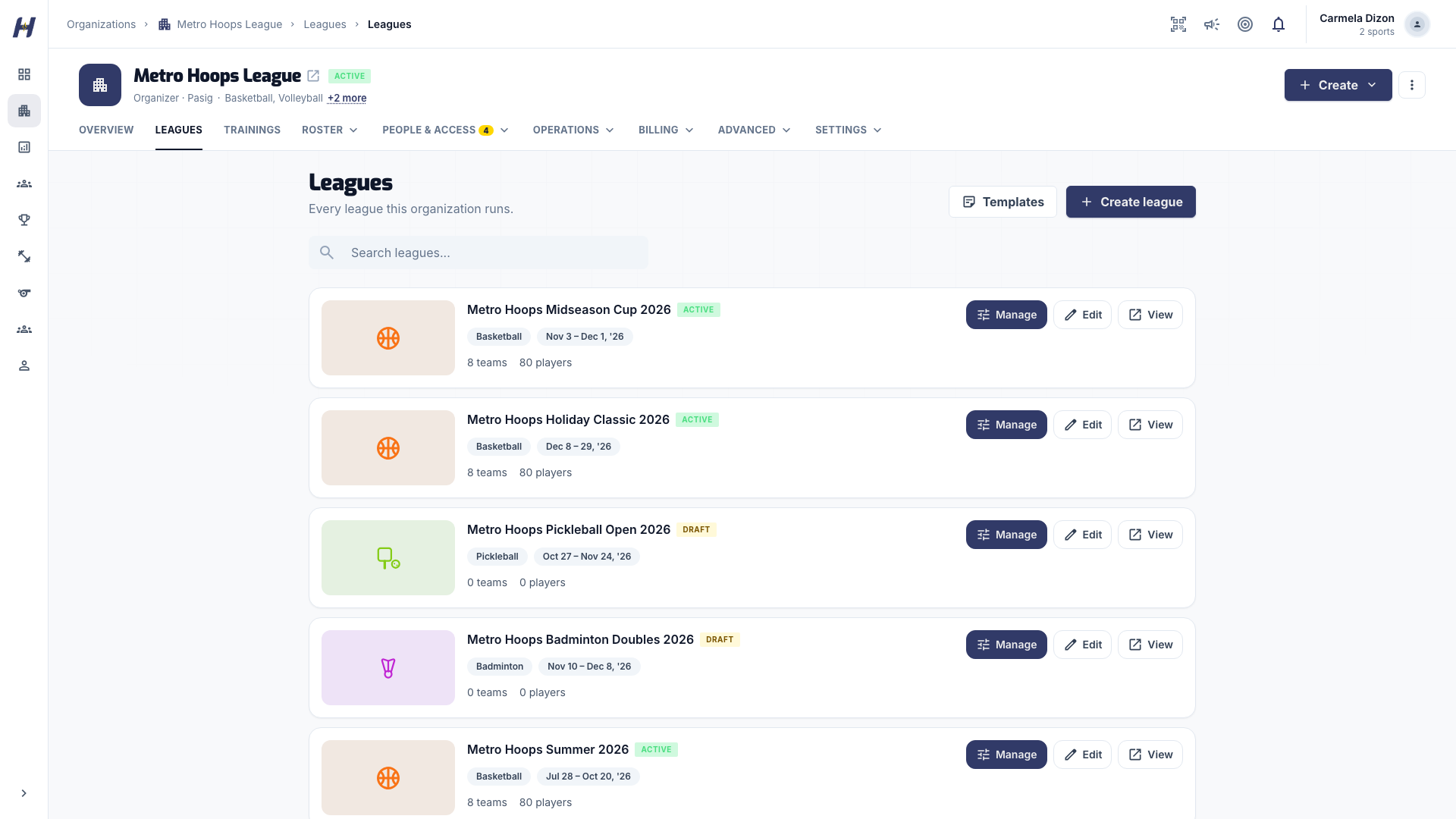
Go to your organization's Manage area and open Leagues. Select Create league. You can also start from Create > League in the Manage header.
Choose how to set it up
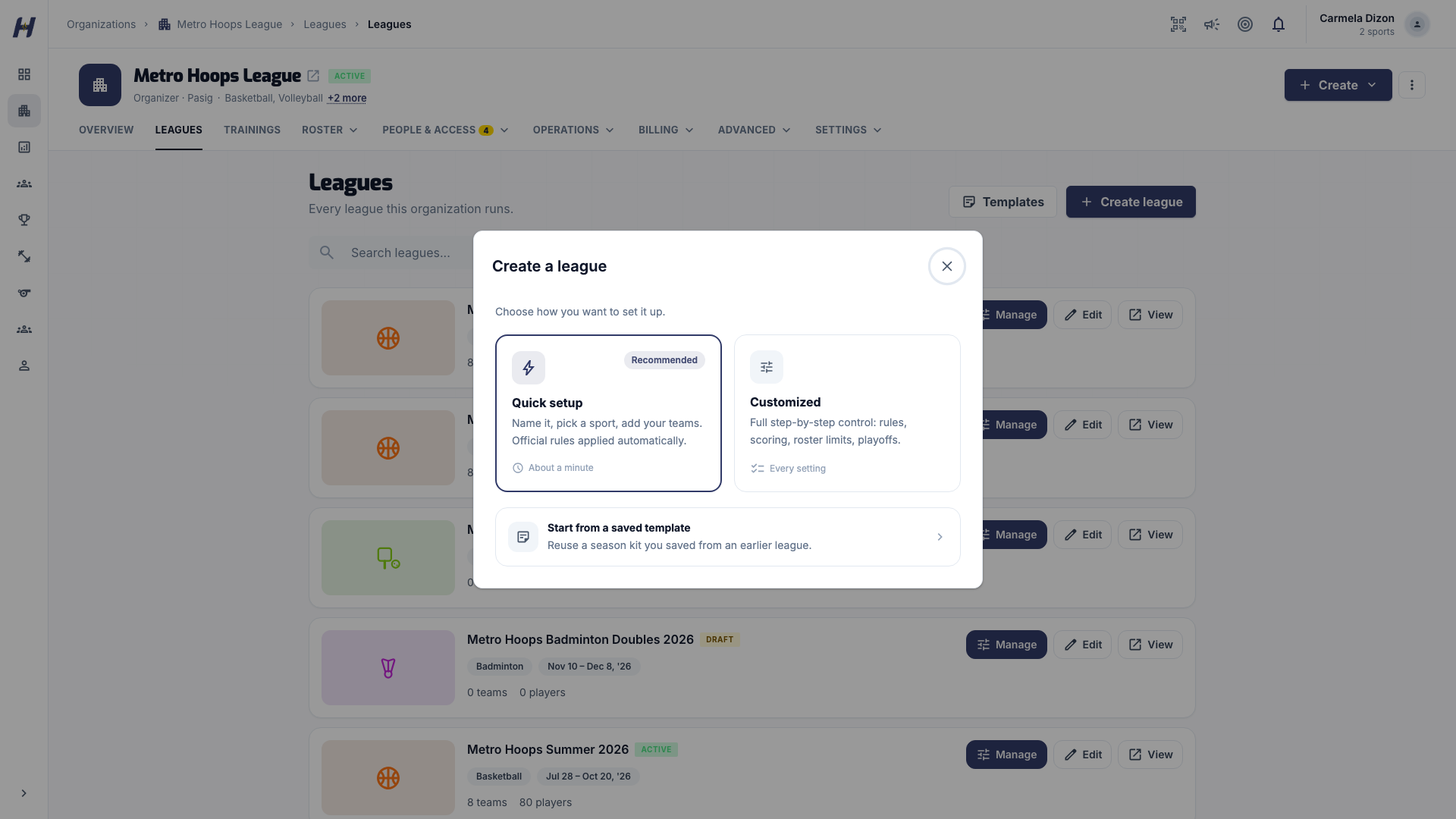
The Create a league dialog offers three paths:
- Quick setup (recommended): name it, pick a sport, add teams. HustlX applies starting rules for the sport.
- Customized: a four-step flow with full control of rules, scoring, roster limits, and playoffs.
- Start from a saved template: reuse a season kit saved from an earlier league. See Run the season.
Fill in the setup
The New league form has four sections:
- Basics: Organization, League name, sport, and Start date. Football leagues also choose 11v11, 9v9, or 7v7.
- Teams: pick existing teams under Your teams, type names under Add by name (with optional Tags such as
18U), or upload a file under Import CSV. - Access & fees: Participation Fee, Per-Game Fee / Bond, and Join Mode (Invite only or Open requests).
- Game settings (basketball only): 5v5 or 3x3, Period minutes, and Running Clock with its Running margin.
If a typed name matches one of your teams, HustlX asks whether to Use existing team. To make a second team with the same name, cancel and add a tag first. When your CSV includes player emails, Send invitations to player emails from your file is on by default and sends each player a link to claim their roster record.
Select Create league at the bottom of the form.
The Create League page walks you through four steps in a sidebar stepper:
- League: League Name, description, Organization, sport, Season Start Date and Season End Date, Max Teams, Participation Fee, Per-Game Fee / Bond, Join Mode, location, and a cover image. Team sports also pick a Competition Format such as Basketball 5v5 or Basketball 3x3. Pickleball and racquet sports pick an Entrant format instead.
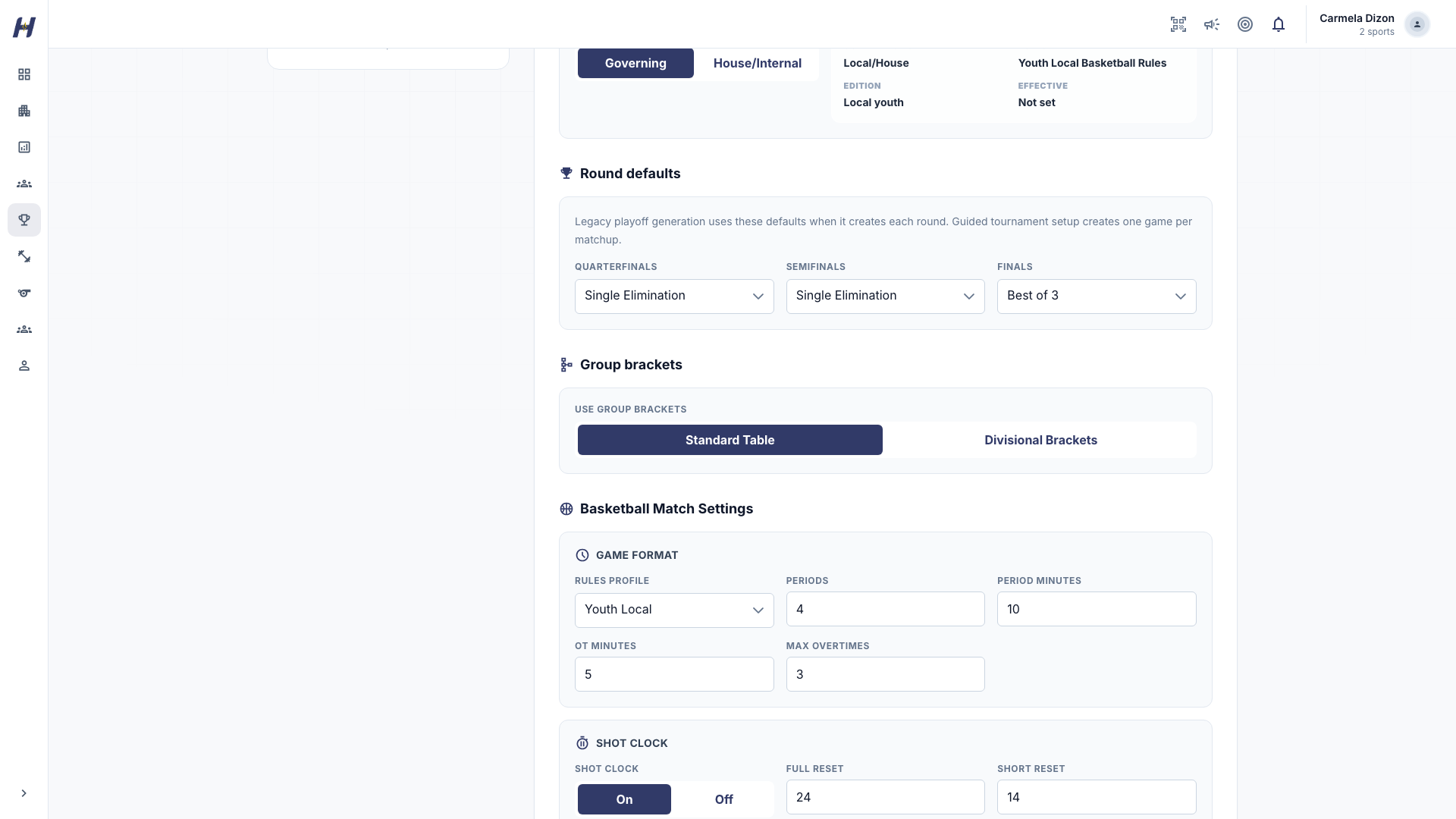
- Format: scoring rules, standings points, tiebreakers, optional age and roster-size rules, and Use group brackets (Standard Table or Divisional Brackets). See Competition formats and brackets.
- Teams: search the team pool and select teams. Each selected team shows whether it Enrolls instantly or gets an Invite to join. Teams are optional here.
- Launch: review everything, then choose Save as Draft or Launch League.
Your progress is saved in this browser while you work. Use Reset Form only when you want to clear it and start over.
Complete team admission if asked
When the league has teams, HustlX can offer a league team admission checkout. You can pay now, or close it and finish from the league page later. Saving a draft is free, and the league stays a draft until you publish it.
What Quick setup sets for you
You can change any of these later from the league's Manage area, until the league is published and the field locks.
| Setting | Starting value |
|---|---|
| League status | Draft. Only your league managers can see it. |
| Season end date | 8 weeks after the start date. |
| Max Teams | The number of teams you added. No limit if you added none. |
| Minimum roster size | None. Teams can join before their players are added. |
| Team format | Basketball 5v5, volleyball 6v6, pickleball doubles, football 11v11. |
| Rules | The sport's starting rules profile, such as FIBA 3x3 for basketball 3x3. |
Rules are advisory
Your organizers, coaches, and officials agree on the final rules. HustlX records them and helps you apply them, but it does not block the season over them:
- Age and roster-size rules show warnings on the team picker, on join requests, and in Roster Audit. You can still select, invite, or approve the team.
- Sport is enforced: a team whose sport differs from the league's cannot enter.
- One team per player: a player cannot be rostered on two teams in the same league.
What happens next
- Your league opens as a draft. Publish it from Settings > League Status when the teams, dates, and fees are ready.
- Set up fees, payment options, and how teams join in Registration and fees.
- Build the schedule in Create and schedule matches.
Troubleshooting
"League creation is unavailable for this organization."
Your role cannot manage leagues, the organization is not approved yet, or leagues are not enabled for it. Ask the organization owner to check your role and the organization's league capability.
The form asks me to add a payment method
This is a setup reminder for direct organization payments on a paid open league, including the manual fallback when online checkout is unavailable. Add an active method under Finance > Payment Methods so teams can pay your organization directly. The reminder does not block publication. With online checkout enabled, teams can still pay through HustlX checkout.
"Finish your organization's onboarding before creating a league."
Complete the organization onboarding steps, then try again.
The sport I want is not in the list
The sport must be one of your organization's sports and open for leagues. Organizations billed outside the Philippines can currently create basketball and volleyball leagues only.
"Team ... sport does not match the league sport."
A selected team plays a different sport. Deselect it, or pick the team that plays this league's sport.
"League created, but some new teams were not added."
The league exists, but part of the team import did not finish. Open the league and add the missing teams from Manage > Teams & Roster.
"League created, but admission checkout could not start."
The league and teams were saved. Open the league and start the admission checkout again.
Related guides
Create an organization
Watch a new organizer register as an organization, verify their email, add admin details, build the organization profile, pick offerings and sports, and continue with the free plan.
Registration & fees
Choose team or paid player registration, form teams, and complete league team admission.