Track practice and challenges
Practice is your personal daily tracker. Pick drills, log what you did each day, and review streaks and personal records. Your practice history is private to you by default.
Before you start
- Sign in and finish onboarding.
- Open Practice from the target icon in the top navigation. On a phone, it is in your avatar menu.
What you can track
The daily tracker currently supports Basketball and Volleyball. Use Quick Play for a short drill or a personal challenge for a target you want to repeat.
Both use one daily entry per challenge. Saving again for the same challenge and date replaces that day's entry. Morning and evening work are not separate session records in this tracker; if you update a daily total, enter the total you want that day to show.
Quick Play
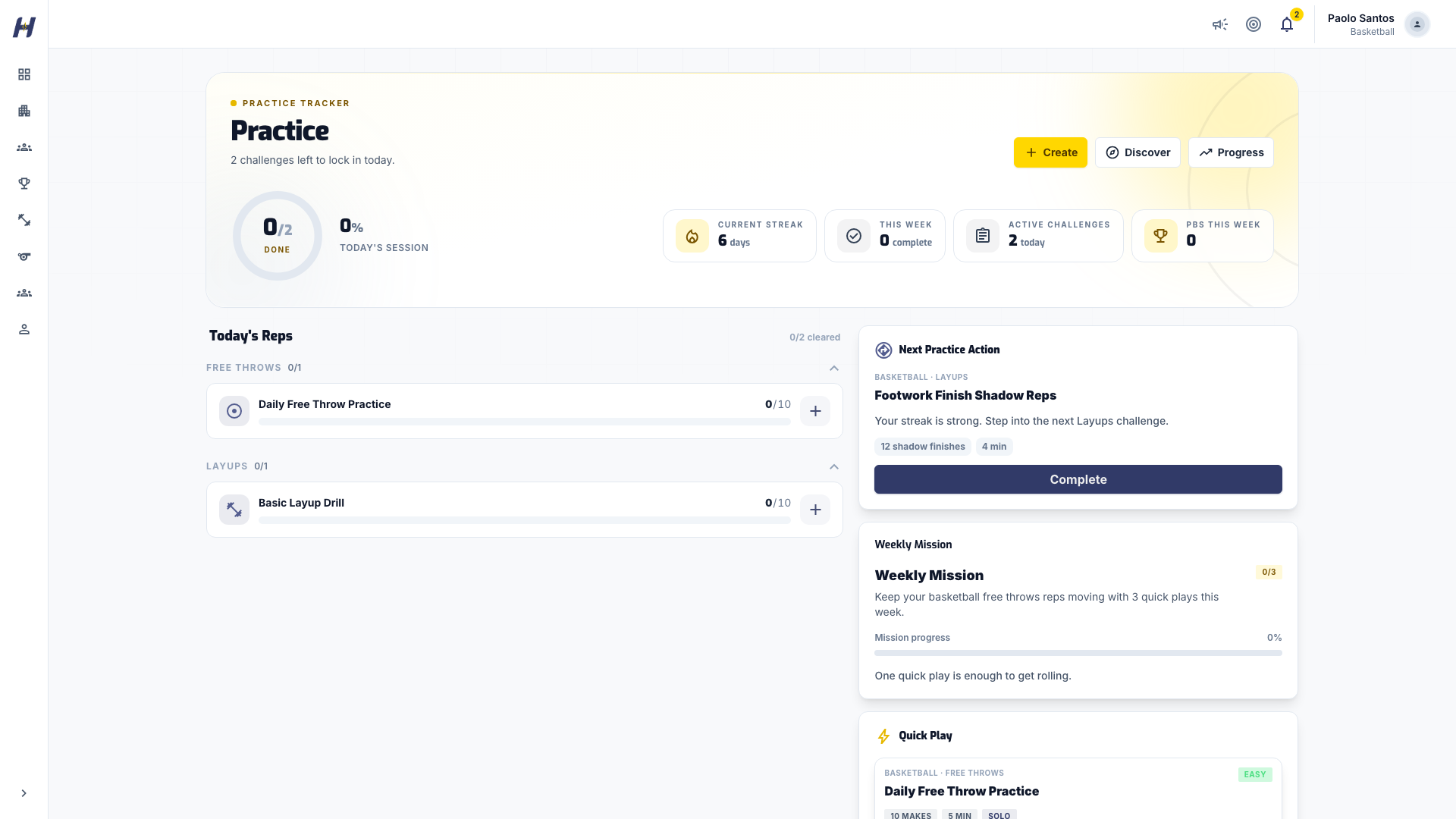
The Practice page suggests drills in the Next Practice Action and Quick Play cards. Follow the drill's instructions. Choose Complete when you finish. The button changes to Play Again for the rest of the day.
You can record completion without numbers. This means you did the drill; it does not claim a score, repetitions, or time, and does not create a measured personal record. Repeating a completion action preserves an entry you already recorded.
Personal challenges
Choose a drill
On Practice, select Create to build your own drill, or Discover to browse the catalog by Sport, Level, and Category. In Discover, select Add to My Practice on a drill you want.
Set your daily target
On Build Your Drill, pick the sport and a template, set your daily target, and add a Custom title (optional). Select Create Challenge.
Log today's result
Select the challenge on Practice. Enter what you actually observed, such as Made and Attempts or Reps, then select Log Today. If you already logged today, the button reads Update Today's Log.
To track a measured result, enter the numbers you actually observed. For example, 50 makes from 70 attempts is 71.43% accuracy. It also reaches a goal of 50 makes. Your goal does not limit how many attempts you can record.
Keep the target separate from the result. Repetitions count work, accuracy needs both makes and attempts, and duration describes time spent. A zero result is different from leaving a measurement empty.
Log Today saves the entry for today, so log on the day you train to keep the actual practice date. Dates and streaks follow the Asia/Manila calendar. Correcting an entry for the same challenge and date updates its value rather than adding another practice session.
Read your progress
Select Progress on the Practice page to see Current Streak, Longest Streak, Daily Entries, and Current Records. Open a challenge to see its Recent Daily Entries and Measured Volume.
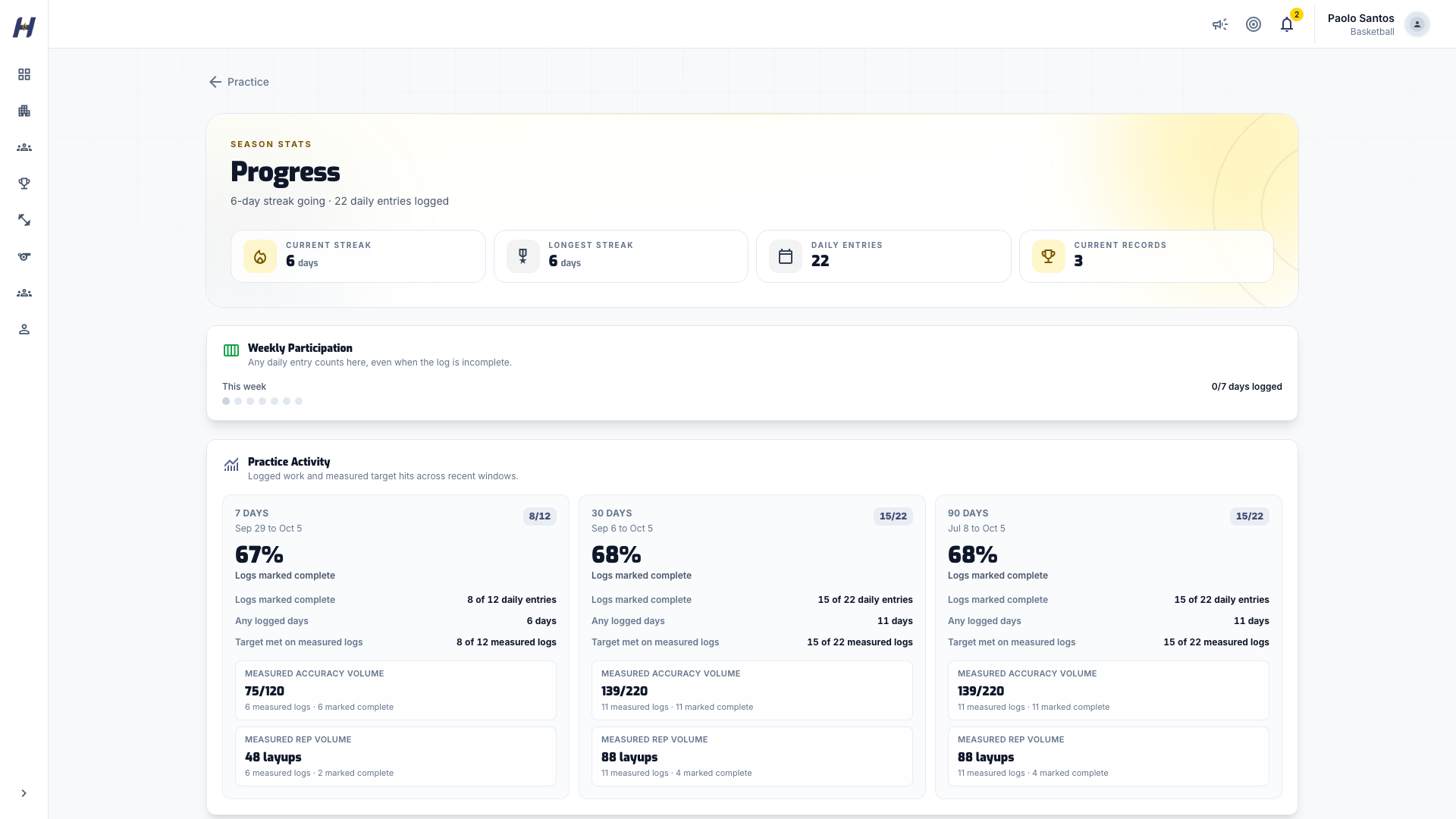
Basic Progress does not require advanced analytics. Use the daily-entry history, challenge summaries, and measured personal records to review your work.
- Participation means you recorded an entry that day, including a measured attempt below your target.
- Streaks count participation, not perfection. A day counts toward your current and longest streak whenever you log real reps, makes, or minutes, even below the day's target. Clearing the target is what marks the day done.
- Completed entries and measured target attainment answer different questions. Read the denominator shown beside each value.
- Personal records distinguish most makes and highest accuracy. Check the attempt count and the date of the winning entry before comparing results.
- Work volume describes how much you recorded. More repetitions or time does not by itself establish better skill.
- Challenge detail totals cover the recent history shown, up to 200 daily entries. Personal records can come from older entries.
Performance is shown by challenge so unrelated drills do not become one overall skill score. Schedule adherence is unavailable while past schedule definitions are missing; an empty day alone does not prove you skipped a scheduled practice.
Older entries may be labelled legacy-unverified because their measurement source is unknown. Their raw values remain in your history, but they are excluded from measured personal records. Completion-only entries also remain visible without becoming measured scores.
Saving and correcting entries
If saving fails because of a connection problem, keep the page open and select Retry Save. Check any validation message before changing your numbers. Unsaved entries are not saved across reloads, and durable offline sync is not available.
If a result or streak looks wrong, check the challenge and practice date first. Correct an inaccurate daily entry instead of entering invented numbers to recover a streak.
Who sees your practice
Practice days appear on your profile Activity feed as Only you. You can switch a single day to Public; practice notes are never shown.
Coach assignment, team-shared tracking, and public practice leaderboards are not available in this personal tracker. You can discuss drills with a coach or teammate, while keeping your recorded history private. Organization Training and match statistics remain separate workflows.
Troubleshooting
I can't find a drill
Check the sport you selected in Discover and step back to change the Level or Category.
My entry is not showing
Check the challenge and date, and confirm saving completed before reloading.
I have no measured record
Completion-only and legacy-unverified entries do not qualify. Accuracy also needs a valid attempt count.
My numbers were rejected
Enter whole counts, keep makes at or below attempts, and follow the units shown by the form.
Related guides
Awards and stats
Find your league awards, Player of the Game honors, and recorded match statistics, and add your own experience entries.
Annual Registration
Start your organization for free, then buy Annual Registration, admin seat and storage add-ons, and league team admissions through secure checkout.