Buy Annual Registration and add-ons
Annual Registration is the yearly organization subscription that unlocks Wallet, Finance, gallery uploads, and add-ons. In the app it appears as the Annual Subscription Fee. League team admissions are a separate per-entry purchase you make from each league.
Start an organization for free
Organization registration is free. A free organization has one Organization Administrator seat, used by the owner. You can finish setup, build drafts, save draft leagues, and publish leagues without buying anything.
Annual Registration adds three owner-inclusive Organization Administrator seats, 5 GB of gallery media storage, organization Wallet and Finance access, and eligibility for annual add-ons.
Current prices
| Item | Price | What it covers |
|---|---|---|
| Annual Registration (Annual Subscription Fee) | PHP 2,990 per organization per year | Wallet and Finance access, 5 GB gallery storage, three admin seats, add-on eligibility |
| Extra admin seat | PHP 499 per year for each additional Organization Administrator seat | One more administrator seat |
| Gallery storage block | PHP 499 per year for each additional 10 GB block | 10 GB more gallery media storage |
| League team admission | PHP 399 per team per league season | One team's entry in one league season |
Both add-ons require active Annual Registration. Their first charge is prorated to your Annual Registration renewal date, and you can buy more than one of each.
Basketball, Volleyball, Football and Futsal leagues use PHP 399 per team per league season, including 3x3 and beach formats.
Sport-based pricing is PHP 199 per singles entry or doubles pair for Pickleball, Padel, Badminton, Tennis and Table Tennis singles, doubles, and mixed doubles formats. A doubles pair pays once, with both players included. Other formats keep the PHP 399 team rate. There is no extra charge per match or round. Pricing does not turn on a sport that is still in a limited rollout.
Existing pending checkouts keep their saved price, and completed payments are never repriced. To estimate a season, use the calculator on the public Pricing page, then confirm the final amount at checkout.
Fixed-price checkout
Annual Registration, add-ons, and league team admissions are fixed-price purchases. Hosted checkout shows the subtotal plus a separate 3% fixed-price checkout transaction fee, rounded to centavos. That fee is a HustlX product fee shown before you pay.
Only verified payment confirmation activates a purchase. Returning to HustlX from the checkout page does not unlock access by itself.
Buy Annual Registration or an add-on
Open Subscription
Go to your organization's Manage area. On Overview, find the Subscription card and select Manage subscription. You can also open Billing > Wallet & Subscription and select Manage subscription.
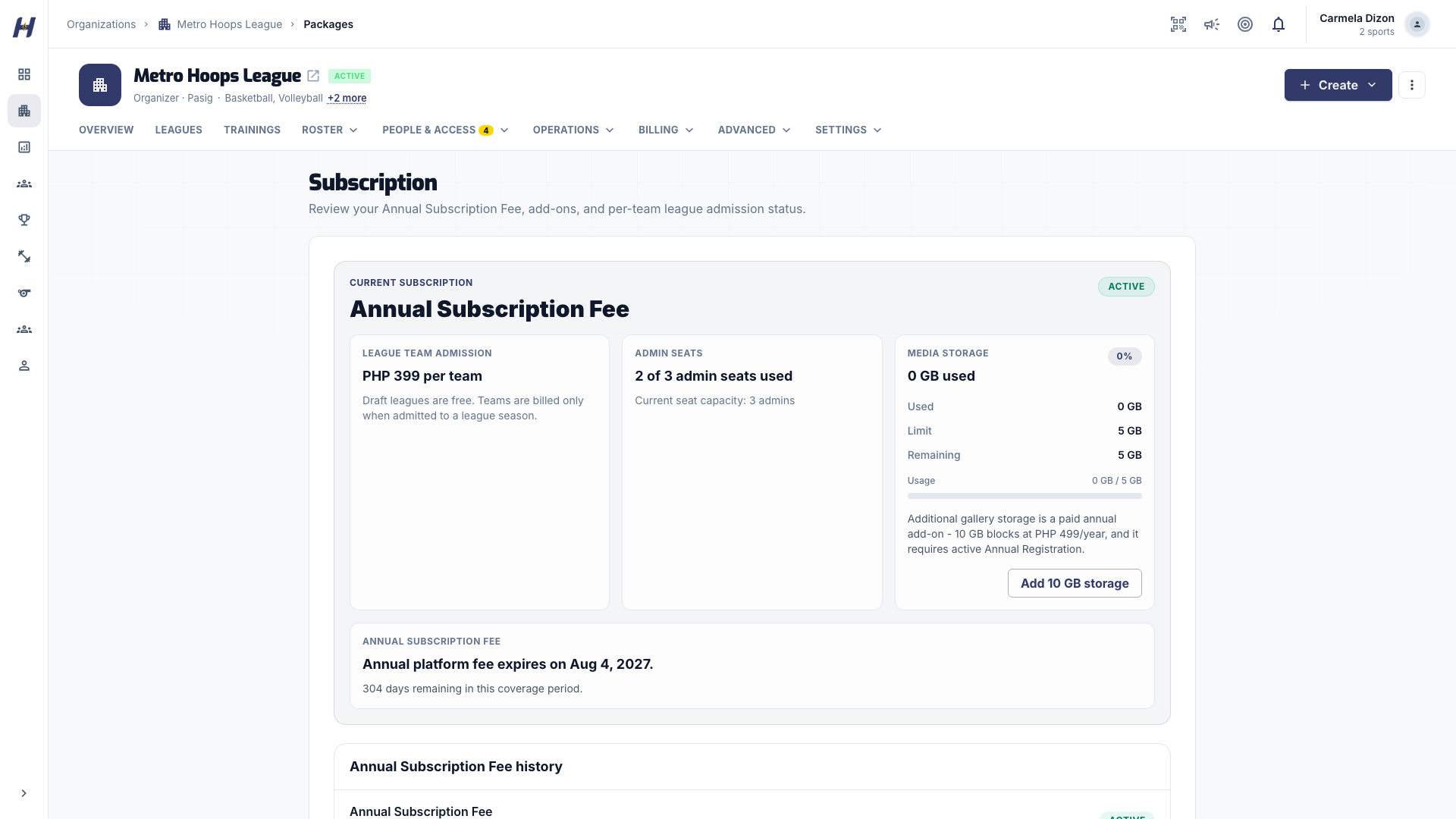
Choose what to buy
Under Annual Subscription Fee, select Start Checkout on the plan card to buy Annual Registration. To buy an add-on, select Request Add-on next to it. Only one subscription checkout can be open at a time.
Review your items
In the checkout window, adjust add-on quantities if needed and check Total Due. Select Continue.
Choose how to pay
Under Choose how to pay, pick one option:
- Secure checkout: shows Subtotal, the Checkout fee, and Total charged. Select Continue to Checkout and finish on the hosted payment page.
- Wallet: appears only when you can manage the wallet and its balance covers the subtotal. The subtotal is debited from your organization wallet with no checkout fee. Select Pay amount from Wallet.
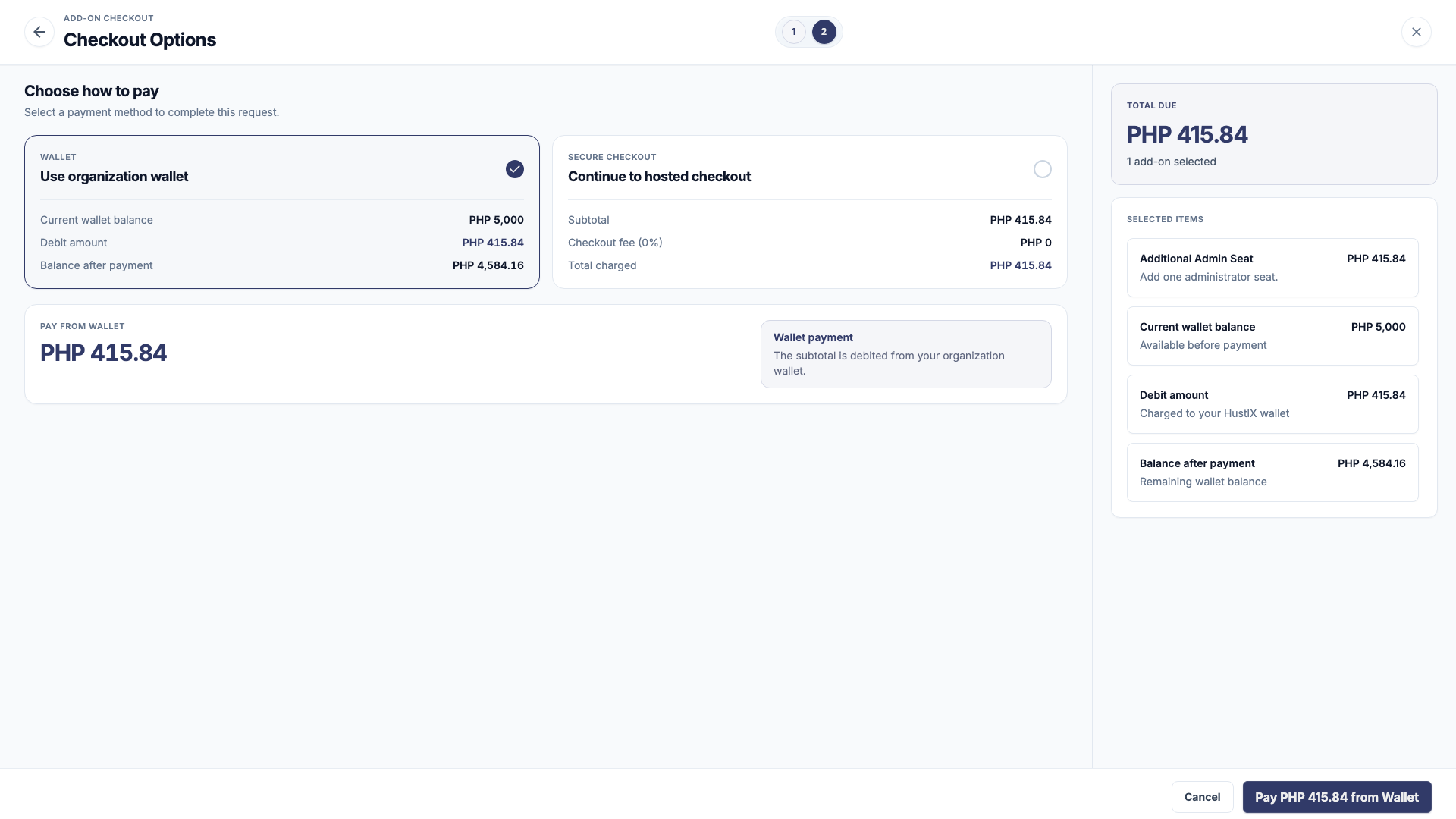
Wait for confirmation
After hosted checkout, you return to Subscription. A Payment processing banner shows while HustlX confirms the payment, usually within seconds. Wallet payments activate right away.
League team admission
Draft leagues, join requests, and publishing are free. Each team, singles entry, or doubles pair needs an admission before it is active in the season. Accepting or attaching a team to a published league creates a new admission requirement for that team.
Open the league's teams
Open the league's Manage area and go to Teams. The admission card shows how many entries are awaiting activation and the price per entry.
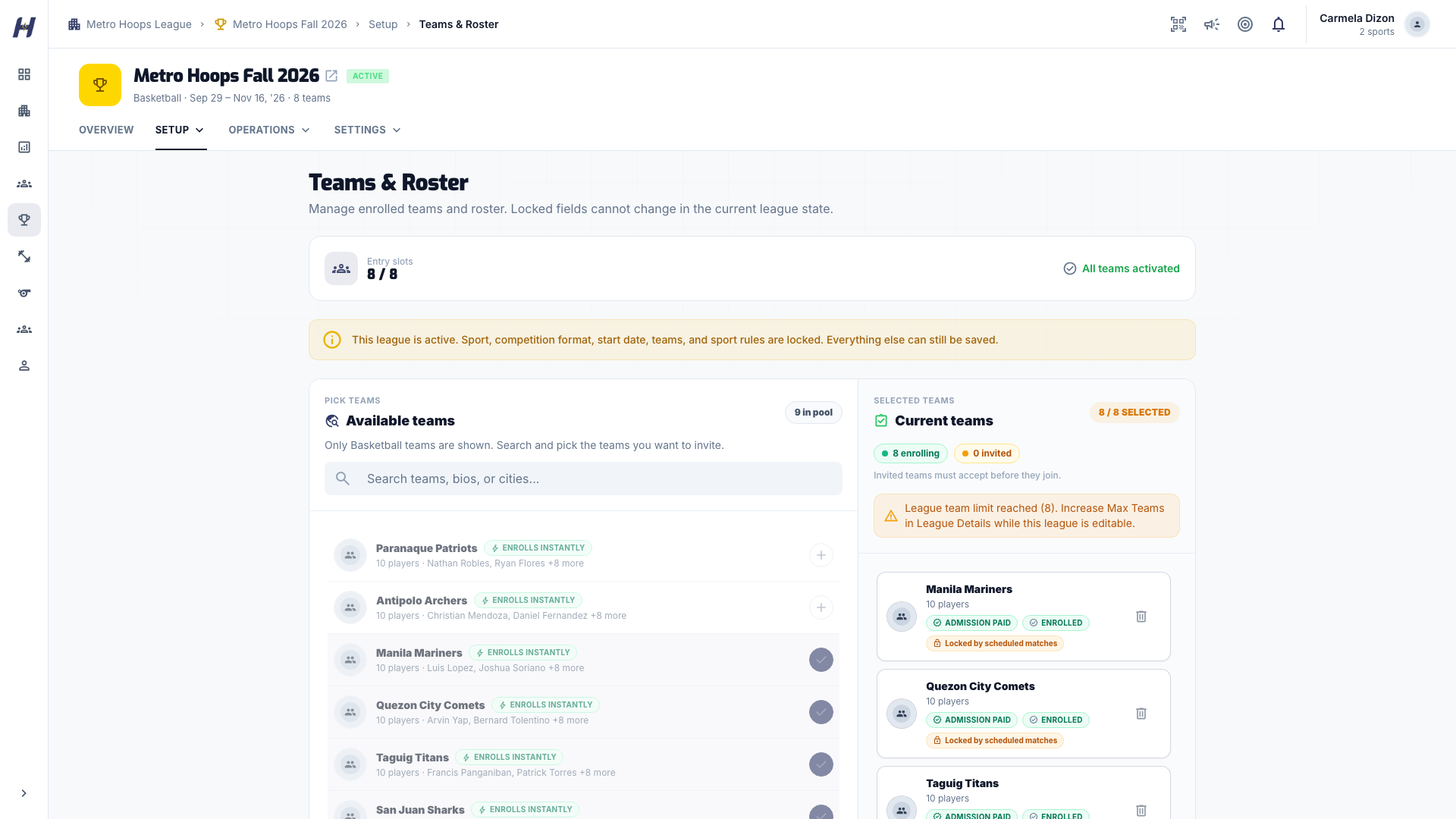
Start the admission checkout
Remove any entries that are not taking part, then select Activate teams (the label matches the entry type, such as Activate doubles pairs). If a checkout is already open, select Resume Checkout instead.
Confirm and pay
Review the entries and total in Confirm league payment, then select Continue to payment. Admissions activate after payment is confirmed. Your league's status does not change.
Renewal, grace, and expiry
A banner reminds you when Annual Registration renewal is due soon. Annual Registration has a three-day grace period after the term ends, and annual benefits stay active during grace.
After grace, Annual-only actions lock:
- Wallet and the full Finance pages are locked. Collections and payout requests stay available.
- Existing gallery media stays visible, but new gallery uploads are blocked.
- Existing Organization Administrators keep access. New invitations beyond your seat capacity are blocked.
- Verified payment processing and support recovery continue.
To restore access, open Subscription and select Start Checkout on the plan card. While Annual Registration is active or in grace, the card shows Current subscription.
Paid Training is separately gated
Annual Registration does not mean paid Training is ready to sell. Paid Training is disabled by default and is not a public commercial promise until provider and legal approval are complete.
Troubleshooting
Why is Start Checkout disabled?
Only the organization owner can start a checkout, and a blocked organization cannot. If a checkout is already open, finish or retry it first.
I paid but access did not change
Wait a few seconds on Subscription. If the banner still shows Payment processing, select Retry payment to resume the checkout, or contact support with the time of payment.
My prices are shown in another currency
Some organizations are priced in a different currency. When checkout for that currency is not open yet, the page explains that payments are opening by invitation. Select Contact HustlX.
I removed a team and now it needs a new admission
A team removed after it played matches in the league cannot reuse its paid admission. Adding it again needs a new admission.