Book a court
HustlX Courts at courts.hustlx.com is where you find and reserve basketball and volleyball courts. You can rent a whole court for a time slot, or join a court's open pickup game by the seat.
Before you start
- Create your account and verify your email. Your HustlX account works on HustlX Courts.
- Check the court's rate and minimum booking length before you pick a time.
Book a court
Find a court
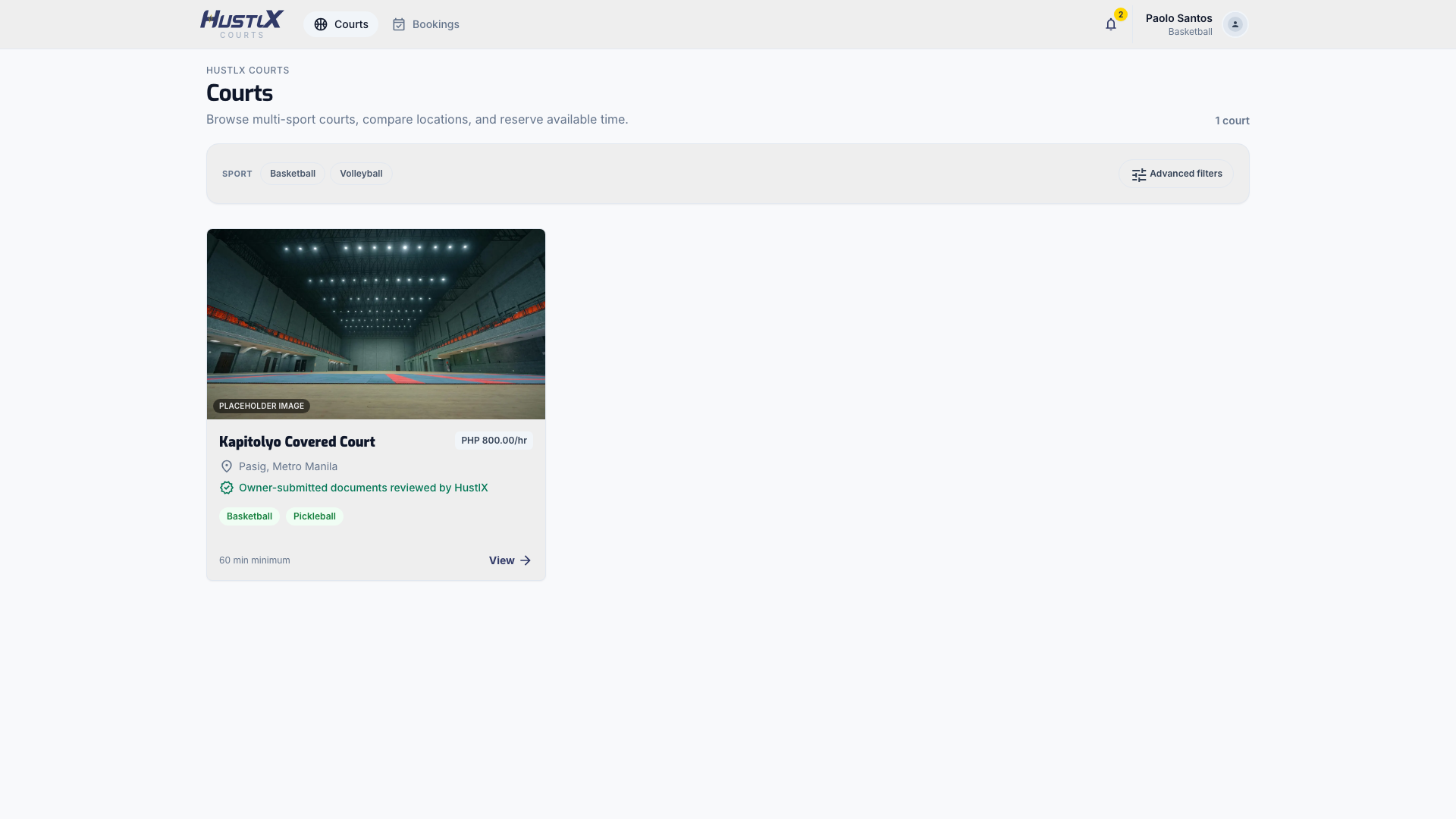
Open Courts (/courts). Pick a sport chip, or select Advanced filters to filter by Region, City, and price per hour. Only courts that are active, public, and verified appear here.
Check the court
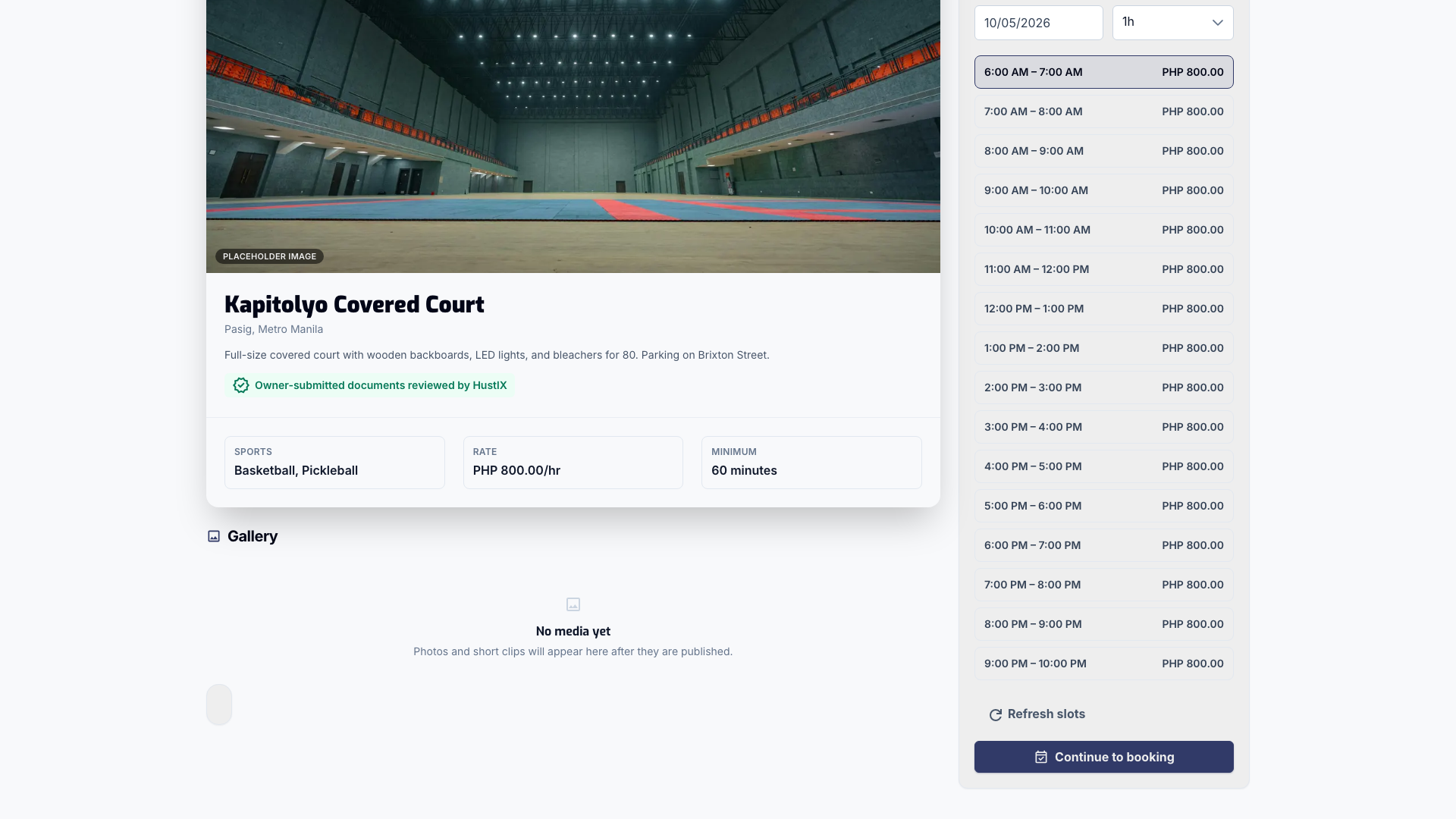
Open a court to see its location, Sports, hourly Rate, and Minimum booking length. Times are shown in the court's own timezone.
Pick a time slot
Under Book this court, choose an available slot. Then select Continue to booking. If you are signed out, the button reads Sign in to book.
Fill in the booking
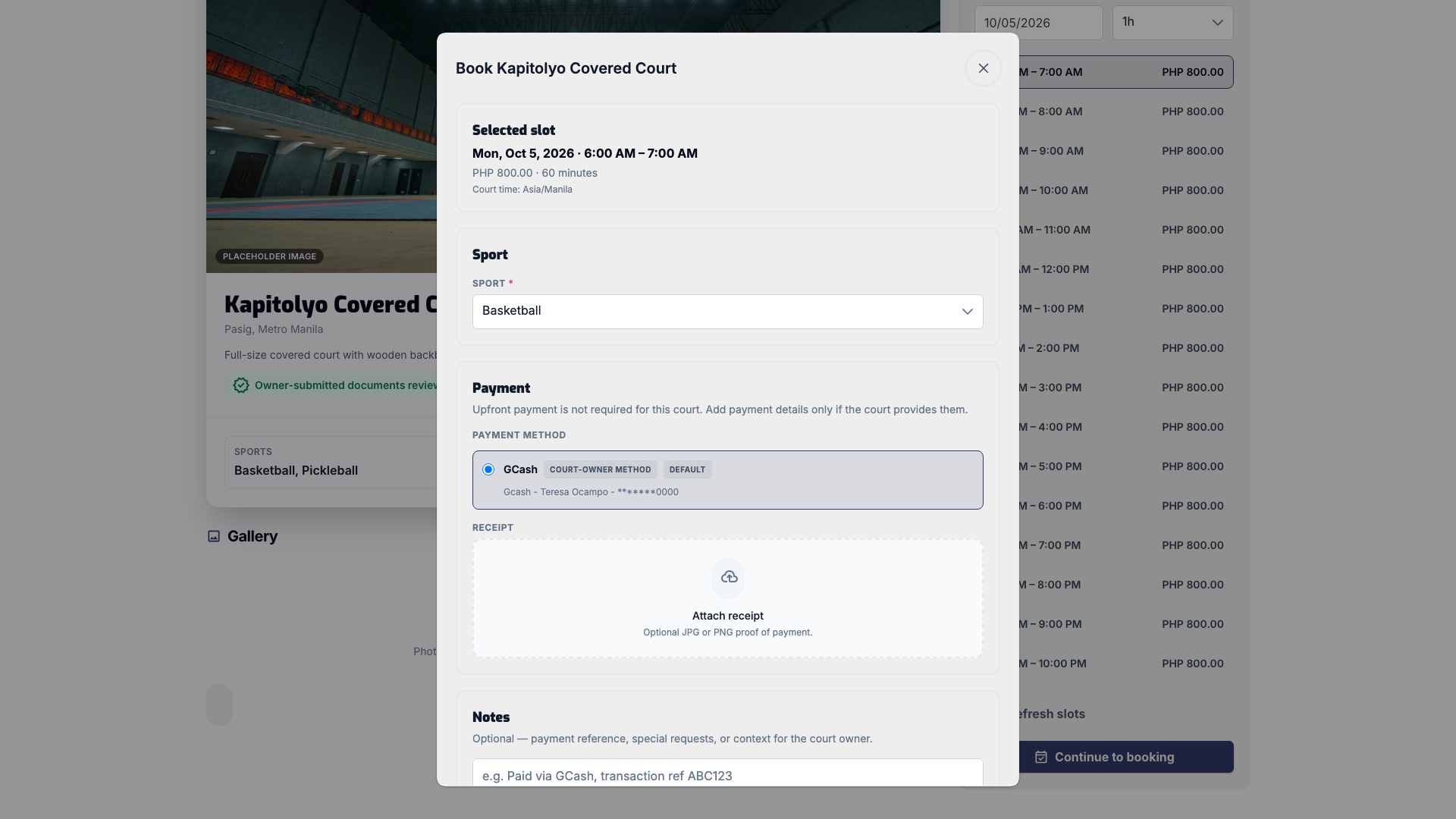
The booking form shows your Selected slot and total. Choose the Sport if the court supports more than one. Under Payment, follow what the court requires:
- Online checkout: when the court takes payment upfront and online checkout is available, you pay on a secure checkout page. No receipt is needed.
- Payment method and receipt: pick one of the court's payment methods, pay it, and upload a receipt.
- No upfront payment: send the request and arrange payment with the court directly.
Add optional Notes, such as a payment reference.
Send the request
Select Review & book, check the summary, and select Send request. For online checkout, HustlX takes you to the checkout page and brings you back when you are done.
Join a court pickup game
Some courts run open pickup games. Look for Pickup games on the court page, open a game, choose how many Seats you need, and optionally name the friends you are covering. Select Continue to confirm, then Confirm and start hold timer.
With online checkout, you pay right away. Otherwise, you have the minutes shown on the screen to pay the court and upload your receipt in Bookings, or your seats are released. When a game is full, join its waitlist. You can use Release seats later if your plans change.
Track your booking
Open Bookings (/bookings) to see every request. Filter by Court rentals or Pickup games, and by status: Pending, Pending payment, Payment received, Confirmed, Completed, or Cancelled.
If a booking still needs proof of payment, upload the receipt on its card. Use View receipt to check what you sent.
What happens next
- With online checkout, your booking is confirmed once the payment is verified.
- With a receipt, the court owner or organization checks the payment first. Uploading a receipt does not confirm the booking by itself.
- HustlX notifies you by email and in the app when your booking status changes.
Troubleshooting
Checkout was cancelled or the payment did not go through.
Return to Bookings and pay again when the option appears. Returning from the checkout page alone does not confirm the booking.
The court says "Not yet bookable".
The court is still a draft, private, or waiting for verification. Only its owner and managers can see it. Try another court.
I cannot send another request.
You can send up to 8 court booking requests a week. After 3 rejected requests at the same court, you cannot request that court again.
The court says it needs payment setup.
The court requires upfront payment but has no active payment method yet. Try another court or check back later.